A customer-demand system can make a property-management game more interesting when tenants value different things and not every unit suits everyone. One person may prioritize transit and amenities; another may prefer a lower rent and a quiet courtyard. The player then has to match limited units, decide how to handle competition, and keep maintenance capacity from eroding satisfaction.
The units, applicants, scores, and outcomes below are fictional design examples. They are not real tenant data, a housing-market recommendation, or a playtest.
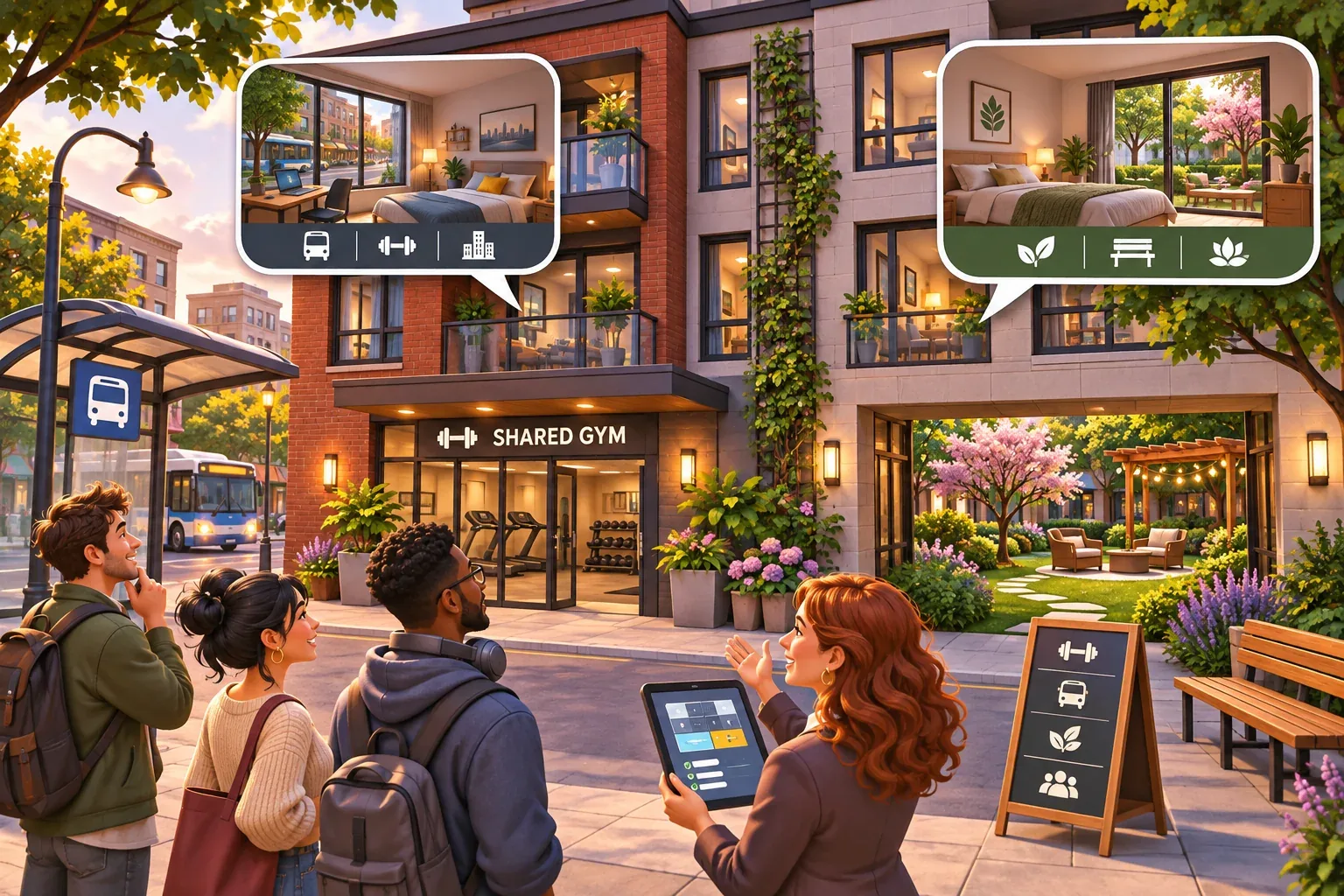
Separate unit facts from tenant preferences
Store a unit's facts in one record: rent, location tags, amenities, noise level, available date, and maintenance state. Store an applicant's constraints and preferences in another: maximum rent, desired amenities, preferred environment, and service expectations. Keep the property owner's policy separate again. That policy decides whether to prioritize best fit, rent, lease length, or another game objective.
For a first prototype, distinguish hard constraints from soft preferences. A budget ceiling can make an apartment ineligible. A preference for transit can add fit points without making every other neighborhood impossible. Show both kinds of information to the player so “not eligible” and “less preferred” do not look like the same hidden score.
Give each applicant a small profile and one or two meaningful trade-offs. Avoid modeling sensitive real-world traits. Focus on fictional game preferences such as quiet, transit access, a shared garden, lower rent, or quick maintenance response.
Make fit scores transparent
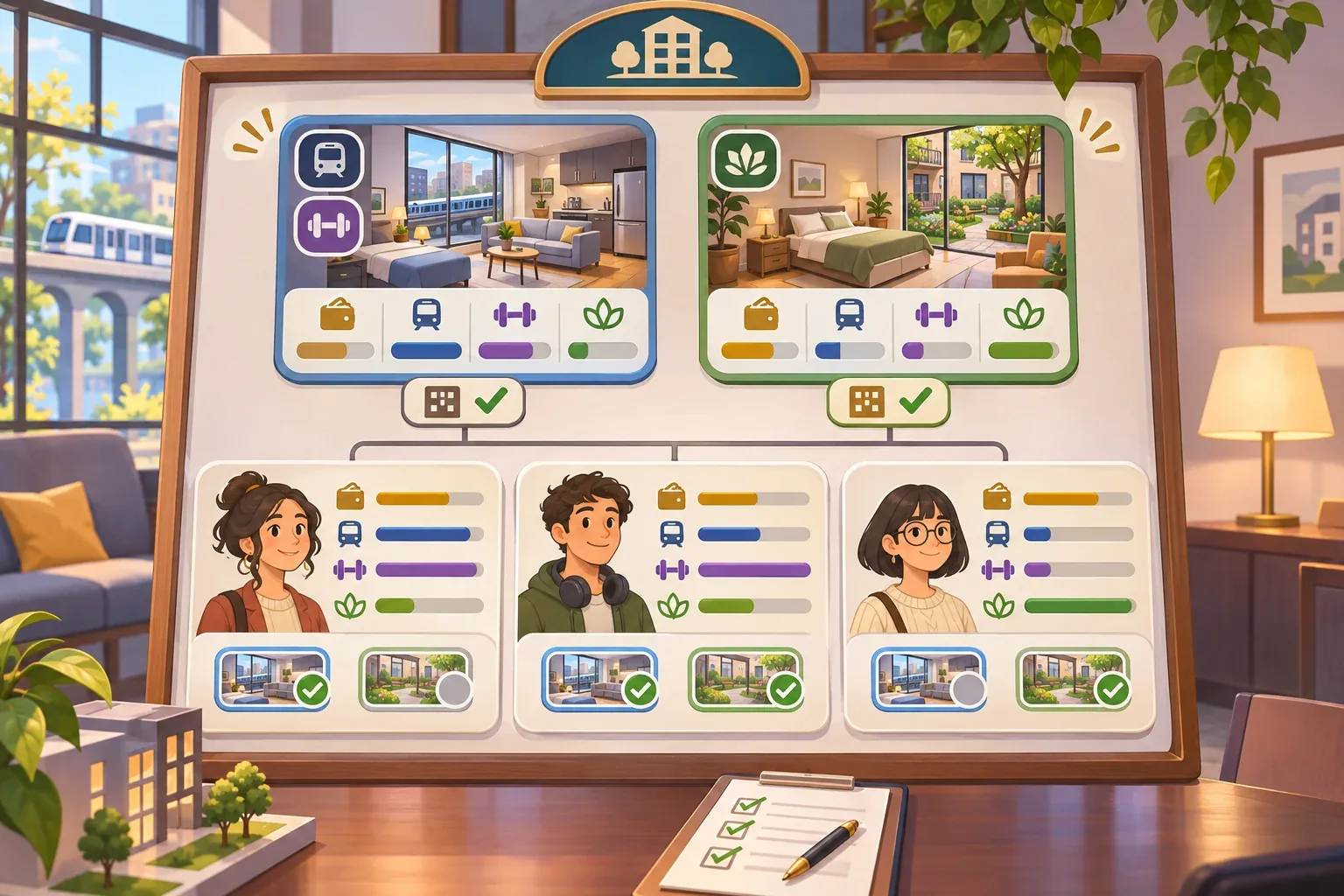
Use a short scorecard that explains a match rather than presenting a single unexplained number. In this fictional example, Unit A costs 4, has transit access and a gym; Unit B costs 3 and faces a quiet courtyard. Both have one-day maintenance response. All three applicants have a budget ceiling of 4, so both units meet the hard affordability constraint.
| Applicant | Preference points | Unit A fit | Unit B fit |
|---|---|---|---|
| Ava | Transit +3, gym +2, fast maintenance +1, rent within budget +1 | 7 | 2 |
| Ben | Low rent +3, quiet +2, transit +1, fast maintenance +1 | 2 | 6 |
| Cam | Transit +3, gym +2, fast maintenance +1, rent within budget +1 | 7 | 2 |
The arithmetic follows the listed tags. Ava's Unit A score is 3 + 2 + 1 + 1 = 7; Unit B gives only the maintenance and within-budget points, for 2. Ben values low rent and quiet, so Unit B scores 3 + 2 + 1 = 6, while Unit A gets transit and maintenance for 2. A fit score can help sort options, but the UI should show the factors behind it.
Resolve competing applications
Ava and Cam both score Unit A at 7, but only one can take it. Decide how the owner resolves that conflict. This example selects the highest fit first and uses earliest application as a tie-breaker. Ben is matched to Unit B. The second Unit A applicant remains unmatched and can wait for another unit or leave according to a rule the game explains.
Do not let the system double-assign an apartment or silently reject an applicant. Show the available units, score factors, tie-break, and what happens to an unmatched person. The choice belongs to the owner policy: a player may prefer highest fit to protect satisfaction, or choose rent priority if the game's objective is short-term cash flow. Keep the selected policy visible.
| Assignment step | Decision | Outcome |
|---|---|---|
| Check hard constraints | All applicants are within the example rent ceiling | Both units can be considered |
| Rank Unit A applicants | Ava and Cam tie at 7; earliest application wins | Ava receives Unit A |
| Assign Unit B | Ben scores 6 there and 2 for Unit A | Ben receives Unit B |
| Resolve remaining request | Cam has no unit available | Show waitlist or departure rule; do not silently erase the applicant |
After assignment, connect occupancy to the next business step. Rent enters the ledger when the lease rule says it is due. Maintenance requests consume staff capacity. If repairs take longer than the property's service promise, satisfaction may fall and the unit may be unavailable for a later cycle. That makes tenant fit part of ongoing operations, not just a one-time placement screen.
Prompt for a small demand system
When using an AI game maker to explore this interaction, define the unit facts and the application rule before asking for a large city. SEELE's official AI Game Maker page describes text-based creation and iteration. The tenant profiles and matching system below are a proposed design, not a documented product feature.
Create a small fictional property-management prototype with two one-bedroom units and three applicants. Unit A costs 4, has transit access and a gym; Unit B costs 3 and is quiet; both have one-day maintenance response. Applicants have a maximum rent and preference weights. Budget is a hard eligibility constraint; amenity fit is a visible score. Use the example profiles: Ava values transit 3, gym 2, service 1, and affordable rent 1; Ben values low rent 3, quiet 2, transit 1, service 1; Cam has Ava's weights. Match the highest fit first; break ties by earliest application. Never assign one unit twice. Show score reasons, waitlist or departure for unmatched applicants, rent in the ledger, and maintenance workload after move-in. Do not add real personal data or sensitive traits.Then inspect whether the result shows why each applicant fits, whether two applicants can claim one unit, and whether unresolved repairs affect the next leasing cycle. Ask for one rule correction at a time. Do not treat a generated mockup as evidence that real tenants behave this way.
Test constraints and service capacity
Use the same two-unit inventory and applicant set to check both matching and ongoing service. Record the policy and tie-break so the assignment can be repeated.
- Budget check: lower an applicant's maximum rent to 2. Unit A and Unit B are ineligible; the system explains the budget conflict rather than assigning anyway.
- Preference check: remove Unit B's quiet tag. Ben's score drops by two and the scorecard names the missing preference.
- Competition check: submit Ava and Cam for Unit A at the same score. The tie-break selects one and shows the other's next step.
- Capacity check: create two maintenance requests but assign one repair worker who can resolve one per day. The second request remains open and is visible.
- Cash-flow check: apply rent only according to the stated lease timing and include maintenance cost before showing the day result.

Once local assignments are predictable, add more units or preferences one category at a time. Keep a way to inspect why an applicant was matched, waitlisted, or rejected. The player can then adjust rent, amenities, or maintenance staffing with a clear idea of which constraint they are changing.
Property-management demand FAQs
What is the difference between a constraint and a preference?
A constraint can make a unit ineligible, such as rent above the applicant's stated budget. A preference changes relative fit, such as liking transit access. Show the two separately.
How should I resolve two applicants who want the same unit?
Choose a visible rule such as highest fit, owner priority, or application order. Show the tie-break and explain what happens to applicants who do not get the unit.
Should a fit score decide everything?
No. Use it to explain compatibility, then let the owner policy choose what matters. The score should not hide rent timing, maintenance capacity, or available inventory.
What preferences should I include first?
Start with a few fictional property traits such as rent, quiet, transit, amenities, and service response. Give each a clear effect and avoid sensitive personal attributes.
How does maintenance connect to demand?
Repairs affect unit availability and the service experience after move-in. Track maintenance capacity so the player can see when open requests may affect future occupancy or satisfaction.
Make your own property-management game
Start with two units, a few fictional applicants, visible fit reasons, and one explicit tie-break. Then connect occupancy to rent and maintenance workload. For a general game-creation starting point, explore the SEELE AI Game Maker and bring this demand model into your own prototype brief.