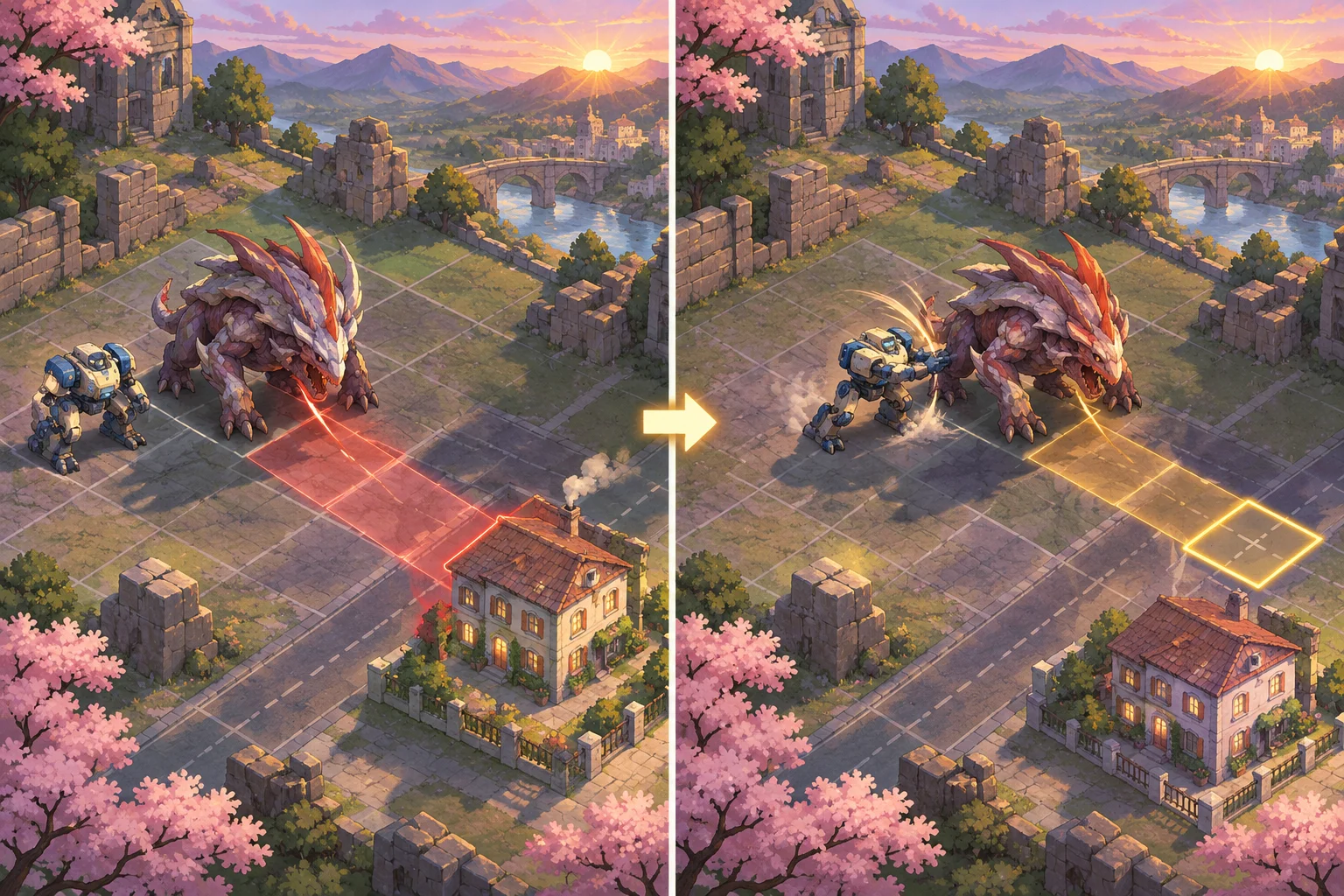
Visible enemy intent turns an enemy phase into a decision the player can understand before acting. An original tactics game inspired at a high level by Into the Breach can show each attack’s target, effect, and resolution timing on the board, then let movement, pushes, blocks, or other abilities change the forecast. The goal is not to remove uncertainty from the whole game; it is to make the immediate tactical problem readable enough for players to plan.
Define the intent players need to see
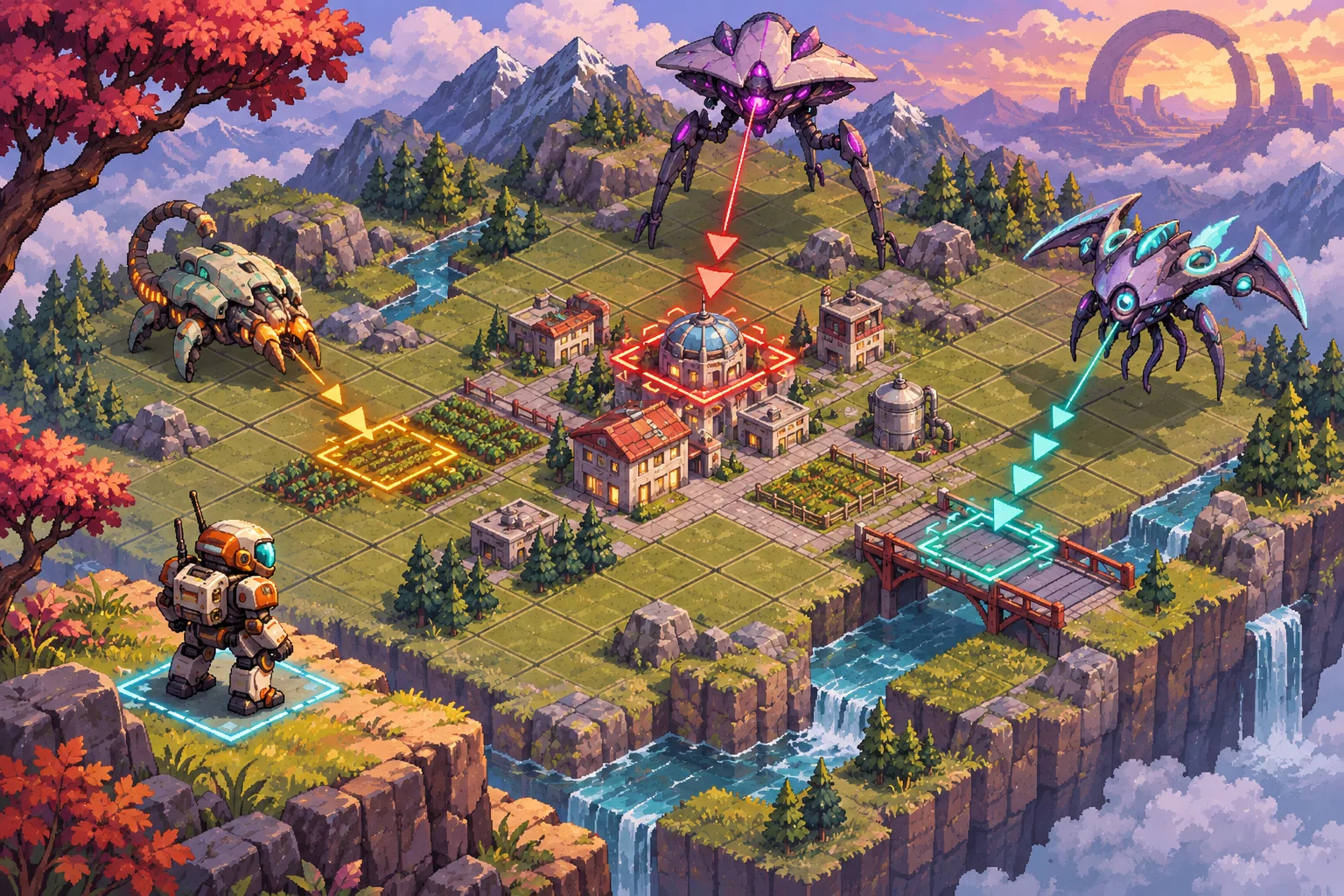
Start by listing what the player must know to make a useful choice. A basic attack preview usually needs an attacker, a target tile or unit, the affected area, an effect such as damage or displacement, and the time when it resolves. If an attack can be blocked by terrain or redirected by a unit, show that rule in the result rather than leaving the player to guess.
Subset Games’ official Into the Breach page says enemy attacks are telegraphed so players can analyze an attack and plan a counter. That is the reference point for this tutorial. Build your own enemies, visual language, and resolution rules; the sample data model here is not a description of that game’s internal implementation. If you’re building other environmental decisions alongside combat, see this guide to original environmental puzzles.
Separate intention from outcome. An enemy can announce a shot toward a tile, but the actual damage may depend on whether the target moves, a wall blocks the line, or another unit is pushed into the path. Show the planned action clearly while keeping the consequence tied to rules the player can learn. Avoid using color alone: pair a highlighted tile with a line, icon, shape, or short label so the signal remains clear for more players.
Represent attacks as target and effect data
Give each planned action a compact record: attacker ID, action type, target coordinates, shape or area, resolution phase, and relevant conditions. Store the forecast as game state instead of drawing it as an effect that exists only in the interface. The board, preview, and combat resolver can then read the same intent record and avoid showing one result while applying another.
A simple turn might work like this: enemies choose legal actions; the game stores each target and area; the preview layer draws those areas; the player takes actions; the game recalculates any threat changed by movement or status effects; then enemies resolve in a declared order. This makes it possible to inspect or replay the plan, and it gives designers a direct place to test whether a preview is stale.
Be precise about resolution. If two attacks target the same tile, tell players whether both happen, whether the first changes the second, or whether an effect cancels the next action. If a target is destroyed or moves before impact, define whether the attack misses, retargets, or still affects the square. The right rule depends on your game, but a consistent rule is easier to plan around than a surprise exception.
Let player actions change the forecast
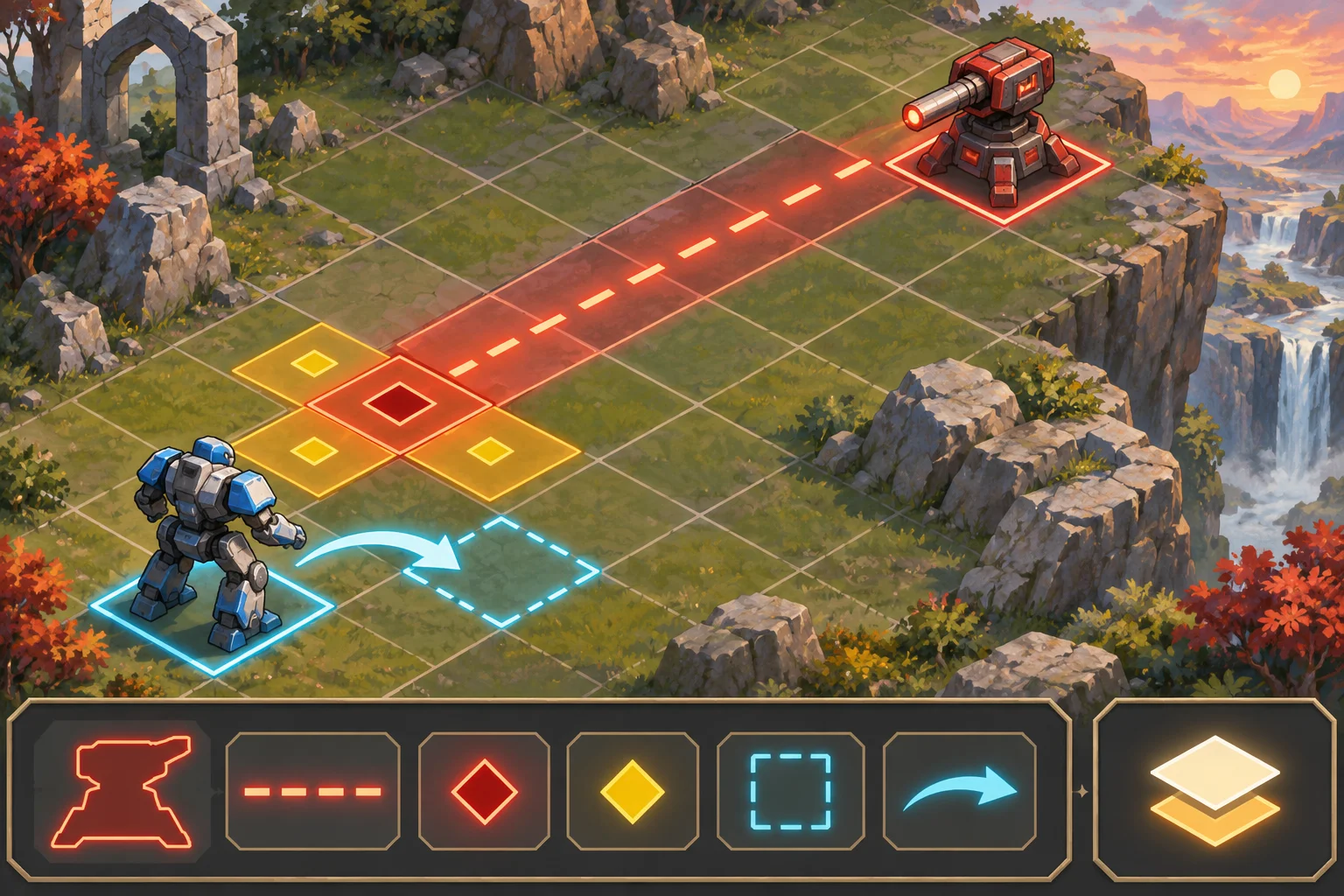
Visible intent only creates agency when the player can respond. Movement can leave a threatened tile, a shove can redirect an attacker, a shield can reduce an impact, and an obstacle can interrupt a line of fire. Make the update immediate after the action is selected or performed, and explain the new forecast through the board state rather than relying on a vague confirmation message.
When possible, show the consequence before the player commits. A preview of a planned push can show where the enemy will land and which attack lane will change. If the game supports undo or action cancellation, present the updated threat after each step so players can compare options. If actions cannot be undone, mark commitment clearly and ensure the forecast includes the relevant effects of that action.
Keep threat styling consistent by effect. A line can indicate direction, a filled tile can indicate impact, and a distinct border can show a structure under threat. The precise visual language is yours; test it against the full board, multiple simultaneous attacks, and low-contrast backgrounds. Use a legend or short tutorial when a marker’s meaning is not self-evident.
Test readability and edge cases
Run a short playtest without narrating the enemy plan. Ask players what they think will happen next and which action they would take. If players miss a threatened tile, the marker may be too subtle or crowded. If they understand the preview but cannot find a useful response, the encounter may need another movement option, a different enemy placement, or a less punishing failure condition.
Make a checklist for system cases: blocked line of sight, area attacks, targets that move, units pushed into danger, multiple intents sharing a tile, destroyed attackers, status effects that alter range, and a player action that changes another enemy’s target. Verify that the board, accessibility cues, and written combat log all agree with the resolver. Repeat the same scenario after code changes to catch regressions.
AI can help draft an intent schema, enemy examples, and test scenarios for an original prototype. Review the rules and playtest with people who have not seen the design; generated descriptions do not establish that the tactical choices are fair. Start an original tactics prototype with Seele’s AI game maker, then tune the preview after observing where players misread a threat.
Frequently asked questions
How do you show enemy intent in a tactics game?
Show the planned target, area or direction, effect, and resolution timing on the battlefield before the player commits. Use consistent shapes and more than color alone, then keep the forecast synchronized with the combat rules. Players should be able to identify what is threatened and what will happen if they take no action.
What information should an enemy attack preview include?
Include the attacker, target or affected area, type of effect, and the phase when it resolves. Add conditions that change the result, such as line of sight or a secondary effect, when they matter to player decisions. Keep decorative details out of the main threat marker so the essential information remains easy to scan.
Should player actions update enemy intent previews?
Yes, when an action changes a target, attack path, or expected effect, update the preview immediately. This lets players evaluate movement, pushes, blocks, and defensive abilities against the same rules the resolver will use. If the action cannot be reversed, make that commitment clear and display its consequences before confirmation when possible.
How do you test enemy attack telegraphs?
Ask first-time players to predict the next enemy phase and explain which tiles or units they believe are in danger. Compare their reading with the actual resolver, then test edge cases such as overlapping attacks, blocked paths, and moving targets. Revise markers or rules when the forecast and player expectations repeatedly diverge.