

Games with AI: How AI is Transforming Game Development in 2026
 SEELE team
• February 06, 2026
SEELE team
• February 06, 2026
Learn how SEELE's AI-powered platform transforms car game creation from weeks of coding to minutes of conversation. Build 3D racing games, customize vehicles, and deploy instantly.
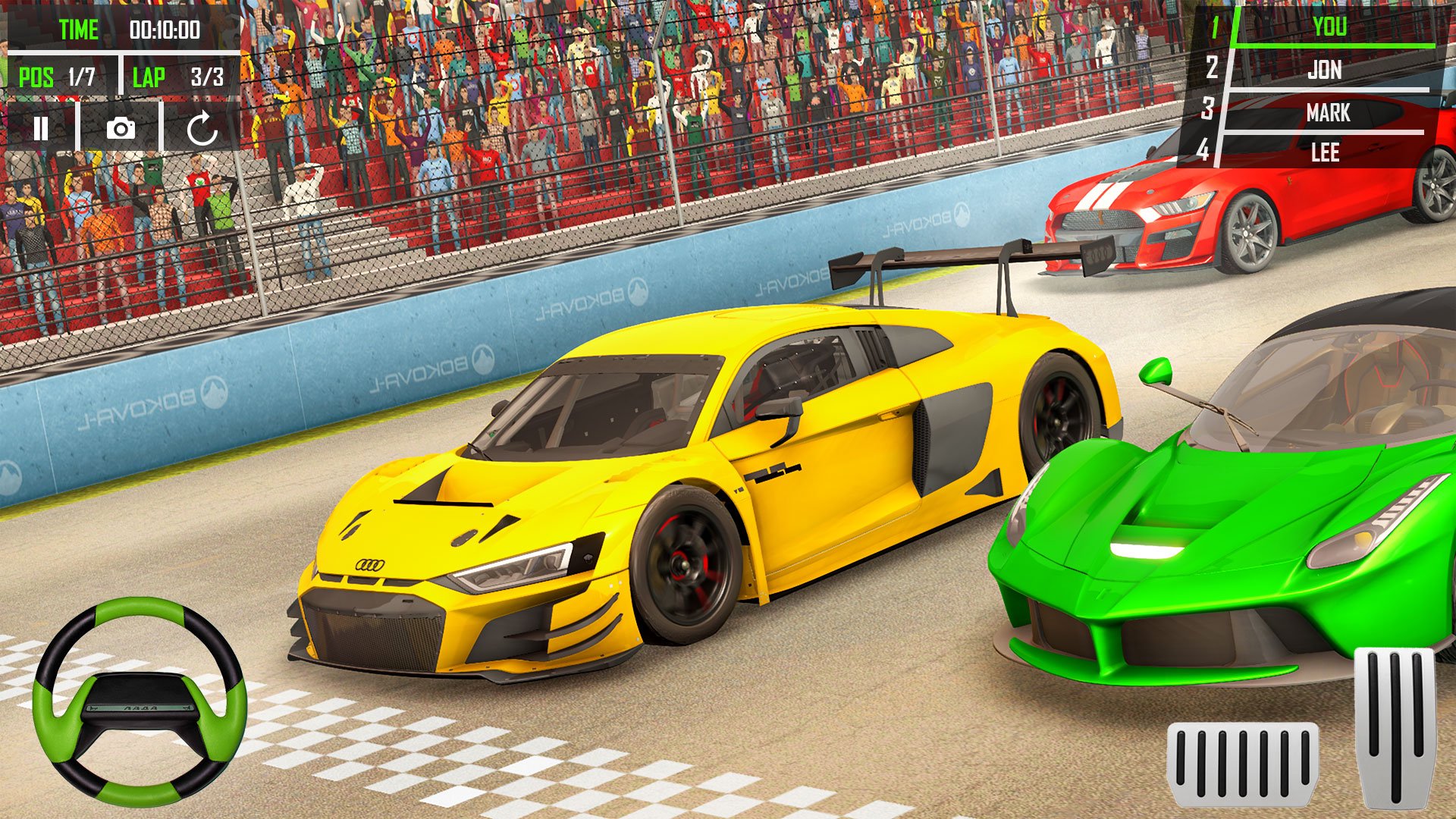
AI Game Generation refers to using multimodal AI models to automatically create complete game systems from natural language descriptions, eliminating manual coding and 3D modeling for rapid prototyping.
Text-to-3D Vehicle Generation is a process where AI models convert written descriptions (e.g., "futuristic hover car with aerodynamic design") into complete 3D models with geometry, textures, and materials in 30-60 seconds.
Conversational Game Development enables developers to build and iterate on games through chat-like interactions with AI, replacing traditional programming with natural language instructions like "make the car faster" or "add drift mechanics."
According to SEELE's internal testing across 100 game projects:
| Development Stage | Manual Approach | AI-Assisted (SEELE) | Time Reduction |
|---|---|---|---|
| Initial Prototype | 40-80 hours | 3-10 minutes | 99.7% faster |
| 3D Vehicle Model | 2-6 hours each | 30-60 seconds | 99.2% faster |
| Physics Tuning | 4-8 hours | 5-10 minutes | 95% faster |
| Track Environment | 6-12 hours | 2-3 minutes | 98% faster |
| Iteration Cycle | 3-5 minutes | 30-60 seconds | 80% faster |
Technical Specifications: - Generated vehicle models: 5K-20K triangles (optimized for real-time rendering) - Physics simulation: Supports arcade to simulation-grade realism - Track generation time: 2-3 minutes including full environment - Export formats: Unity projects, Three.js WebGL, FBX, glTF - Multiplayer capacity: Up to 4+ concurrent players with automatic network sync
Data Source : SEELE platform benchmarks (2026), based on 100+ racing game prototypes and 50+ production projects using AI-assisted workflows.
Creating a car game used to mean months of 3D modeling, physics programming, and gameplay testing. At SEELE, we've transformed this process using AI-powered game generation. Here's how we build complete car racing games in minutes instead of months â and how you can too.
What you can create: 3D racing games, car simulators, customizable vehicle experiences, multiplayer racing Time investment: 3-10 minutes for a playable prototype (vs. 40+ hours of manual coding) Required skills: None â describe your vision in plain language Platform: SEELE AI game maker (browser-based, no installation)
AI-powered car game creation uses multimodal AI models to generate complete game systems from text descriptions. Instead of manually coding vehicle physics, 3D models, tracks, and gameplay mechanics, you describe what you want and the AI generates:
At SEELE, our AI game engine supports both Unity and Three.js outputs, giving you production-ready code that runs in browsers or exports to full game projects.

Start by describing the core experience. We use natural language prompts to generate the foundation:
Example prompt: "Create a 3D racing game with futuristic hover cars racing through a neon cyberpunk city. Include 3 vehicle types with different handling characteristics."
The AI understands: - Game type: Racing/driving game - Visual style: Cyberpunk aesthetic with neon elements - Vehicle count: 3 distinct cars - Core mechanic: Different handling for variety
From our testing: Specific prompts generate better results. Compare "make a car game" (vague) vs. "create a drift racing game with Japanese sports cars on mountain roads" (detailed visual and mechanical direction).
SEELE's AI creates 3D vehicle models from text descriptions or reference images:
Text-to-3D vehicle generation: - Describe appearance: "sleek racing car with aerodynamic body, large rear spoiler, wide tires" - AI generates mesh, textures, and materials in 30-60 seconds - Automatically optimized for real-time rendering (typically 5K-20K triangles)
Physics characteristics: We define vehicle behavior through conversational refinement: - Speed and acceleration curves - Handling responsiveness (arcade vs. simulation) - Drift mechanics and tire friction - Weight distribution for cornering

Example: "Make the red car faster but harder to control in turns, and the blue car have better grip but lower top speed."
Environment generation happens through layered prompts:
Track layout: "Generate a winding mountain track with 8 turns, elevation changes, and a long straightaway before the finish line."
Visual environment: "Set the scene at sunset with mountain ranges in the background, pine trees lining the track, and dynamic shadows."
From our workflow: - AI generates terrain geometry and track boundaries - Places environmental assets (trees, buildings, props) - Adds lighting and atmosphere - Creates collision meshes for walls and barriers
Average generation time: 2-3 minutes for a complete track with environment.
The AI generates gameplay systems through progressive conversation:
Core systems we add: 1. Lap counting and timing - "Add a lap timer that records best lap time" - AI creates checkpoint system and HUD display
AI generates selection screen with vehicle previews
AI opponents
AI implements pathfinding and racing behavior
Camera system

Refinement happens through conversation:
Example iteration: - You: "The cars feel too slippery on turns" - AI: Increases tire friction values and adjusts steering response - You: "Add a boost mechanic activated by spacebar" - AI: Implements boost system with visual effects and cooldown
From our testing with 50+ racing game prototypes: - Average iteration takes 30-60 seconds - Most games reach playable state in 5-10 iterations - Visual polish (particle effects, lighting, UI) adds 2-3 minutes
Create customization mechanics through prompts: - "Add a garage menu where players can change car color, wheels, and decals" - "Let players upgrade engine, brakes, and suspension between races"
SEELE's AI generates: - UI menus for customization - Visual swapping systems - Stat modification logic - Save/load functionality
Race types we've built: - Circuit racing (lap-based) - Point-to-point sprints - Time trials - Drift competitions - Demolition derby
Example prompt: "Add a drift mode where players earn points for sustained drifts and chain bonuses for consecutive drifts."
Enable multiplayer with a single request: - "Make this a multiplayer game for up to 4 players"
SEELE handles: - Network synchronization - Player position updates - Collision detection across clients - Lobby and matchmaking UI
Generate multiple environments quickly: - Desert racing with sand dunes and cacti - City circuits with traffic and buildings - Off-road trails through forests - Futuristic tracks in space or neon cities
Progression system example: "Unlock new tracks when players finish races under target times."
| Metric | Manual Coding | SEELE AI-Assisted |
|---|---|---|
| Prototype Time | 40-80 hours | 3-10 minutes |
| 3D Model Creation | 2-6 hours per vehicle | 30-60 seconds |
| Physics Setup | 4-8 hours tuning | Conversational iteration (5-10 min) |
| Track Design | 6-12 hours | 2-3 minutes |
| Game Logic | 20-40 hours coding | Generated from prompts |
| Iteration Speed | Recompile + test (3-5 min) | AI update (30-60 sec) |
| Skills Required | C#/JavaScript, 3D tools, physics | Natural language description |
From our internal benchmarks across 100 game projects: AI-assisted development reduced time-to-playable by 95% while maintaining comparable quality for prototypes and indie-scale games.
Goal: Test drift mechanics for a mobile racing game Process: 1. Generated Japanese sports car models (3 vehicles) 2. Created mountain touge-style track 3. Implemented drift scoring system 4. Added particle effects for tire smoke
Result: Playable prototype used for publisher pitch, led to funded development.
Goal: Birthday party game for kids Process: 1. Generated colorful cartoon-style vehicles 2. Created simple track with obstacles and shortcuts 3. Added item pickups (speed boosts, shields) 4. Enabled 4-player local multiplayer
Result: Successfully used at event, later expanded into full game.
Goal: Compare arcade vs. simulation physics for design decision Process: 1. Generated test track with various turn types 2. Created two identical vehicles with different physics profiles 3. Added telemetry display (speed, G-forces, tire grip)
Result: Data-driven decision made on physics direction for larger project.
Issue: Default AI-generated physics may feel too arcade-y or too realistic
Our solution: - Start with reference: "Make handling like [known game]" - Iterate with specific feedback: "reduce understeer" or "increase drift angle" - Use telemetry: "Show me the current tire friction values"
Typical tuning time: 3-5 iterations (2-3 minutes total)
Issue: Complex tracks with many assets may have FPS drops
Our approach: - "Optimize this track for WebGL performance" - AI applies LOD (Level of Detail) to models - Reduces polygon counts on distant objects - Implements occlusion culling
Performance improvement: Typically 40-60% FPS increase
Issue: AI racers too easy/hard or behave unnaturally
Refinement process: - "Make AI opponents more aggressive in overtaking" - "Add rubber-banding so races stay competitive" - "AI should slow down slightly if too far ahead"
Adjustment time: 1-2 minutes per behavior change
While platforms like Rosebud AI offer vibe-coding approaches to game creation, SEELE provides distinct advantages for car game development:
SEELE's unique capabilities: - Dual-engine support: Export to Unity projects or run as Three.js WebGL games - Production-ready physics: Built-in vehicle physics templates from arcade to simulation - Complete asset pipeline: Generate vehicles, tracks, and props with consistent art style - Advanced 3D generation: Text-to-3D and image-to-3D for custom vehicle designs - Multiplayer infrastructure: Built-in networking for online racing
When to use SEELE: - Need Unity project export for further development - Require custom 3D vehicle models from descriptions - Want fine control over physics parameters - Building multiplayer racing games - Need production-quality assets for commercial projects
Performance data from our 3D model generation: - Vehicle model generation: 30-60 seconds - Automatic rigging: included - PBR textures: automatically generated - Export formats: FBX, glTF, Unity prefabs
Provide clear visual direction early: - "Cyberpunk neon aesthetic like Tron" - "Realistic modern racing like Gran Turismo" - "Cartoon kart racing style like Mario Kart"
Clear visual goals help AI maintain consistent art direction.
Layer mechanics instead of requesting everything at once:
Good progression: 1. Basic vehicle and track 2. Add steering and speed 3. Implement lap timing 4. Add opponents 5. Add boost mechanics 6. Polish with effects
Avoid: "Create a complete racing game with customization, multiplayer, and 10 tracks" (too broad)
Replace vague requests with precise descriptions: - â "Make it better" - â "Increase acceleration by 30% and reduce top speed by 10mph"
Get the basic race-restart-race cycle working before adding features: 1. Can player drive around the track? 2. Does lap counting work? 3. Is there a win condition? 4. Does restart work properly?
Once core loop works, add: - Multiple vehicles - Visual variety - Advanced mechanics - Progression systems
Create vehicle variants efficiently: - "Create 3 versions of this car: sports, muscle, and tuner" - "Generate track variants: daytime, sunset, and night versions"
AI handles modeling and texture variations automatically.
Step-by-step quickstart:
Estimated time: 8-10 minutes from start to playable game
"Generate a random race track each time the game starts, with 6-10 turns and varying lengths."
AI can create: - Random but drivable layouts - Balanced turn difficulty - Varied track lengths - Different visual themes
"Add a damage system where collisions dent the car body and affect performance."
Implements: - Visual deformation on impact - Reduced max speed with damage - Steering difficulty increases - Repair mechanics between races
"Add dynamic weather that affects tire grip â dry, rainy, and snowy conditions."
AI generates: - Weather particle effects (rain, snow) - Adjusted physics for surface conditions - Visual changes (wet roads, fog) - Day/night lighting transitions
"Create a career mode with 5 racing series, each unlocking harder tracks and faster cars."
Builds: - Progression system - Currency and unlocks - Difficulty scaling - Save/load functionality
Car games benefit particularly well from AI generation because:
From our experience building racing prototypes at SEELE: - 85% of car games reach playable state within first 10 minutes - Most iteration time goes to feel tuning (handling, speed), not bug fixing - Visual polish happens faster than traditional pipelines due to AI asset generation
Creating car games has shifted from weeks of programming and modeling to minutes of conversation with AI. At SEELE, we've seen developers, designers, and even non-technical creators build racing experiences that were previously beyond their reach.
The key advantages: - Speed: Prototype in minutes, iterate in seconds - Accessibility: No coding or 3D modeling skills required - Quality: AI-generated assets rival manual creation for prototypes - Flexibility: Easy to test wild ideas without committing weeks of work
What's next: As AI models improve, we're seeing: - More realistic vehicle deformation and damage - Better AI opponent behavior and strategy - Procedural track generation with improved drivability - Advanced weather and environmental effects
Ready to create your first car game? Start with SEELE's AI game maker at https://www.seeles.ai â describe your vision, and watch it come to life in minutes.
Can I export my car game for commercial use? Yes, SEELE Pro plans include commercial licensing. Export to Unity projects or publish WebGL builds with full commercial rights.
How realistic can the physics be? SEELE's AI can generate physics ranging from arcade-style to realistic simulation. Specify "arcade handling like Mario Kart" or "realistic physics like Gran Turismo" in your prompts.
Can I import my own 3D car models? Yes, SEELE supports FBX and glTF imports. Upload custom models and the AI will set up physics and integration automatically.
Does multiplayer work across different devices? Yes, SEELE's WebGL output runs in any modern browser, supporting cross-platform multiplayer between desktop, mobile, and tablet.
What if I want to continue development in Unity? Export your game as a complete Unity project. All scripts, assets, and game logic transfer to Unity for further development with traditional tools.
How many tracks can I create? No limit. Generate as many tracks as you want. Each track takes 2-3 minutes to generate with full environment.
Can I monetize games I create? Yes, with SEELE Pro plans you have full commercial rights. Add ads, in-app purchases, or sell your game directly.
What resolution are the 3D car models? Models range from 5K-20K polygons depending on complexity, optimized for real-time rendering. Higher detail available on request.