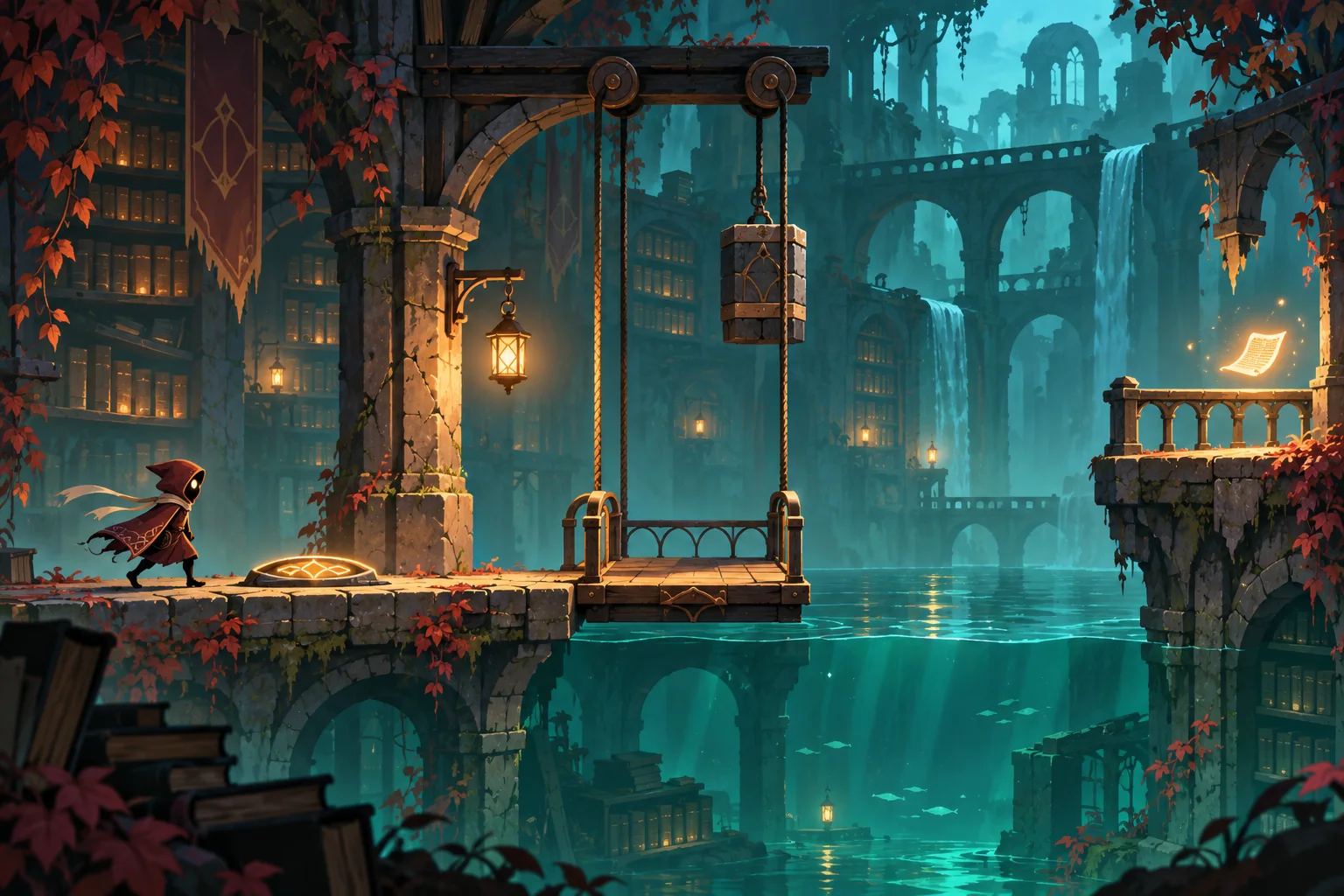
An ability swap can change both how a character crosses a room and what a scene reveals. In The Lantern Archive, the Weaver carries Stone or Moth. Stone presses a floor plate and raises a counterweight lift. Moth rides the resulting updraft across a flooded gap to a page on the balcony.
This fictional 2D platformer uses illuminated Lantern Marks as safe places to change abilities. The restriction gives the scene a readable order: reach the plate as Stone, ride the lift, switch while grounded, then glide as Moth. The camera follows the lift and holds on the page reveal instead of cutting away from the action.
Tie each ability to a traversal decision
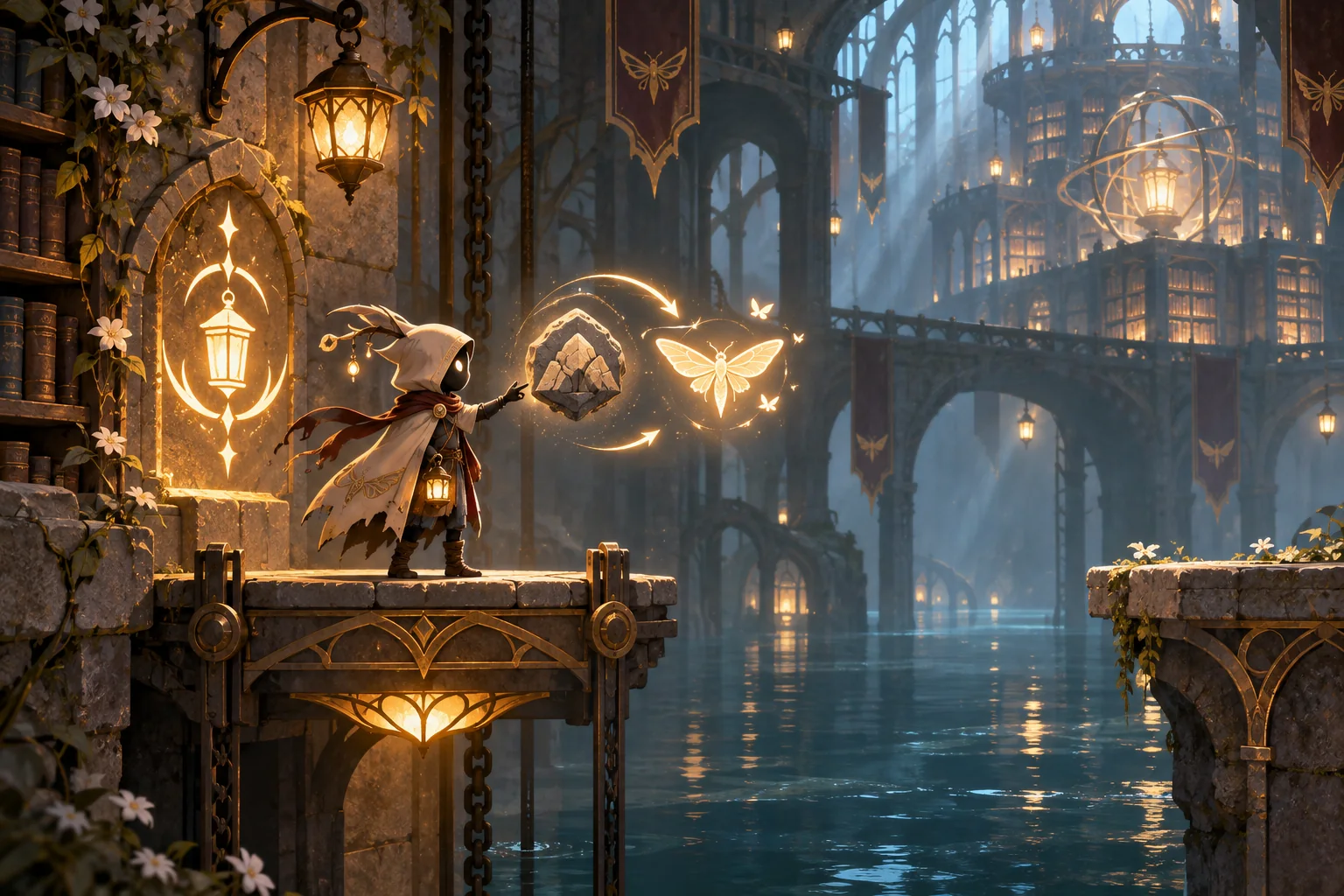
The Weaver has one active ability. At a grounded, illuminated Lantern Mark, switch between Stone and Moth. Stone runs two tiles and jumps one; it can press the floor plate and ride the counterweight, but cannot cross the flooded gap. Moth runs one tile, jumps two, and glides across up to three gap tiles only while an updraft is active. The entry mark is at (0,0); the plate is at (3,0). Pressing it raises the lift to (4,2) and starts the updraft. A second Lantern Mark sits on the lift platform. From x4, the three flooded tiles x5–7 lead to the page at x8. An airborne switch request is ignored with a short unavailable cue. Restart returns the lift and updraft to their initial state and places Stone at the entry.
| State or action | Expected result |
|---|---|
| Stone | Run 2 tiles; jump 1. Presses the plate and rides the lift; cannot cross the flooded gap. |
| Moth | Run 1 tile; jump 2. Glides across at most 3 flooded tiles while the updraft is active. |
| Lantern Mark | When grounded at this lit mark, switch the active ability. |
| Plate at (3,0) | Stone activates it. The counterweight rises to (4,2) and turns on the updraft. |
| Switch while airborne | Ignore the request and show a brief unavailable cue. |
| Restart | Lower the lift, turn off the updraft, restore Stone, and return to (0,0). |
Stage a switch at a safe mark
Start at (0,0) with Stone. Run to the plate at (3,0) and press it. The lift rises to (4,2) and the updraft starts. Ride to the second Lantern Mark and switch while grounded to Moth. The three flooded tiles x5–7 are within Moth's glide range; land at x8 and collect the page. For a negative check, request a switch during the glide: the active ability does not change midair. Reset then returns the character to the entry, lowers the lift, and turns off the updraft.
| Check | Expected result |
|---|---|
| Press the plate as Stone | Lift reaches (4,2); updraft turns on. |
| Try the two-tile gap as Stone | The gap cannot be crossed; the character stays on the platform. |
| Switch at (4,2) while grounded | Ability changes to Moth. |
| Glide across x5–7 with the updraft active | Moth lands at x8 and can collect the page. |
| Request a switch while airborne | The request is ignored and the current ability remains active. |
| Restart after reaching the page | Return to entry with Stone, lowered lift, and no updraft. |
| Camera staging | Hold on the plate, follow the lift upward, pause at the switch mark, then hold on the page reveal. |
Give AI the map and action order
Ask SEELE to create the route, ability states, and camera cues as one small local prototype. Include coordinates, the switch restriction, and the order of lift and updraft changes. Compare the local state log with the written trace before adding more abilities or story rooms.
Create a local cinematic 2D platformer scene called The Lantern Archive. The Weaver has one active ability: Stone or Moth. Stone runs 2 tiles, jumps 1, presses a floor plate at (3,0), and can ride the counterweight lift; Stone cannot cross the flooded gap. Pressing the plate raises the lift to (4,2) and activates an updraft. Put a glowing Lantern Mark at the entry (0,0) and another on the lift platform (4,2). The Weaver can switch ability only while grounded at a Lantern Mark. Moth runs 1 tile, jumps 2, and glides over up to 3 flooded tiles while the updraft is on. Place the gap at x5–7 and a page on the balcony at x8. An airborne switch request must be ignored and shown with a brief cue. Stage the camera: hold on plate activation, follow the lift upward, pause at the second mark, then hold on the page reveal. Log position, ability, lift, updraft, and page state. Add a deterministic restart that returns Stone to the entry, lowers the lift, and turns the updraft off. Make movement and switching keyboard-operable without timed key presses.Pair camera beats with player state
The first layout placed the page four tiles beyond the lift even though Moth could glide only three. Move the page to x8 and keep the flooded gap at x5–7. Show the updraft state before the glide begins, and allow the switch only when the character is grounded on the second mark. This keeps the route within the written movement range.
Replay the route from the entry and test an airborne switch request, an inactive updraft, and restart after collecting the page. Confirm that the camera follows the lift without hiding the switch mark or the gap landing. For a web build, expose ability switching and restart through keyboard actions; W3C's keyboard guidance is a reference, not a conformance claim.

Add abilities after the route reads clearly
Keep one room and two abilities while you check whether the switch changes the route, not just the character's appearance. A useful first review asks whether players can explain why Stone must reach the plate and why Moth must wait for the updraft. Once the scene reads clearly, add another mark or a second traversal challenge and update the route trace.
Read the cinematic platformer story-beat guide.
Start a local platformer prototype with SEELE.
Frequently asked questions
Why limit ability changes to Lantern Marks?
A visible grounded mark makes the switch intentional and gives the camera a stable beat to frame. It also keeps the route easy to trace: reach the plate as Stone, ride the lift, then switch to Moth before the glide. If free switching is the goal, remove the restriction and test airborne transitions separately.
How far should a glide reach?
Set the distance to match the gap in the level. In this example Moth glides across three flooded tiles from the lift at x4 and lands at x8. Keep the updraft condition visible so a player can tell why the ability works here and not elsewhere.
Read W3C's keyboard accessibility guidance.
What should an airborne switch do?
For this scene, ignore the request and show a brief cue. Do not silently queue a change that activates later unless the level teaches that behavior. Test the input during a jump and verify that the current ability remains active until the character lands at a Lantern Mark.
How can the camera support the story?
Tie each camera move to a state change: hold as Stone presses the plate, follow the lift, pause during the grounded switch, and settle on the page reveal. Keep the landing and next route visible. The timing is a staging plan for the fictional level, not evidence of a tested game.