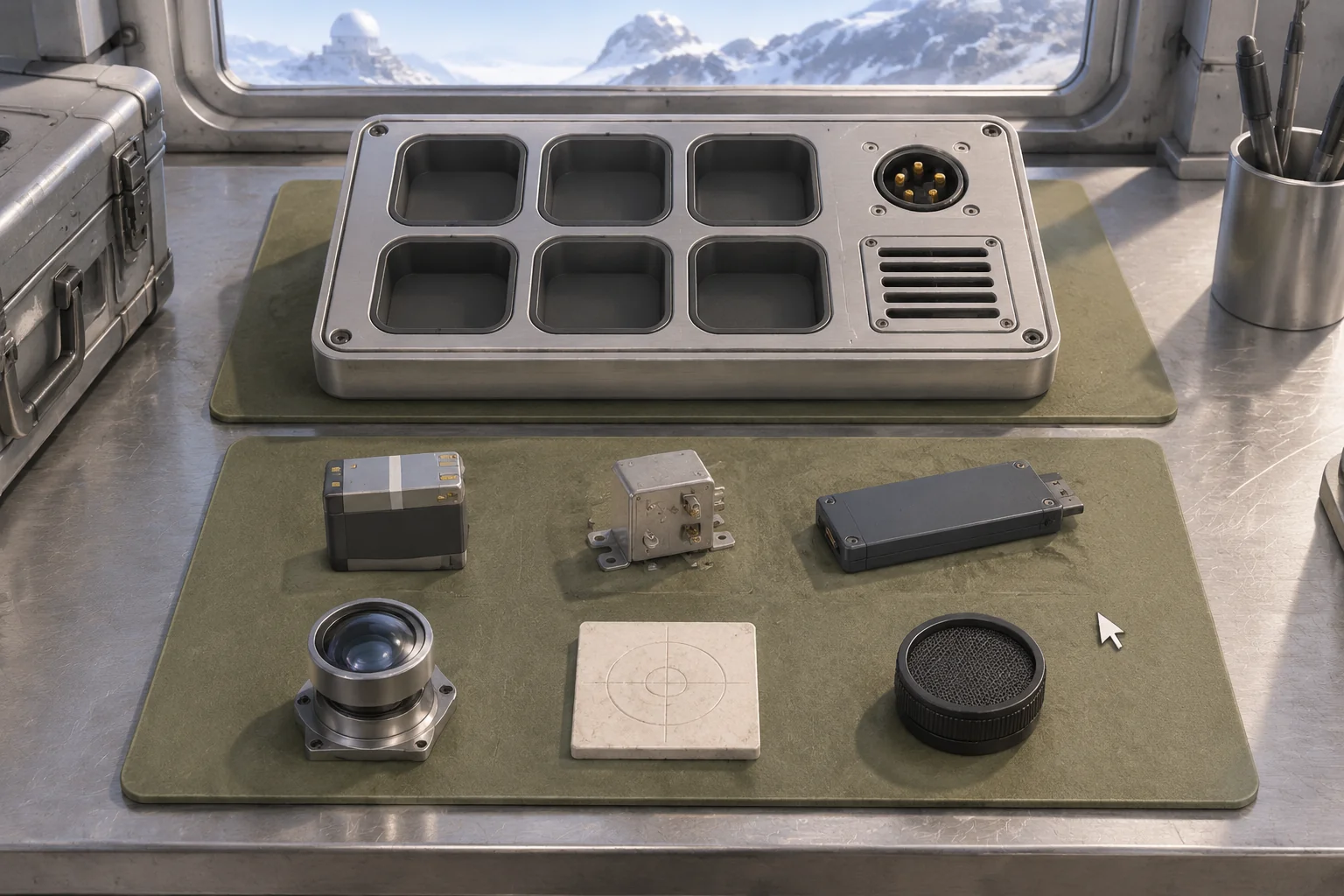
To make an original game inspired by A Little to the Left, start with the action of arranging objects and give the arrangement a new purpose. In this fictional mountain observatory, the player fits six instruments into a service tray. The battery needs a socket, the filter needs a vent, and two pieces must sit in a specific order. The tray can look finished while one of those relationships is still wrong.
Use one tray to check the loop. Place a piece, submit the arrangement, and use the feedback to work out what to move next. An AI build request can describe that loop without borrowing the reference game’s objects or presentation.
Take the arranging action into a different setting
In Max Inferno’s A Little to the Left, players organize everyday household objects. The developer describes drag-and-drop interaction and puzzles with multiple solutions. The official store listing credits Max Inferno as developer and Secret Mode as publisher. Max Inferno’s description of the game and the official Steam listing document those details.
For your own puzzle, choose a new reason why pieces belong together. On the observatory tray, the parts serve an instrument, so their positions follow a fictional connection rule. Make the parts, console, icons, and sounds for that setting. The player’s job is to infer why the instruments go together, then correct a relationship when the tray fails a check.
Give the tray six slots and visible constraints
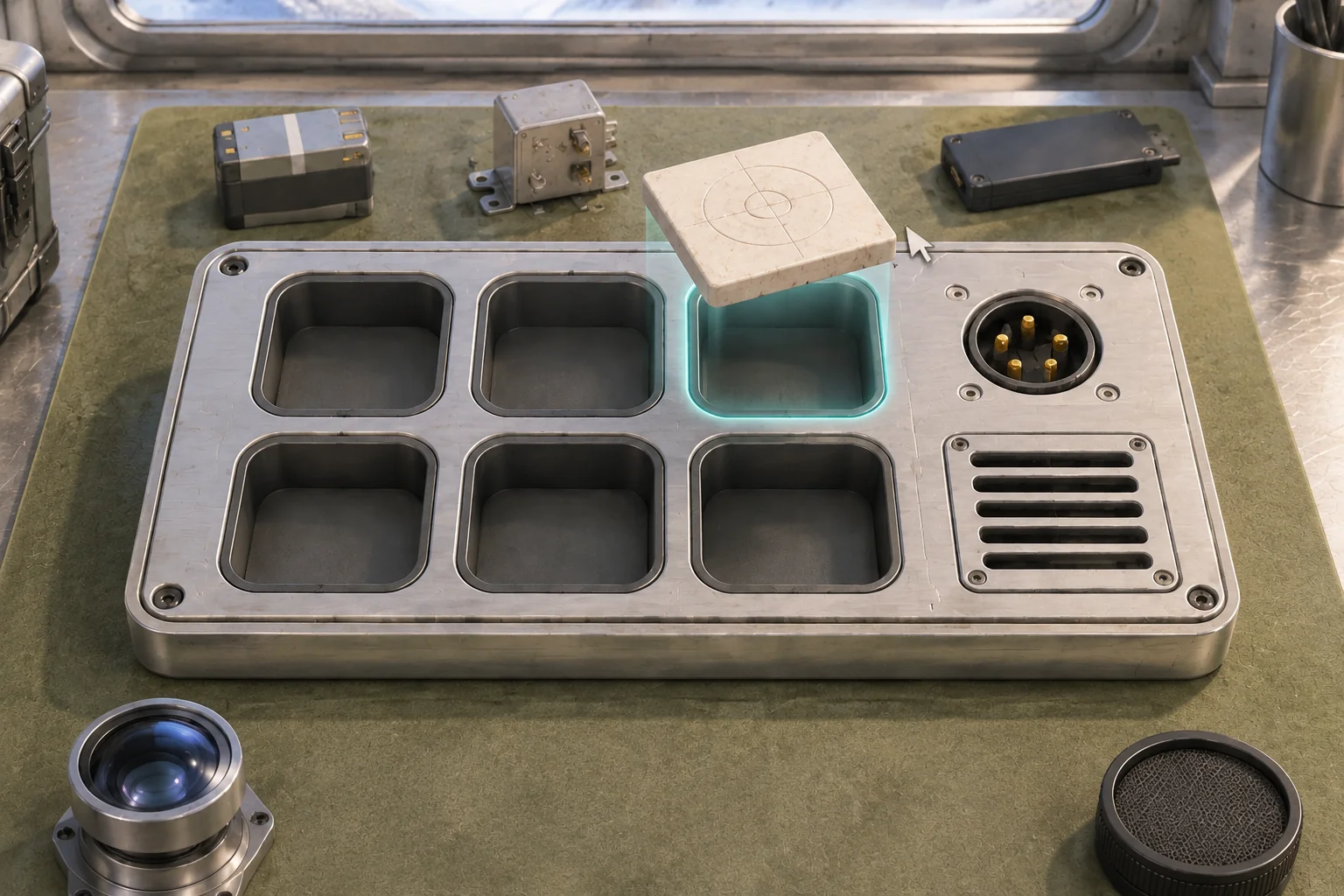
Make two rows of three slots. Label the upper row A and the lower row B in the debug view, with columns one through three from left to right. Start six distinct pieces in separate staging slots beside the tray. Make each recognizable by shape or markings, including the filter grille and the sensor lens.
Allow a piece to move into an empty tray or staging slot. If the destination is occupied or outside the allowed slots, return the piece to its prior position. A drop in the same slot does nothing. That lets the player experiment without losing or duplicating parts.
| Check order | Rule | Clue to show |
|---|---|---|
| 1 | All six tray slots contain distinct pieces. | Visible recesses show what is still empty. |
| 2 | The battery is in A3. | A power socket sits beside that slot. |
| 3 | The relay sits directly left of the battery, and the logger shares their row. | A short connector mark ties the first row together. |
| 4 | The filter is in B3. | The exhaust vent aligns with the grille on the filter. |
| 5 | The calibration tile sits immediately left of the optical sensor in the same row. | Related marks identify the calibration pair. |
Run these rules in order when the player selects Check. Tell them the first rule the arrangement misses and leave the board editable. If every check passes, mark the instruments ready and finish the puzzle. Reset puts each part back in its original staging slot.
Work through an almost-right arrangement
| Submission | Upper row, left to right | Lower row, left to right | Expected result |
|---|---|---|---|
| Reversed pair | Logger, relay, battery | Optical sensor, calibration tile, filter | Check 5 fails. The arrangement stays put. |
| Corrected pair | Logger, relay, battery | Calibration tile, optical sensor, filter | All checks pass. The tray is ready. |
To correct the first submission, move the sensor to an empty staging slot. Move the calibration tile from B2 to B1, then put the sensor in B2. Try dropping the sensor directly onto the occupied B2 slot first. That should leave both pieces where they were and preserve the current arrangement.
The tray has one solution. The power socket fixes the battery in A3 and the relay immediately to its left. The logger fills A1. The vent fixes the filter in B3, leaving two lower slots. The calibration tile goes to the left of the optical sensor, which fixes their order.
Ask AI for the original tray and its checks
SEELE’s puzzle game maker offers a starting point for specifying a visible rule, a player action, and a result. Give it the new setting and the exact placement and validation rules. Keep the slot relationships fixed while the first draft establishes the objects and controls.
Build one original browser arrangement puzzle on a mountain
observatory service console. Use a tray with rows A and B and
columns 1 through 3, left to right. Start six distinct objects in
staging: battery, relay, logger, calibration tile, optical sensor,
and filter. Use original shapes and visual clues.

Move one object by dragging it to an empty tray or staging slot.
Reject occupied and out-of-bounds drops without changing either
slot. A drop in the same slot does nothing. Never duplicate parts.

When the player selects Check, test these rules in this order:
1. Six distinct parts fill the six tray slots.
2. The battery is in A3.
3. The relay is immediately left of the battery and the logger
   is in their row.
4. The filter is in B3.
5. The calibration tile is immediately left of the optical sensor
   in the same row.

Report the first unmet rule and keep the layout editable.
When all checks pass, mark the instruments ready and finish.
Reset empties the tray and restores the initial staging layout.
Include a debug display of slot IDs and object IDs.
Submit the empty tray, try a drop onto an occupied slot, and check a full tray with the calibration pair reversed. Repair it through staging and check again. Reset after success and verify that the tray is empty and all six pieces are back in their original slots. The guide to checking an AI game in small steps shows how to request one focused correction after a failed check.
Point to the pieces involved in a failed check
Suppose the reversed pair produces the right message but the player still has to search the tray for the two pieces. Keep that message and add an amber bracket around the two slots currently holding the sensor and calibration tile. Clear the bracket after a successful move. The change leaves every rule and accepted arrangement in place.
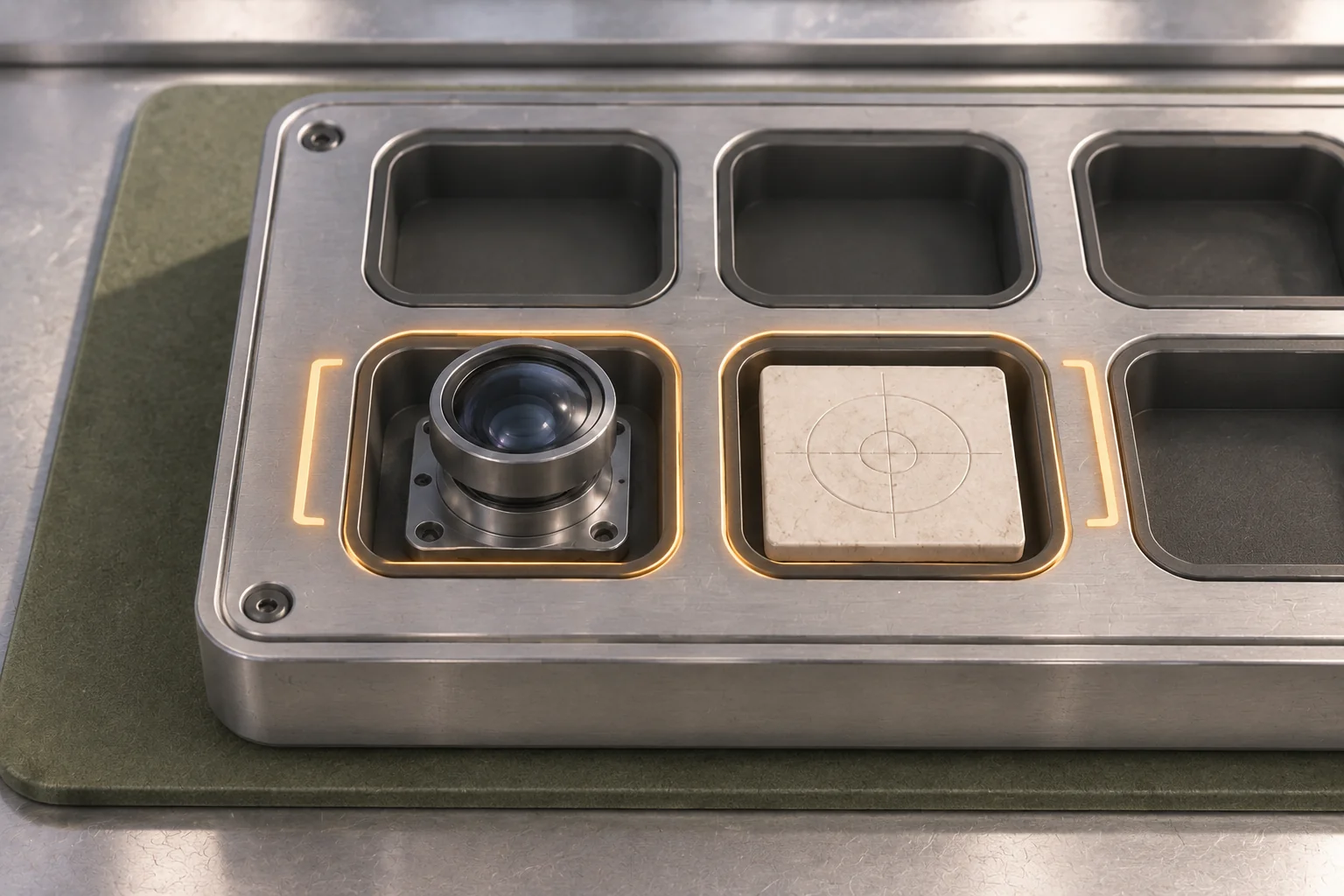
Replay the same reversed arrangement. The baseline message marks no slots. The revised cue marks both B1 and B2 and leaves the objects where they are. In a built version, see whether a player finds the pair and repairs it without resetting. The worksheet specifies the interface change and gives you the same starting point for that check.
Build the puzzle around a relationship the player can see
Start with one new setting, a few objects, and a rule the player can read from the scene. Test the full tray with one pair wrong before adding more puzzles. Start your original arrangement puzzle with SEELE’s AI puzzle game maker and keep the expected solution and failure case beside the first build.
Frequently asked questions
What can I carry over from a reference game?
Start with the general action you find interesting, such as arranging pieces to reveal a relationship. Then give that action a new reason to exist in your own setting. Design the pieces, layouts, clues, and feedback around what the player needs to learn in your game.
Why check the arrangement after the tray is full?
A full tray shows that every slot has a piece. The final check tells you whether those pieces meet the rules. Let the player fill the tray, inspect the result, and adjust it. A specific failed relationship gives them a more useful clue than a general error.
Can I test the puzzle before making the final artwork?
Yes. Use simple tokens with distinguishable shapes and a slot map to check the logic. Try a complete wrong arrangement, the accepted arrangement, and an invalid drop. When you add the final art, check that the player can still identify the parts and understand the relationships.
When should I allow more than one solution?
Add another accepted arrangement when it expresses a second rule the player can discover. Write that rule and test a valid and invalid example for it. The first observatory tray works with one solution, which makes its feedback and reset easy to check before adding alternatives.