Introduction
A shop-management game becomes interesting when daily choices create consequences you can see: a shelf runs empty, a price changes who buys, or yesterday’s plan leaves too much stock behind. If you want to make a game like Supermarket Simulator, start with the management decisions that appeal to you, then give your own store a distinct pressure and theme. This guide uses the fictional Bloom Street Market, where players plan around uncertain neighborhood demand and decide what to do with leftover produce.
The example is a design exercise, not a real business model or tested game. It shows how to build a small loop that can be explained, prototyped, and adjusted without starting with a huge catalog or a full store.
Use the reference to choose a task, then make a new game
The official Steam listing for Supermarket Simulator describes activities such as stocking shelves, setting prices, taking payments, hiring staff, expanding a store, and designing its layout (official game listing). That gives a broad picture of its shop-management focus. It is not a reason to copy its store, interface, products, progression, characters, art, or exact tasks.
Choose one player decision you want to explore. Bloom Street Market focuses on this question: “How much should I prepare for a busy day when demand is uncertain?” Each morning, the player sees a simple neighborhood forecast, allocates a few crates among shelves, and chooses whether to discount or donate leftovers at closing. The challenge is making a plan under uncertainty, not reproducing another game’s layout or sequence of jobs.
Define one short day before you add a full store
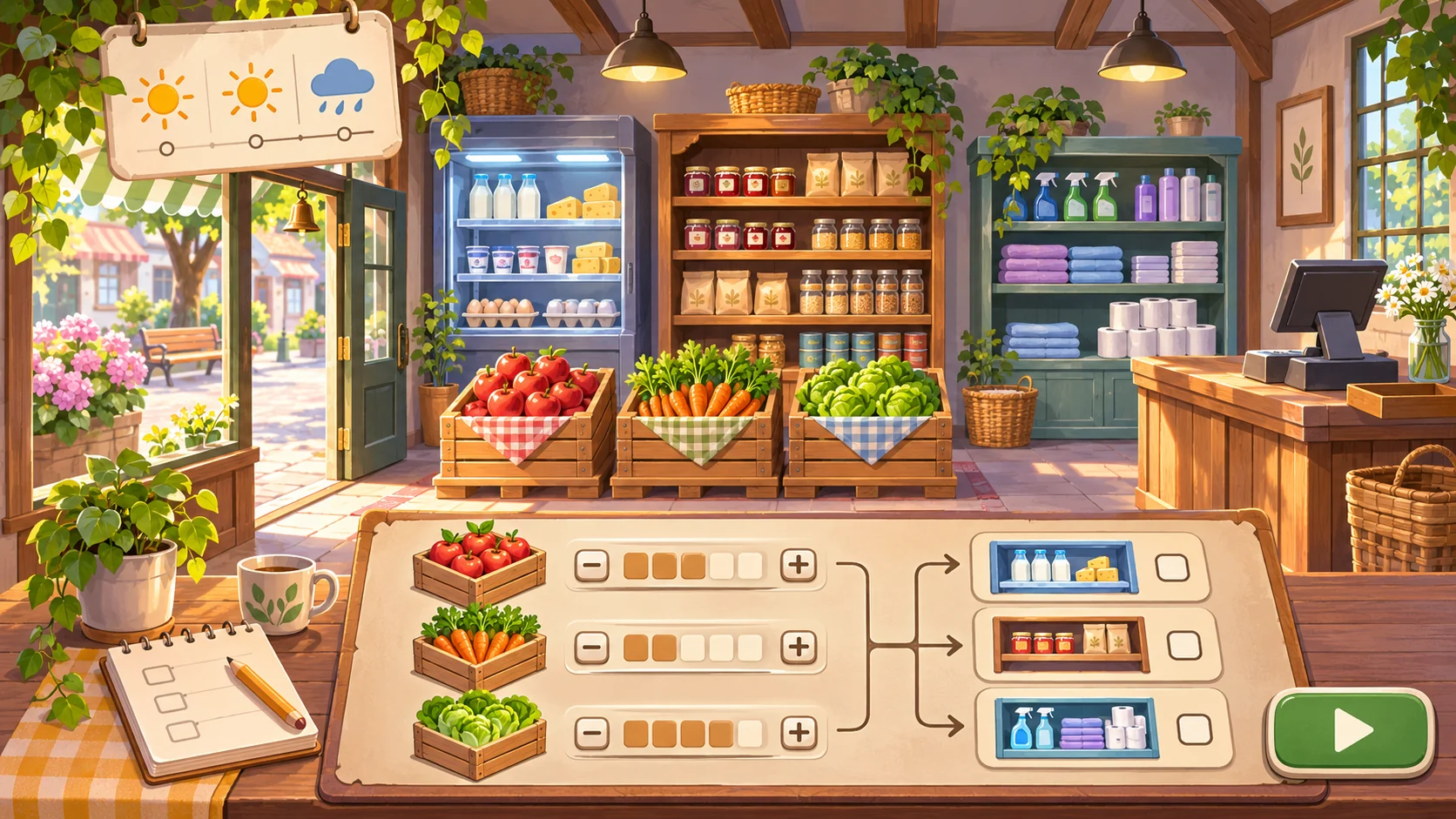
For a first prototype, make the day easy to follow. The player plans, serves a short customer wave, and reviews the result. Every step should change a visible part of the store or a resource the player can use next time.
| Phase | Player decision | Visible consequence | What the prototype should explain |
|---|---|---|---|
| Morning plan | Split a small delivery across three shelf zones | Some items receive more display space than others | How much stock is available and what the forecast suggests |
| Open hours | Set one price and serve a short shopper wave | Items sell at different rates | Which customer preference or price mattered |
| Closing | Discount or donate the remaining produce | Money or a fictional community-garden token changes | What carries into tomorrow and what is lost |
| Next morning | Review the report and adjust the plan | The next delivery or forecast changes | Which decision caused the outcome |
The table keeps the prototype focused on a loop instead of a collection of shop tasks. Do not add hiring, store expansion, online orders, product licenses, or a large SKU catalog until you know which decision makes the day interesting.
Make inventory a choice, not a counting chore
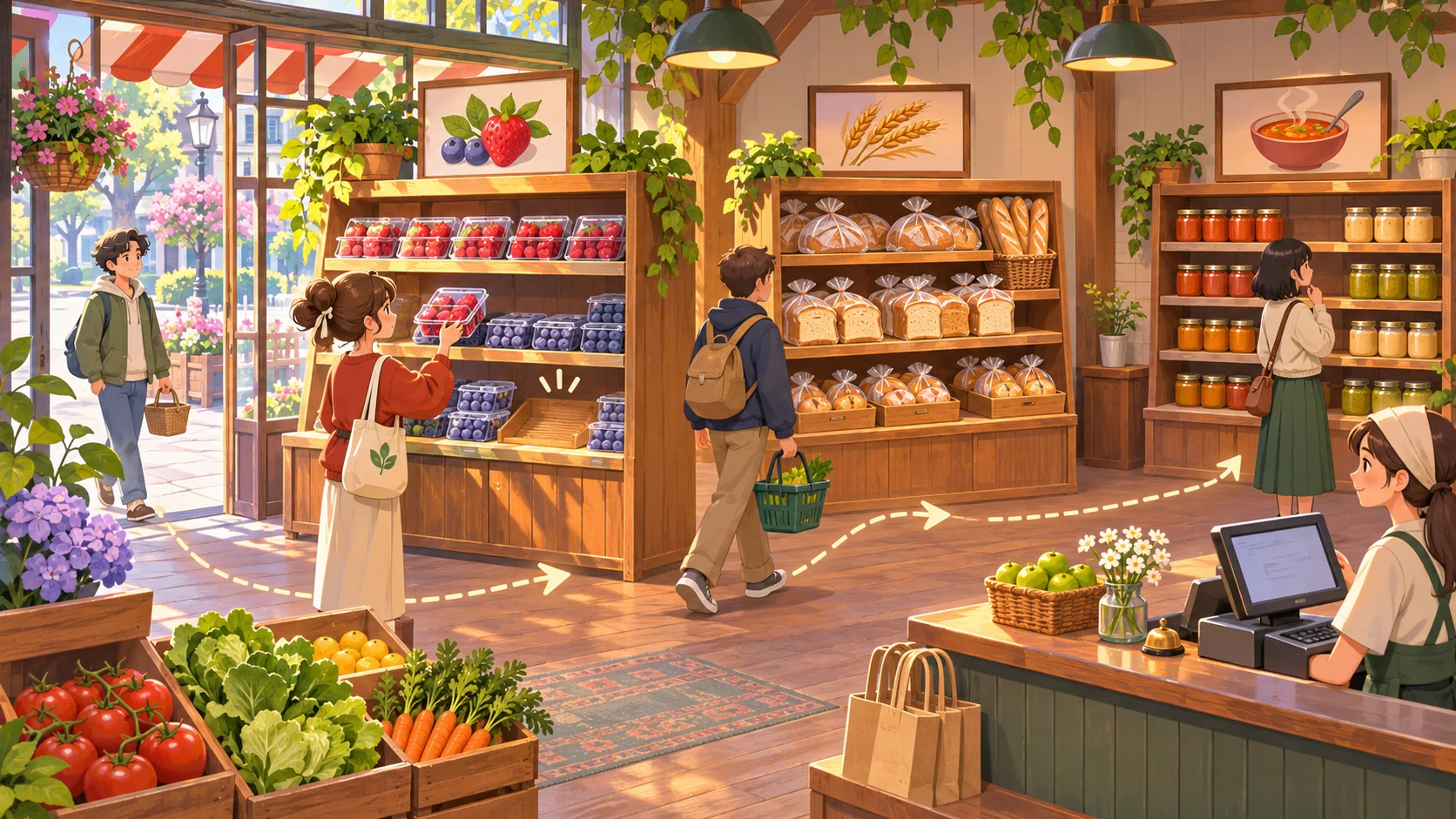
In Bloom Street Market, the delivery contains a limited number of three fictional goods: berries, bread, and soup jars. Each morning, a small forecast card hints at neighborhood demand. “Warm afternoon” may suggest more berries; “rain near closing” may make soup more attractive. These are sample rules, not real demand statistics.
The player can place more of a good on the front shelf, reserve some in back stock, or keep a little space empty for a late delivery. At closing, unsold berries can be discounted or sent to a community garden token pool for a small planning benefit the next day. The pantry choice creates a tradeoff: accept lower immediate income for a possible future clue, or keep more value now. That future benefit should be visible and limited so the choice does not become an automatic best answer.
Write each item rule in the same format:
- Signal: What does the player know before stocking?
- Choice: What can they change?
- Consequence: What changes during the day?
- Recovery: What can they do with a poor result?
- Carryover: What matters tomorrow?
For example, “When the forecast shows a warm afternoon, berry demand may rise. Front-shelf berries sell sooner, but any unsold berries must be discounted or donated at closing.” This lets the player understand the risk without promising a precise sales result.
Build the prototype in five controlled steps
- Sketch the smallest store. Draw three shelf zones, a delivery area, a checkout point, and the closing report. Keep each zone visible from one camera angle.
- Limit the inventory. Start with three goods and a fixed number of crates. The point is to compare decisions, not to simulate a real supply chain.
- Add one forecast signal. Use two clear states, such as “warm” and “rainy,” and explain what each may affect. Avoid stacking weather, events, promotions, and customer types at once.
- Show consequences as they happen. Let players see stock decrease, a price label, and a short reason for a sale or a missed purchase. A day-end total alone does not explain what to change.
- Make the next attempt actionable. The report should show opening stock, sold items, discounted or donated leftovers, and one change the player can try tomorrow.
SEELE’s current capability catalog describes a prompt-led game studio and playable-game creation. That makes it a reasonable place to explore a concrete management-game starting point, but it does not establish that Bloom Street Market has been generated, tested, or balanced. You can try the free AI game maker with a prompt that defines the player decisions and feedback.
Create an original small-store management game prototype called Bloom Street Market. Each day, show a short demand forecast and a limited delivery of berries, bread, and soup jars. Let the player allocate crates to three shelf zones, set one price per item, serve a short customer wave, and choose whether to discount or donate leftovers at closing. Add a clear end-of-day report showing stock sold, remaining, discounted, or donated, plus one visible carryover effect. Use original fictional store art and placeholder products. Keep the rules and starting quantities easy to change. Do not copy another game’s store, interface, assets, characters, progression, or exact tasks.
Diagnose a flat or confusing shop loop
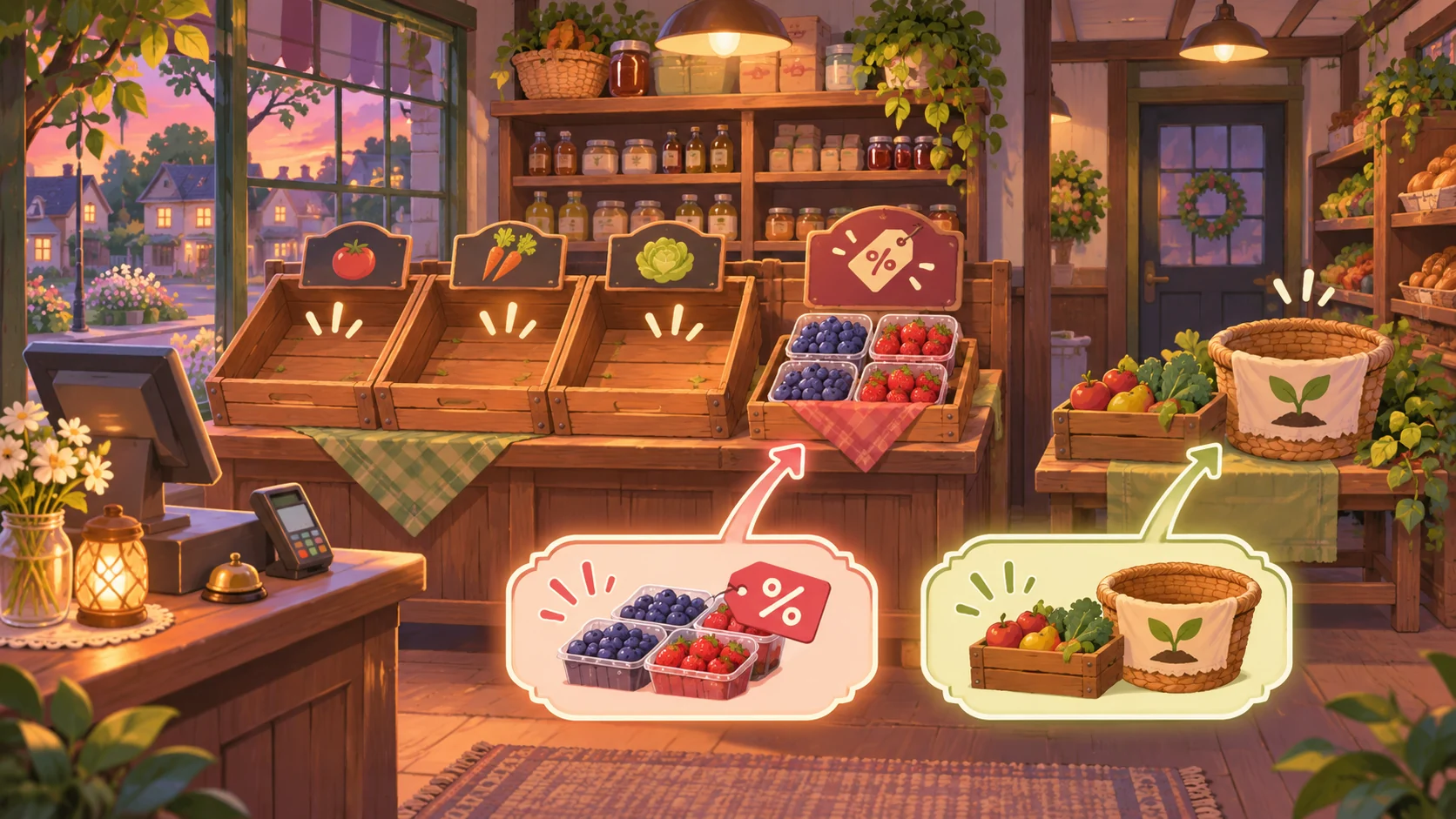
If the player’s choices do not seem to matter, first inspect the relationship between the forecast, shelf allocation, and report. A tiny inventory change may be too subtle to notice. If every item sells out, delivery quantity may be too low; if nothing sells, the forecast or price may be unclear. Treat these as hypotheses to investigate rather than conclusions about a finished game.
| What you observe | Possible cause | First adjustment |
|---|---|---|
| Player stocks every item evenly | No clear difference between signals or shelf roles | Make one forecast clue affect one item more visibly |
| Shelves empty before the wave ends | Starting stock is too small or demand spikes too early | Reduce the wave or add a small reserve choice |
| Most stock remains every day | Prices or customer needs are not legible | Show the price and preference before opening |
| Donation is always chosen | Its carryover reward outweighs the immediate cost | Reduce or delay the reward and show the tradeoff |
| The report is ignored | It lists totals without explaining causes | Tie each result to the player’s stocking or price choice |
Change one part at a time and repeat the same day setup. If you change demand, price, delivery, and the report together, you will not know which change made the decision clearer.
Test whether tomorrow’s plan follows from today’s report
A simple test can reveal whether your loop teaches the player. Before they change the next day’s stock, ask what they think caused the biggest leftover or shortage. Then ask which single adjustment they would try. Record the explanation, not just whether the next day earns more.
Try these cases:
- Forecast a warm afternoon and give the player a limited berry delivery. Can they explain why putting every crate on display might be risky?
- Raise the bread price slightly. Can they see whether fewer shoppers choose it?
- Leave a few berries unsold. Can they explain the immediate cost and possible carryover of discounting versus donating?
- Show a report after the day. Can they identify which choice to change tomorrow?
- Replace the product art while keeping the rules. Does the same stocking decision still make sense?
These are proposed tests for a hypothetical prototype, not completed observations. If a tester cannot explain a result, add a clearer cue or cause-and-effect note before adding more products and staff systems.
Conclusion
To make a game like Supermarket Simulator while building something original, choose a management decision and shape the store around it. Bloom Street Market uses uncertain demand, limited stock, a short service phase, and a closing tradeoff to create a loop the player can learn from. Start with three goods, make consequences visible, and use the day-end report to guide one change at a time.
FAQ
What should I build first in a supermarket-management game?
Build one short day with a planning choice, a customer wave, and a closing report. Make sure the player can connect a stocking or price decision to what happened before adding expansion systems.
How many products does a first prototype need?
A few distinct products are enough to test a stocking decision. Three items with different fictional demand signals can show whether the player understands allocation without turning the prototype into catalog management.
How can I make the game different from Supermarket Simulator?
Use a different theme, visual identity, progression, and central management pressure. This example focuses on planning uncertain neighborhood demand and handling leftovers; it does not reproduce another game’s store or tasks.
Should I simulate realistic sales numbers?
Only add detail that helps the player make a decision. For an early prototype, clear relative outcomes are often easier to understand than many realistic variables. Label invented numbers as tuning placeholders until you have a tested model.
Can AI create and balance the store simulation automatically?
A prompt can describe a starting game idea, but the example here has not been built or balance-tested. Inspect any generated result, check that the forecast and report agree, then use playtest observations to adjust one rule at a time.