Introduction
An ecosystem game can help science teachers plan a model where learners change conditions, observe consequences and explain what the model leaves out. For a first prototype, keep the habitat small and the relationships visible. A simulation can support discussion, but it is not a substitute for field evidence or a complete ecological model.
This guide uses Willow Marsh, a fictional classroom pond scenario with plants, insects, small fish and frogs. The values and cause-and-effect rules in its editable template are invented for prototyping. No classroom, teacher or playable game was tested.
Set a learning question before choosing game mechanics
Choose one question students should investigate, such as how a change in shelter or water availability might affect a small pond community. Identify what learners can change, what they can observe and what they should explain afterward. Keep the game loop tied to that question instead of adding points or upgrades that do not support it.
Prompt 1 — classroom game brief
Design a fictional ecosystem game for a middle-school science class called Willow Marsh. State the learning question, audience, session length, starting habitat, player choices, visible indicators, discussion prompt and reset. Label all scenario values as invented and list ecological assumptions a teacher must review.
The learning question should be answerable from the game’s visible state. If the prototype hides why an indicator changes, add an explanation panel or activity prompt so students can connect a choice to a modeled outcome.
Choose a habitat and represent relationships
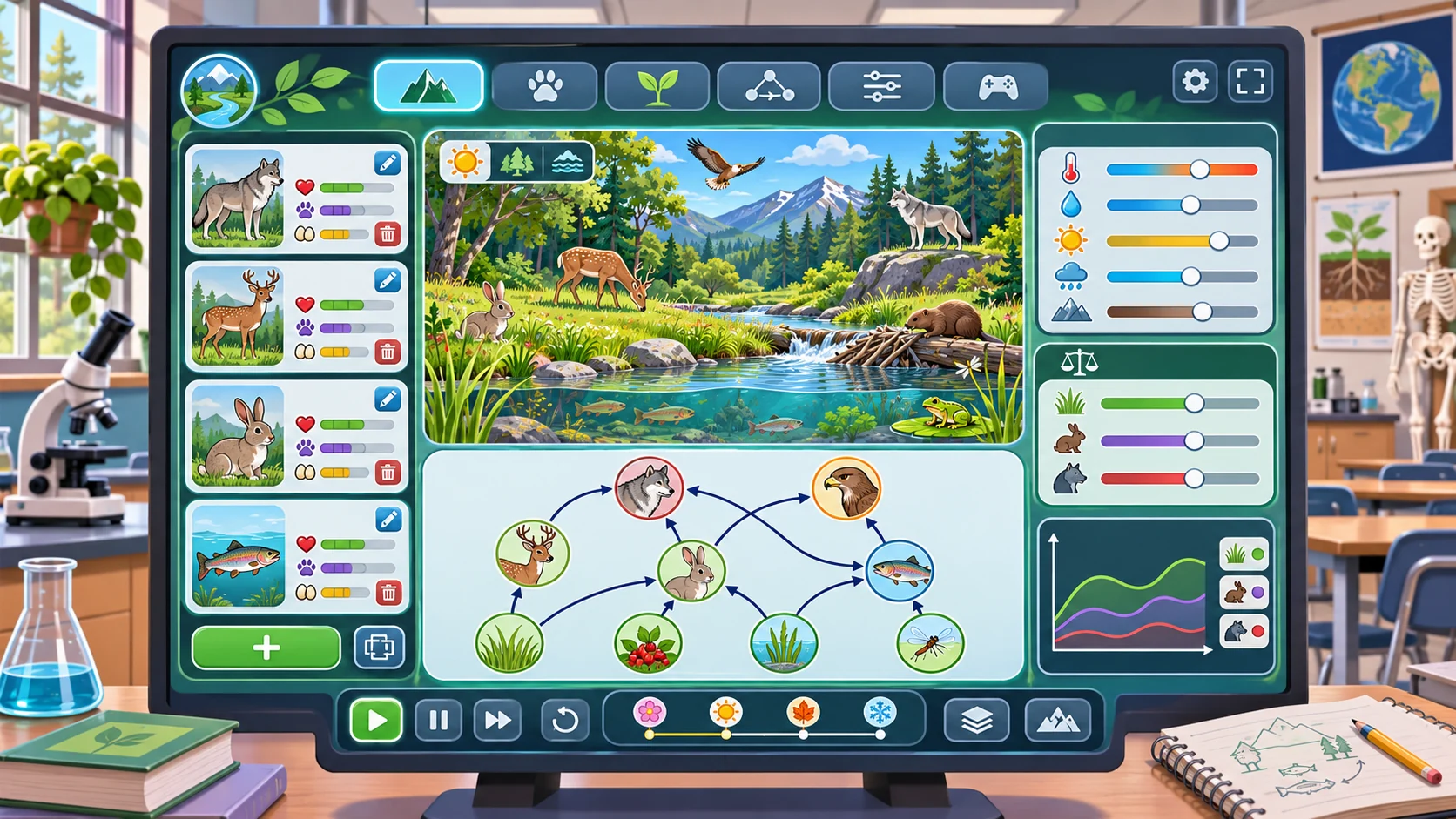
Limit the first build to one habitat and a small set of organisms or environmental conditions. A simple relationship map can show producers, consumers and resource links without implying that every ecological interaction is captured. Use arrows with a legend that explains what each arrow means in this model.
Prompt 2 — habitat relationship map
Create a fictional Willow Marsh relationship map with pond plants, aquatic insects, small fish and frogs. Add water level and shelter as habitat conditions. Define each arrow in a legend, identify which links are simplified for play and mark any relationship that needs teacher review before classroom use.
| Model element | Example role in the fictional prototype | What learners can inspect |
|---|---|---|
| Pond plants | Producer card in the simplified model | Plant indicator and habitat conditions |
| Aquatic insects | Organism card linked to plant cover | Available shelter and food links |
| Small fish | Consumer card linked to insects | Modeled change after a choice |
| Frogs | Consumer card linked to insects | The relationship map and explanation |
| Water level | Adjustable habitat condition | Before-and-after state |
These labels are a teaching model for the example, not a complete food web. The teacher can replace species and links with locally appropriate material.
Make cause and effect visible
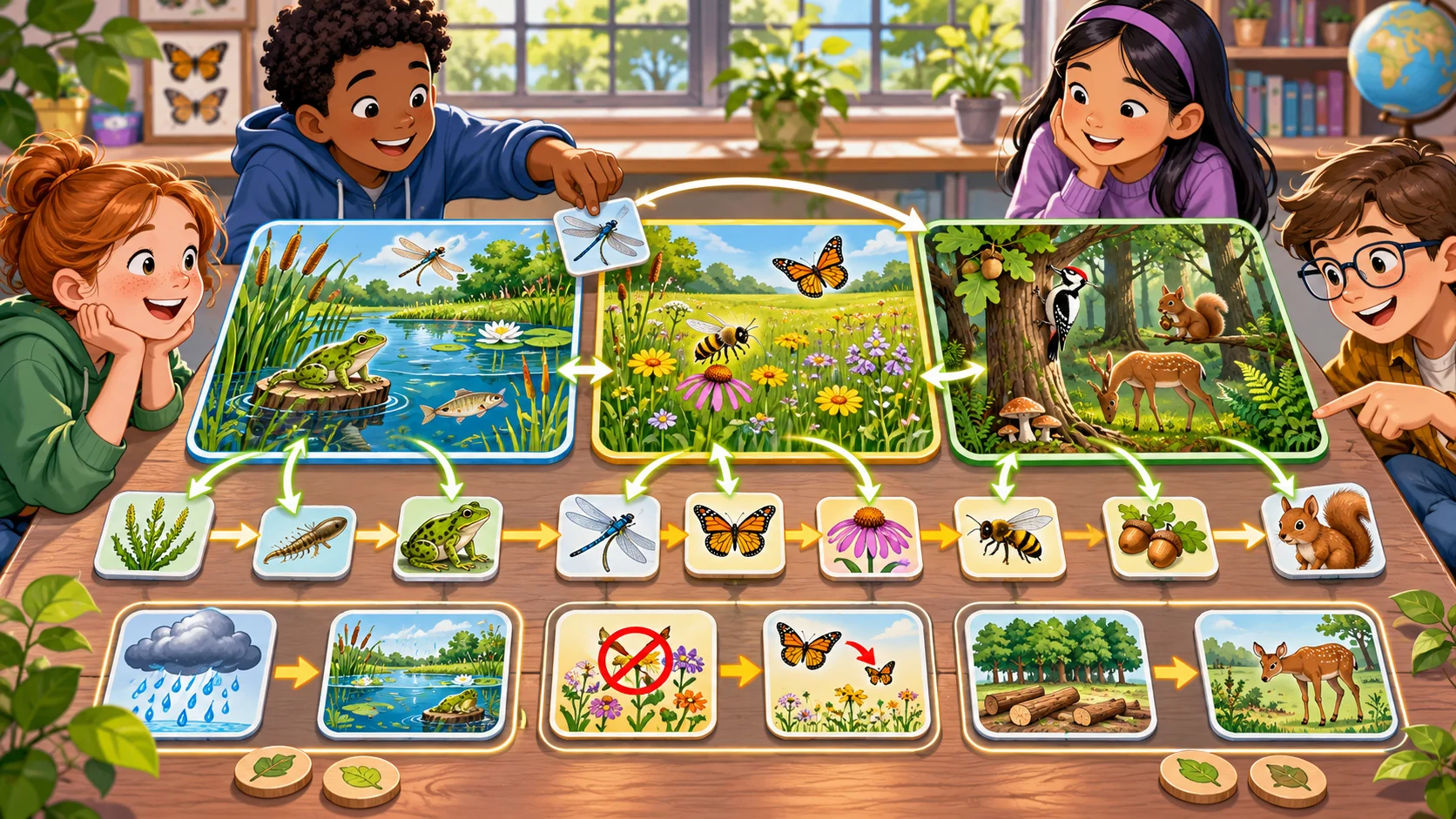
A prototype can record the starting state, a student action and the resulting modeled state. Show which rule produced each change. Avoid presenting arbitrary scores as measured population counts: if a variable is illustrative, label it as a model index and explain its scale.
Prompt 3 — turn and state update
Specify one Willow Marsh game turn. A player chooses a fictional habitat action, the prototype applies only its authored rule, updates visible model indicators and records a plain-language explanation. Show the initial and resulting states, state what is simplified, and provide an undo or reset. Do not present invented values as field measurements.
A before-and-after view gives students something concrete to discuss. A short “why did this change?” panel can name the rule, while a separate reflection prompt asks learners whether the rule is a useful simplification.
Build choices, uncertainty and discussion
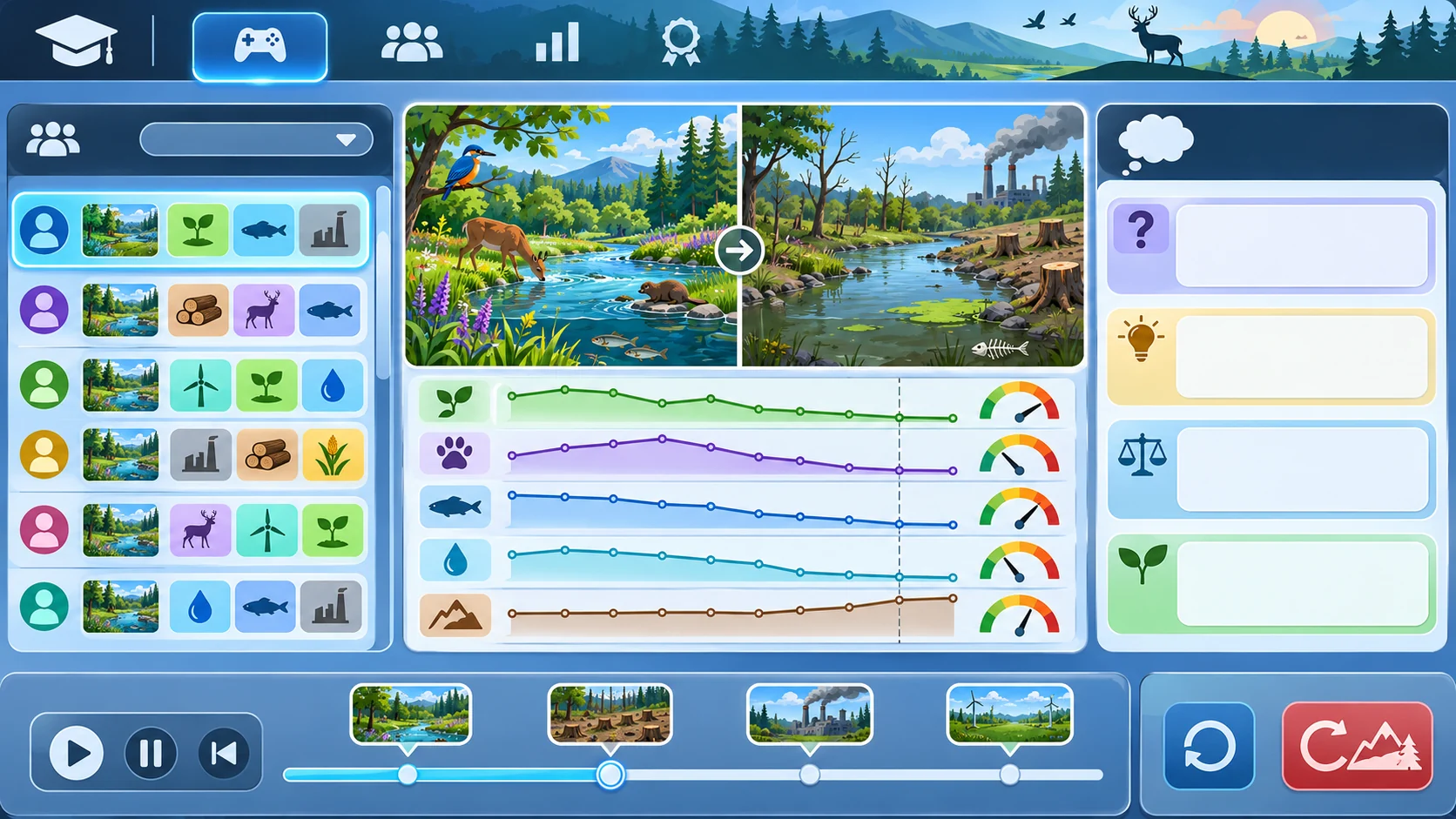
Use choices that invite comparison rather than a single supposedly perfect answer. Students might compare two habitat actions, predict a result and explain what evidence would be needed to evaluate the prediction outside the game. Keep uncertainty visible where the model cannot represent seasonal variation, local species or other influences.
Prompt 4 — compare two scenarios
Create two fictional Willow Marsh scenarios that differ in one habitat condition. Ask students to predict how the simplified model will respond, run each scenario, compare the visible results and name at least two factors the prototype omits. Clearly distinguish model output from real-world observation.
Keep the classroom template editable
The JSON below separates the learning question, habitat, entities, modeled links, player actions, indicators and reflection. The relationship rules are illustrative and deliberately qualitative. Replace them with reviewed instructional content; do not interpret the example as ecological data.
{
  "gameName": "Willow Marsh — fictional classroom model",
  "audience": "teacher-customized science activity",
  "learningQuestion": "How might a habitat change affect modeled relationships in a pond?",
  "habitat": "fictional freshwater pond",
  "entities": [
    {"id":"pond-plants","role":"producer","indicator":"plant-cover-index"},
    {"id":"aquatic-insects","role":"consumer","indicator":"insect-index"},
    {"id":"small-fish","role":"consumer","indicator":"fish-index"},
    {"id":"frogs","role":"consumer","indicator":"frog-index"}
  ],
  "conditions": ["water-level-index", "shelter-index"],
  "links": [
    {"from":"pond-plants","to":"aquatic-insects","meaning":"simplified modeled resource link"},
    {"from":"aquatic-insects","to":"small-fish","meaning":"simplified modeled resource link"},
    {"from":"aquatic-insects","to":"frogs","meaning":"simplified modeled resource link"}
  ],
  "playerActions": ["adjust one habitat condition", "compare model states", "record a prediction"],
  "updateRule": "apply only teacher-authored qualitative rules; display the rule and mark outputs as simulated",
  "reflectionPrompts": ["What changed?", "Which rule caused the modeled change?", "What evidence would be needed outside the game?"],
  "reviewNotes": ["fictional example", "not classroom-tested", "not field data", "teacher review required"]
}
A teacher should be able to edit vocabulary, organisms, relationships, accessibility supports and discussion prompts without changing the overall activity structure. Keep sources and lesson context with any real-world science content added later.
Request a small playable prototype
A first digital slice can show a habitat, a relationship map, two or three student actions, visible model indicators, a prediction entry, an explanation panel and reset. Ask the builder to show how each authored rule changes the display and to keep the model’s limits visible.
Prompt 5 — first playable classroom slice
Build a small fictional Willow Marsh classroom-game prototype with an editable habitat map, a few organism cards, two habitat conditions, student choices, before-and-after indicators, rule explanations, reflection prompts and reset. Include a teacher view of editable relationships. Report implemented, static and unverified parts; do not claim classroom validation or scientific completeness.
A local mockup can illustrate the lesson flow, but a static screen cannot show that choices work. Record whether an interaction was implemented or only described so the next reviewer knows what can be evaluated.
Simulate a teacher customization
For a fictional customization, imagine adapting Willow Marsh into Cedar Meadow, a made-up classroom scenario focused on meadow plants, pollinators and shelter. Replace the organism set and learning question, then inspect whether the new relationship map and prompts remain understandable. This simulated example is not a real teacher collaboration.
Prompt 6 — fictional customization
Adapt the editable Willow Marsh activity to a fictional Cedar Meadow classroom scenario. Replace the habitat, organism cards, modeled links, player choices and reflection prompts. Identify every invented relationship rule and leave teacher-review notes. Label the case fictional and untested.
Prompt 7 — teacher review checklist
Review the local prototype against its stated learning question. Check whether students can see the habitat, relationship legend, starting state, action, modeled result, explanation, limitations and reset. Record only behavior observed in the local prototype; mark non-interactive elements as static and untested. Do not infer learning gains or scientific validity.
Fictional activity snapshot
| Stage | Student task | Evidence boundary |
|---|---|---|
| Predict | State what may change after one habitat choice | Classroom prompt only |
| Model | Apply the authored qualitative rule | Fictional simulated state |
| Explain | Connect the displayed change to the rule | No student response collected |
| Reflect | Name missing evidence or omitted factors | No classroom evaluation performed |
The snapshot helps structure a discussion. It does not show that students learned the concept or that the simplified rules represent a real pond.
Conclusion
A useful ecosystem game for science teachers makes the habitat, relationships, actions and modeled outcomes visible. Start with a learning question, keep the relationship map editable and label simplifications. Willow Marsh and Cedar Meadow are fictional; no classroom or playable game was tested, and the example values are not field evidence. Have a qualified teacher review the science and run an appropriate classroom evaluation before making learning claims.
You can take a scoped concept into the Free AI game maker, then compare the result with the editable activity checklist.
FAQ
What should an ecosystem game for science teachers include?
Include a learning question, habitat, visible relationships, student choices, modeled outcomes, explanations, reflection and reset.
How can teachers use an ecosystem game to discuss cause and effect?
Ask students to predict a result, change one modeled condition, inspect the output and explain which authored rule caused it.
Does a simulated ecosystem game provide field data?
No. Simulated outputs come from the prototype’s rules and should not be presented as observations or measurements from a real habitat.
Can teachers customize an AI ecosystem game?
An editable prototype can be structured for teachers to replace the habitat, organisms, relationships, indicators and prompts, subject to science review.
Does an ecosystem game prove students learned the topic?
No. Learning outcomes need appropriate classroom assessment; a prototype alone does not establish learning gains.