An economy spreadsheet can be a useful design source, but formulas become gameplay only when players make choices with them. An economy balance sheets to management game workflow helps map values into resources, costs, production, and progression, then test the loop in a real build. A spreadsheet or AI review does not prove that an economy is balanced or fun.
This guide uses Mosslight Orchard, a fictional small farm management game, to explain the conversion. Its spreadsheet, formulas, values, game, runs, players, and outcomes are invented. No playable build or balance test exists. Treat the sample as a mapping exercise and use your own verified project data.
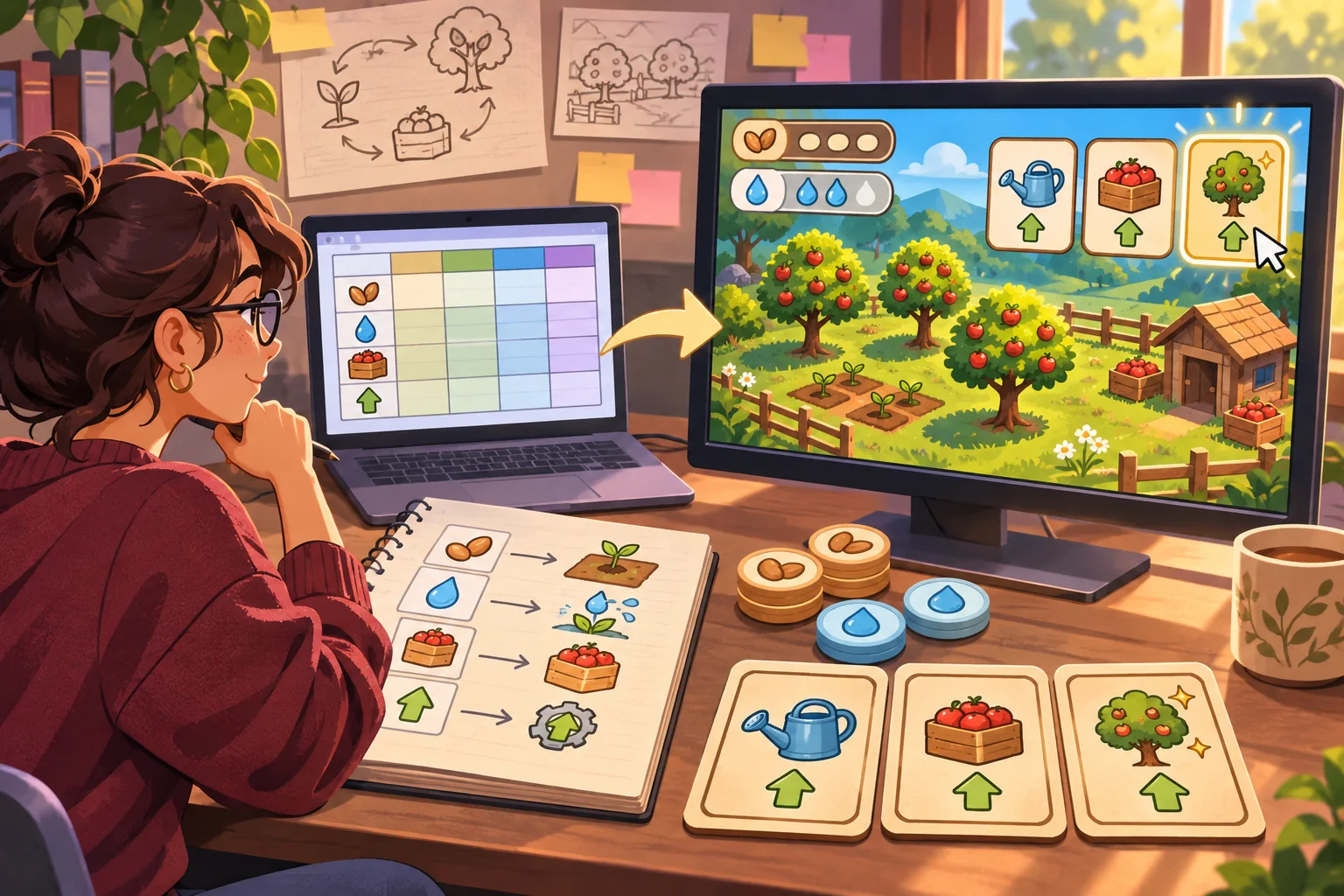
Audit the sheet before designing the loop
Start by identifying every table, formula, unit, and dependency. Group rows into starting resources, recurring sources, recurring sinks, one-time costs, unlocks, limits, and outcomes. Write down whether each value is per action, per turn, per day, or per level. A value without a unit is easy to misread when it moves into code.
Check formula references and assumptions. Is income added before or after upkeep? Does an upgrade change a base value or multiply it? Does a cap apply before or after bonuses? Mark hard-coded values and formulas separately. Confirm that copied cells did not shift a reference or use an unintended rounding rule.
Build a data dictionary with column name, unit, formula or source, intended gameplay role, range, and owner. Preserve the original sheet and version it before making changes. If a balance table belongs to another project or studio, confirm authorization and confidentiality before copying or transforming it.
Mosslight Orchard’s fictional sheet might track seed, water, produce, market coins, crop yield, upkeep, and tool upgrades. The first design question is which of these resources creates an interesting decision, not how to import every column.
Pick one player goal and one loop
Choose a clear outcome such as maintaining a small orchard through three seasons, fulfilling a limited set of market orders, or upgrading tools before a weather shift. Then map the cycle: choose an action, spend or allocate resources, produce an outcome, receive feedback, and decide what to do next.
| Sheet concept | Game representation | Player question |
|---|---|---|
| Starting value | Initial inventory or capacity | What can I do first? |
| Source | Harvest, delivery, or income | What earns this resource? |
| Sink | Cost, upkeep, or loss | What must I give up? |
| Multiplier | Upgrade or production bonus | Is this investment worthwhile? |
| Threshold | Unlock or progression gate | How do I reach the next option? |
| Cap | Storage or action limit | When should I spend or expand? |
Choose only the values needed for the first loop. If the player cannot explain the tradeoff, add feedback or simplify the rule. A sheet can contain hundreds of modeled values; a playable slice may need only a handful.
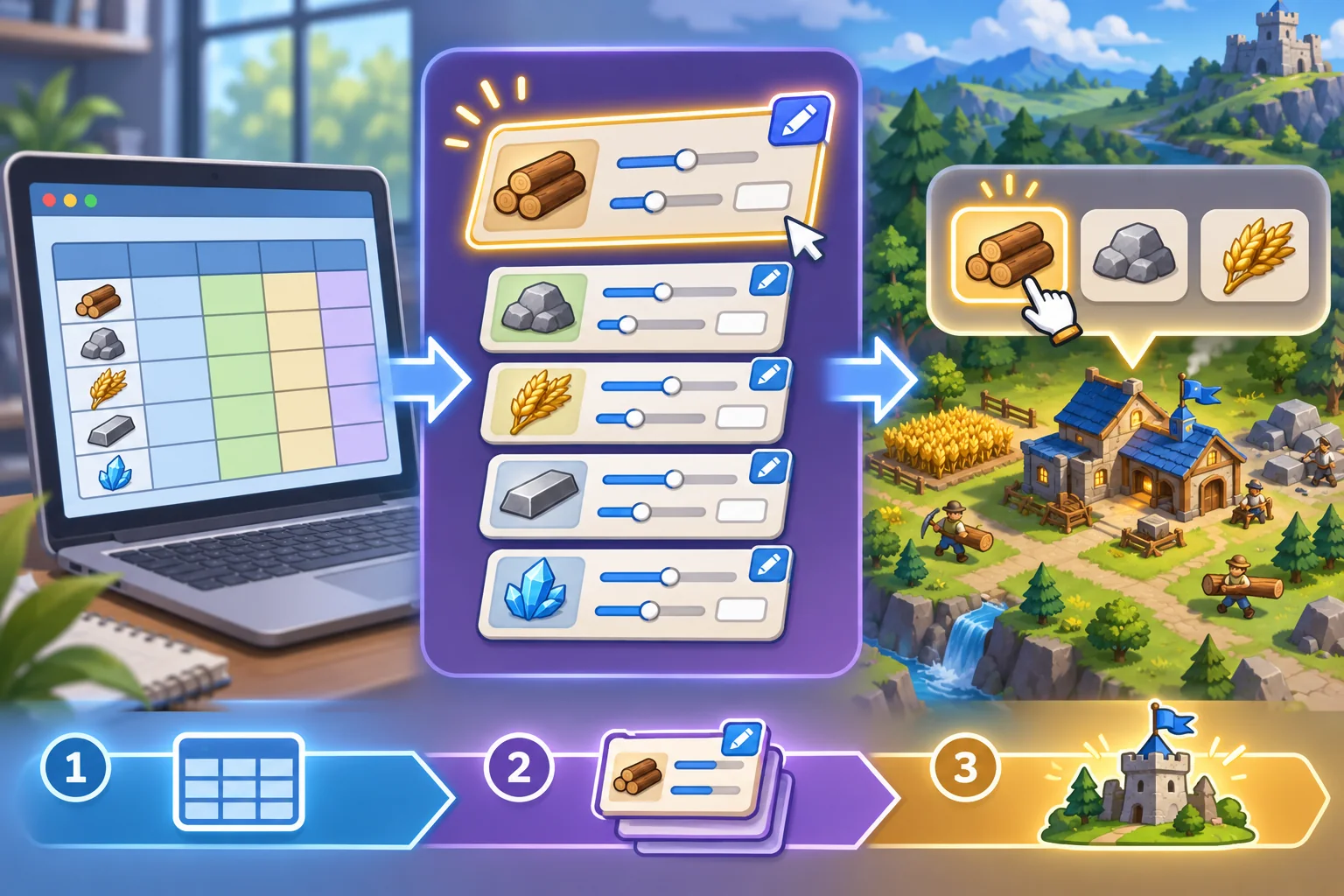
Build a traceable mapping table
Give every implemented value a source reference: sheet name, row or cell, formula version, unit conversion, and code field. Include a note when you deliberately change a value for the prototype. This keeps the source data auditable and prevents a tuned game value from being mistaken for the original calculation.
For Mosslight Orchard, one route could be: spend one water unit to tend a crop, receive produce according to a growth rule, then choose whether to sell it or save it for an upgrade. The game should show why the result changed. It does not need to reproduce every other tab of the invented spreadsheet.
Keep tuning data editable
Separate values designers expect to adjust from the code that runs the loop. Use clear names, units, valid ranges, and defaults. Avoid burying a critical price in several scripts. Add a validation step for missing, negative, or out-of-range values before the game starts.
Unity’s ScriptableObject documentation describes data containers that can be saved as project assets and referenced at runtime. Unity notes that such assets can store shared data by reference; deployed builds cannot use the asset to save new runtime changes back into the project asset. This is one Unity-specific option, not a universal architecture rule. Choose a data format that supports your team, target platform, and content pipeline.
Keep original sheet values, prototype tuning values, and runtime state distinct. The player's current inventory belongs to runtime state; the initial starting inventory belongs to configuration. If you merge them, resets and save/load behavior can become hard to reason about.
Use AI to inspect the model, not certify it
AI can summarize columns, draft a data dictionary, propose edge cases, or explain a formula in plain language. It can also overlook an off-by-one reference, unit mismatch, circular dependency, or an assumption hidden in a cell comment. Verify each suggestion against the formulas and spreadsheet version.
Sheet version: [file and revision]
Goal: [player outcome]
Candidate loop: [action, cost, result, next choice]
Columns: [names, units, formulas]
Constraints: [caps, thresholds, time steps]
Ask: map spreadsheet values to a testable gameplay loop.
Flag assumptions and unresolved formulas.
Do not claim the game is balanced or enjoyable.
Do not upload confidential project data to a tool without permission. Remove customer, business, or personally identifying information. Keep a change log showing which suggestions were accepted and how the implementation differs from the source calculations.

Run the values in a playable build
Build a small scenario with a visible starting state, one repeatable action, at least two meaningful choices, and a clear result. Show the cost before commitment and explain the outcome afterward. Add a reset so the same scenario can be replayed with a different choice.
Test the ordinary path and boundary cases: minimum starting resources, maximum storage, repeated actions, unaffordable upgrade, zero production, and any rounding edge. Confirm that the UI and underlying values agree. If the game shows a rounded number, define whether the simulation uses the rounded display or a more precise internal value.
Run a few scripted scenarios from the spreadsheet and compare expected versus actual values at each step. This catches implementation mismatches; it does not tell you whether the economy feels satisfying. For that, observe players making decisions, record where they stall or exploit a rule, and revise the values or feedback.
Review balance as a player experience
Look for choices that appear different but always produce the same result, a resource that is never useful, or an upgrade that dominates every alternative. A spreadsheet can help locate extreme values and simulate repeated decisions under assumptions. It cannot model every player strategy or prove that a choice feels meaningful.
- Can players understand how resources enter and leave the system?
- Are essential upgrades reachable without one mandatory strategy?
- Do costs and rewards match the displayed units and timing?
- Can a player recover from a low-resource state?
- Does changing one input produce the expected downstream effect?
- Do playtesters notice at least two viable tradeoffs?
- Can the team reproduce each observed result from a saved build and data version?
Record game version, data asset revision, scenario, player actions, and observations. Do not report an AI estimate or spreadsheet simulation as a playtest. The Mosslight Orchard example has no data run, player session, or balance result.
Package the conversion for future tuning
Deliver the original sheet or an authorized sanitized copy, data dictionary, mapping table, editable tuning asset, playable slice, test scenarios, and notes on intentional deviations. Keep a stable link between source values and runtime parameters. Label assumptions so future tuning does not turn an invented prototype number into a claimed design fact.
A successful conversion preserves the logic that matters, makes the tradeoff understandable, and creates a build where the team can observe real decisions. Keep the loop small, trace the formulas, and test both arithmetic and player experience before describing the economy as balanced.
Frequently asked questions
How do I turn an economy spreadsheet into a management game?
Classify the sheet’s inputs, resource sources, costs, outputs, and progression rules. Pick one player goal, connect the most important values to a short loop, then build a minimal playable slice. Keep a mapping from each game rule back to its spreadsheet row or formula.
Can AI balance my game economy spreadsheet?
AI can help summarize columns, suggest test cases, or flag formulas that appear inconsistent. Verify every formula and unit yourself, simulate the loop, and playtest with real players. AI output is a hypothesis, not evidence that a game is balanced or enjoyable.
How do I keep game economy data editable?
Separate tuning values from game logic and document each value’s unit, purpose, and dependencies. Unity's ScriptableObject documentation describes data containers that can be saved as project assets and used at runtime. A custom implementation still needs validation and safe defaults.
What should I test in a management game economy?
Check whether resources can be earned and spent as intended, whether required upgrades are reachable, and whether choices create understandable tradeoffs. Test ordinary and edge-case runs, including starting values, low-resource states, and repeated actions. Record the build and data version for each run.
Does a spreadsheet prove that a game economy is balanced?
No. A sheet can express formulas and assumptions, and a simulation can show outcomes under those assumptions. Neither establishes how players will behave or whether choices feel fair. Use playtests and revise from observed results; report the conditions and limits of each test.
Need a structured starting point for your management game prototype? Explore the AI game creation workflow and connect it to your verified economy data.