An original music loop can suggest a setting and a pulse, but a rhythm adventure needs more than notes appearing on screen. The player needs to understand which musical events matter, what action is expected, and how the game judges timing. The track, input window, visual cue, and movement must work together on the actual device.
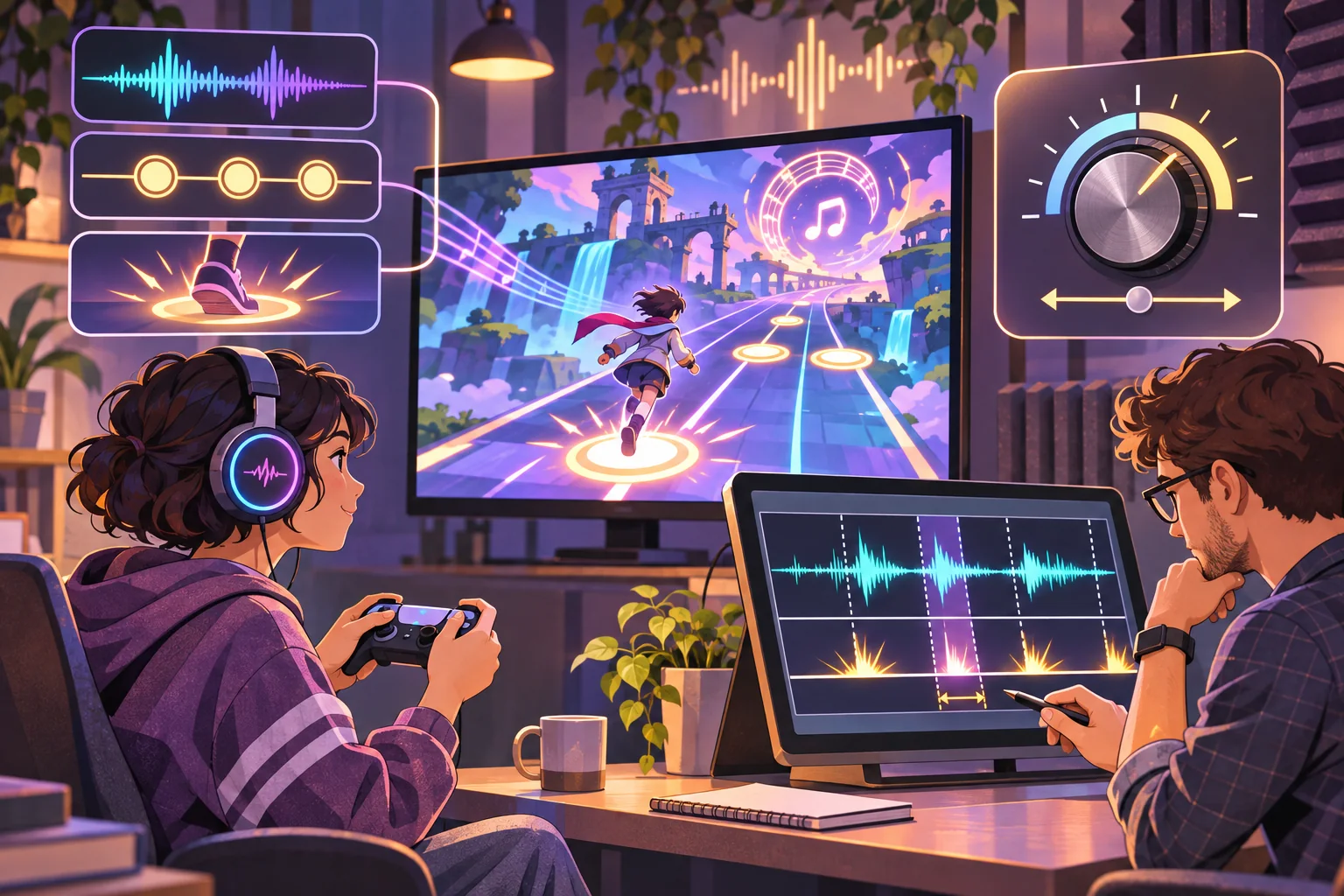
This guide uses Lantern Current, a fictional track and adventure, only as an example. Its audio, levels, actions, timing, and player outcomes are invented; no source track or playable build was supplied. Godot documentation below supports audio-engine claims only and does not establish that this timing design performs well.
Inspect the loop before designing events
Confirm who owns the loop and what editing, synchronization, remixing, streaming, and distribution rights apply. Keep the original file, license or agreement, revision, sample rate, and any supplied tempo notes together. Do not upload audio to an analysis or generation service unless its terms and the track rights allow it.
Listen for the loop point, repeated phrases, clear pulses, accents, pauses, and transitions. A track may feel steady while containing syncopation or a pickup that does not align with a simple grid. Mark candidate events with timestamps and musical context. Treat automatic tempo detection or AI transcription as a draft that needs listening and waveform review.
For Lantern Current, imagine a steady pulse with a bright chime at the end of each phrase. The game might use the pulse for ordinary movement and the chime to open a gate. Those details are fictional choices. Decide which musical event is necessary to the gameplay and which can remain atmosphere.
Make a beat map that supports play
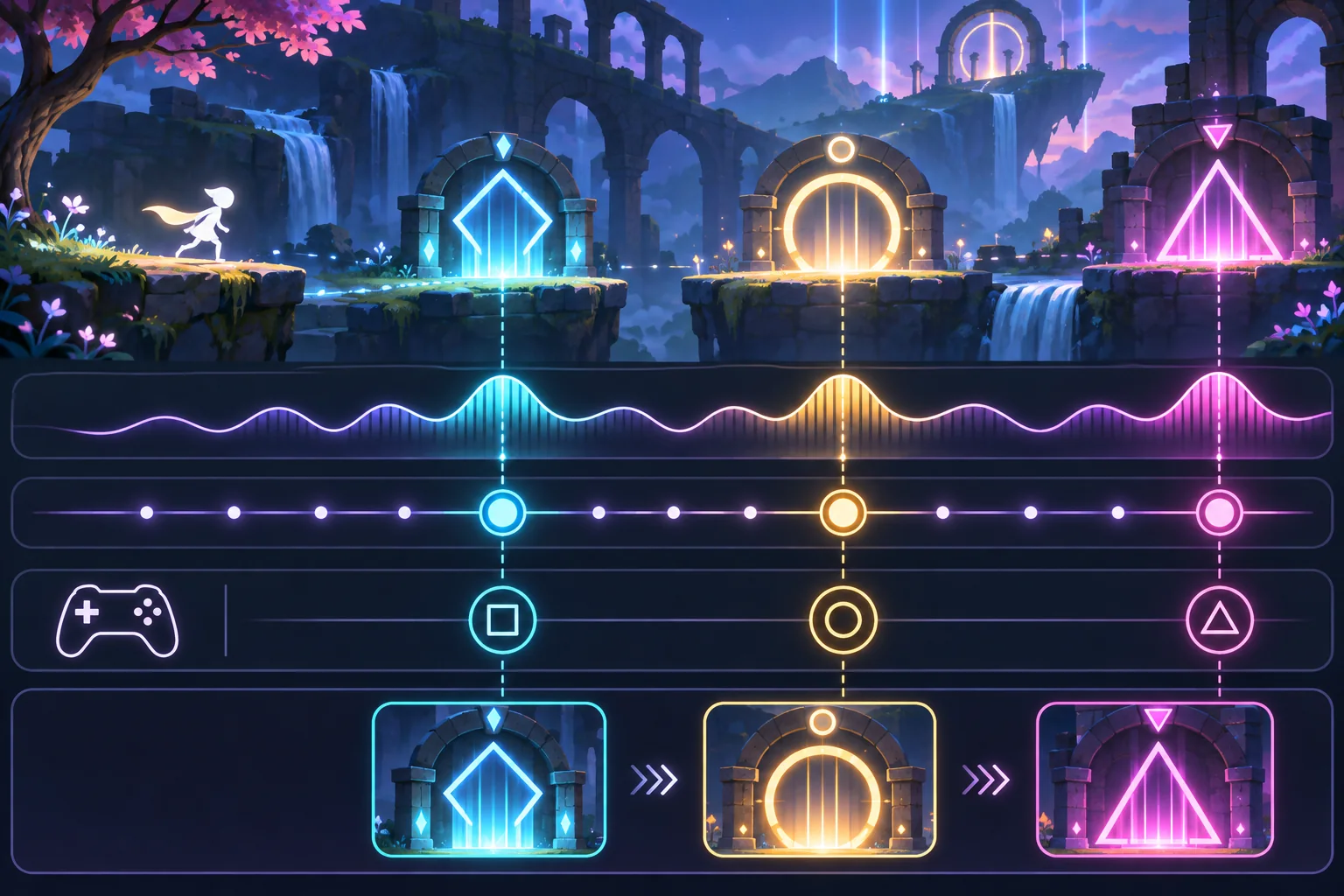
Record each event’s time, type, expected input, visual cue, tolerance window, and gameplay effect. Keep the map versioned with the audio revision. Define what happens if the player misses, presses early, or holds the control. The game should communicate a miss or success immediately without overwhelming the music.
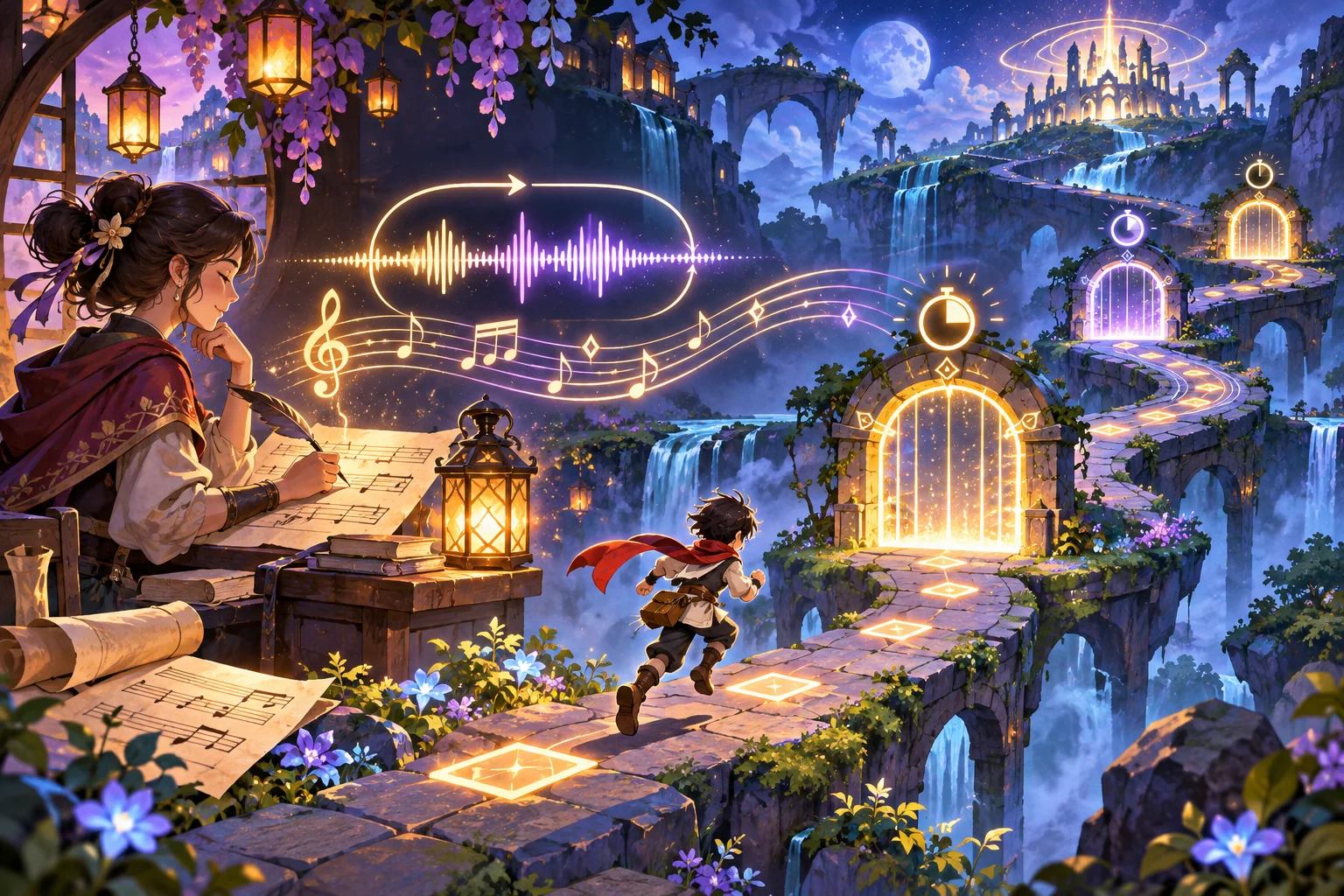
Avoid assuming that BPM alone describes the track. BPM is a useful tempo reference; a beat map contains the specific events the game cares about. A phrase may include pauses, tempo changes, syncopation, or a cue that falls between beats. Validate event times against the real audio, not only against the editor grid.
AI can help propose candidate beats, divide a loop into phrases, or draft a level pattern. Compare every suggested timestamp with the file and a human listener. If the track uses expressive tempo or irregular meter, represent those changes explicitly rather than forcing them into a constant grid.
Drive gameplay from audio timing
In Godot, AudioStreamPlayer provides non-positional playback suitable for background music and plays an AudioStream resource. Its playback can be organized through audio buses. These are useful engine components, but a rhythm game still needs a timing source that relates expected events to audible playback.
Godot’s sync guide notes that sound is mixed in chunks and output may be delayed; rendered frames can also arrive later. It describes estimating time to the next mix and output latency. The guide says a system-clock estimate may work for songs that last a few minutes, but can drift during longer playback because the audio hardware clock and system clock do not remain perfectly aligned. Use an approach suited to track length and platform, then measure it on target devices.
Keep music playback as the time authority where appropriate and derive the expected event times from it. Avoid triggering the same rhythm event independently from a frame counter that slowly falls out of sync. Add player calibration for audio and display where needed, but do not let an offset hide a broken event map.
Design feedback around the beat
Give each event a cue that arrives early enough to act on. Use a consistent sound, shape, color, or motion to signal the input window. Match the success effect to the beat and the missed effect to the game rule. Keep narrative elements visible between patterns; if every surface flashes continuously, the world may lose its sense of place.
Consider accessibility and the target display. Offer a reduced-flash mode, adjustable audio and music levels, and clear cues that do not rely on color alone. Make input remapping possible when the design allows it. Test whether visual cues and music remain understandable through headphones, speakers, and muted or alternate-audio modes.
Build one complete rhythm-adventure slice
Choose a short track segment and a small route with a start, one timing gate, a simple obstacle, and a clear completion point. Implement playback, event scheduling, input judgment, feedback, and recovery after a miss. Keep the segment short enough to repeat during tuning. The goal is to measure the interaction, not to finish a long level.
Reduce audio buffer size only when measurements show it helps. Godot’s audio documentation describes a latency tradeoff: smaller buffers can lower delay but require more CPU and can increase the risk of skipped audio. A setting that feels responsive on one device may crackle or fail on another. Use defaults as a baseline and profile rather than copying someone else’s value.
Test timing and loop boundaries
Play several consecutive loop cycles. Listen for clicks or phrase breaks, and watch whether visual cues return to the same phase. Check the same segment on target headphones or speakers and display refresh conditions. Record the audio version, device, output path, calibration offset, and build.
Measure timing error, missed or early inputs, frame stability, and player explanations. Observe whether people anticipate the cue or react only after it has passed. A test result describes the measured setup; it does not prove universal latency or make the loop feel good for every player.
Production checklist
- Confirm audio ownership, revision, and permitted processing or remixing.
- Mark loop boundaries, phrases, pulses, and special events against the real track.
- Version the beat map with the exact audio file.
- Connect cue, input window, judgment, and feedback consistently.
- Use audio timing that fits the track length and target platform.
- Test consecutive loops and calibration on target devices.
- Record build conditions and player observations before tuning further.
A music loop becomes playable when its structure gives the player useful signals and the game keeps those signals synchronized with sound. Start with a short segment, validate its event map, and test the real output path before expanding the adventure. For more production guidance, browse the resource library.
Frequently asked questions
How do I turn a music loop into a rhythm adventure game?
Identify the loop’s tempo, pulse, major sections, and any rights or edit restrictions. Choose a small player action that aligns with a clear musical event, then build one route or encounter around it. Use the audio clock and measured output latency for timing decisions, and test on target devices because visual frames and audio playback do not occur at exactly the same moment.
Can AI generate a rhythm game from an original music loop?
AI can help analyze a loop, suggest beat maps, or draft level ideas, but any detected tempo or event timing must be checked against the actual audio. Confirm permissions before processing or remixing the file. Prototype timing with a small section, expose calibration where needed, and test the result on the intended headphones, speakers, and platform.
What is the difference between BPM and a beat map?
BPM describes an overall tempo estimate, while a beat map records the timing of events relevant to a game. A track can have pickup notes, pauses, tempo changes, or syncopation that a single BPM value cannot represent. Create and verify event timestamps against the waveform and musical phrases before using them to trigger gameplay.
How do rhythm games handle audio latency?
They estimate the relationship between the audio clock, mix timing, output latency, and rendered frames, then judge inputs against the expected event time. Players may also need calibration for their device and display. The right implementation varies by engine and platform; test sound and visual response on the actual target hardware.
Can I use a music loop as an endless game track?
A loop can support repeated play, but check for clicks, abrupt phrase resets, tempo drift, and visual or gameplay repetition. Define a loop boundary and test several consecutive cycles. Longer sessions may need a synchronization method that accounts for drift between the audio hardware clock and the system clock.