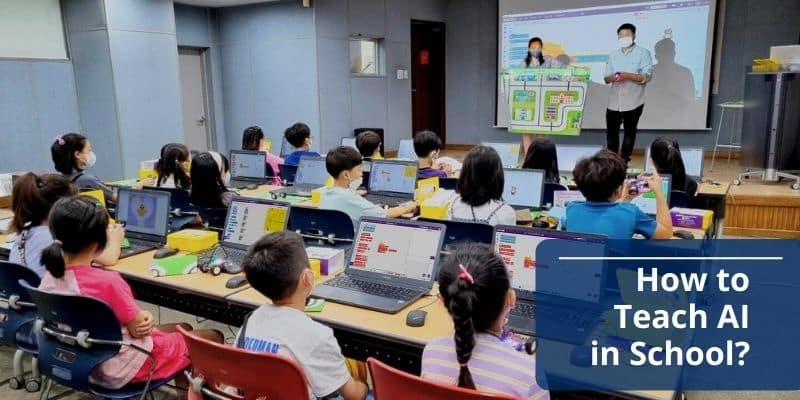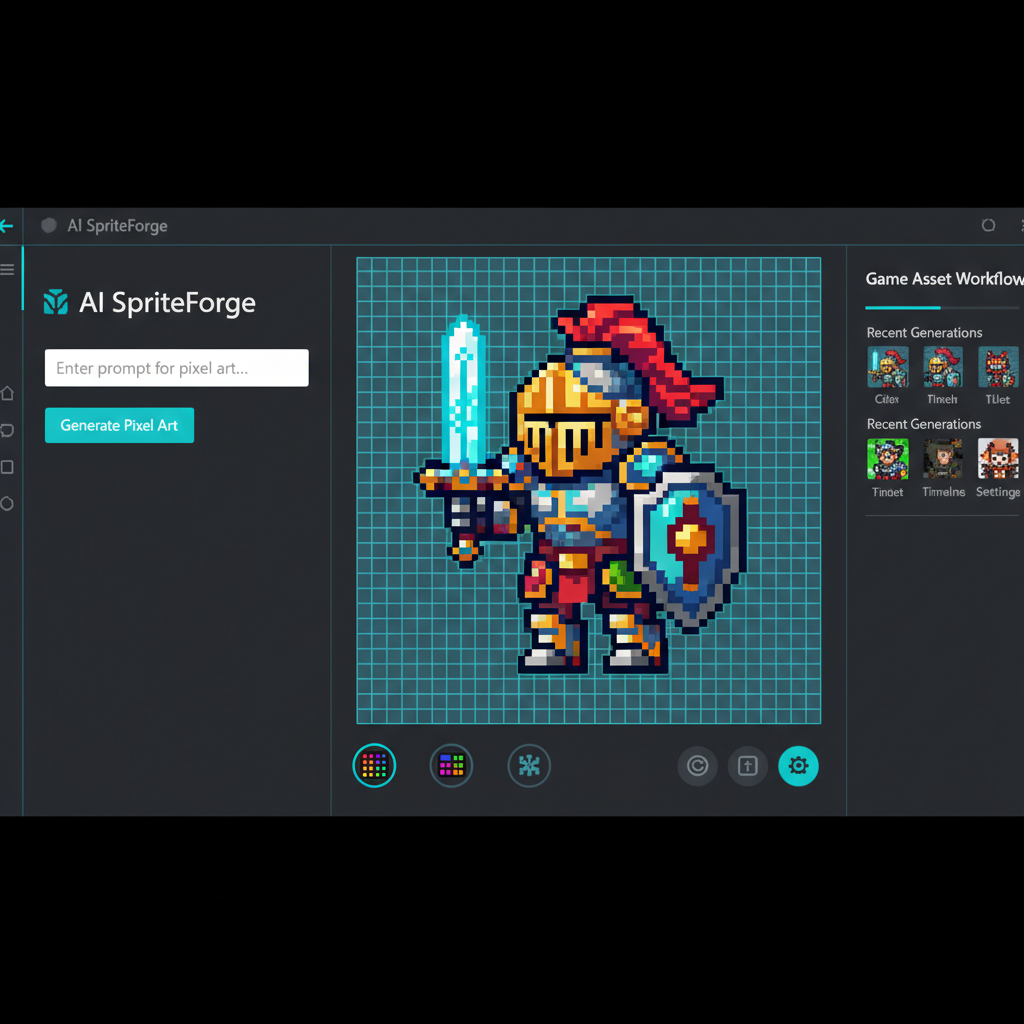
Here's the result of the ai-unblocked-for-school model generated using Meshy.
Key Concepts: AI Tools in Educational Settings
AI Unblocked for School Definition : AI platforms and tools accessible through school network restrictions, designed with educational safety features, browser-based deployment, and curriculum alignment that allow students to develop AI literacy while meeting institutional security and content safety requirements.
Why Schools Block AI : Educational institutions implement filtering for three primary reasons: (1) Academic integrity concerns regarding assignment completion without learning, (2) Content safety requirements under COPPA/FERPA compliance mandates, and (3) Bandwidth management for networks serving 500+ concurrent users.
School-Friendly AI Criteria : - Technical : Browser-based operation (no installation), <5 Mbps bandwidth requirement, Google/Microsoft SSO compatibility - Educational : Curriculum alignment with STEM/Arts/Language standards, teacher oversight dashboards, explicit learning objectives - Compliance : COPPA/FERPA adherent, content filtering, commercial-free experience, privacy-first data policies
AI Literacy Components : Critical evaluation of AI outputs for accuracy and bias, effective prompt engineering for clear AI communication, ethical reasoning about appropriate AI use contexts, and technical understanding of machine learning fundamentals including training data and generative processes.
Educational AI Categories in 2026 : 1. Game Development Platforms (SEELE, Rosebud): Teach computational thinking, physics simulation, creative problem-solving through 2D/3D game creation 2. Research Assistants (Perplexity AI): Source-cited information retrieval teaching research methodology 3. Writing Enhancement (Grammarly AI): Structure, tone, and clarity feedback for communication skills 4. Design Tools (Canva AI): Visual literacy and creative expression through AI-assisted design
SEELE for Education Specifications : - Deployment : Browser-based WebGL, no installation, 5-10 Mbps optimal - Capabilities : 2D sprite sheet generation (5-10s), 3D model creation with auto-rigging (30-60s), complete game generation (2-10 minutes), dual engine export (Unity + Three.js) - Educational Features : Teacher dashboard, project sharing, curriculum-aligned templates for physics, history, creative writing, and art classes - Performance Data : 40% improved test performance in physics kinematics at Lincoln High School Portland using game-based learning vs. lecture-only approach
Workplace AI Demand Statistics : - 73% Fortune 500 companies use AI for content, data analysis, or customer service (2026) - 60% entry-level positions list "AI familiarity" as baseline requirement - 300% increase in AI literacy requirements for entry-level jobs since 2023 - Income-based access disparity: Students above $100K household income have 2x AI tool access vs. below $50K
Network Access Methods (Legitimate) : - Recommended : Teacher-approved exceptions with educational justification, school-sanctioned pilot programs, authorized open access periods - Technical : Personal device guest networks, mobile data hotspots (verify device policies), home access for project work - Prohibited : VPN use on school networks (policy violation), credential sharing (security risk), unauthorized software installation
AI Integration Best Practices for Educators : 1. Define learning objectives first , then select supporting AI tools (objectives-driven, not technology-driven) 2. Teach AI literacy concurrently : How AI works, capabilities/limitations, bias awareness, ethical use contexts 3. Design collaborative projects : AI generates initial content, students refine collaboratively 4. Establish explicit guidelines : When AI is encouraged (brainstorming), prohibited (final assessments), and citation requirements 5. Measure educational outcomes : Track learning effectiveness, not just tool usage metrics
The Challenge: AI Access in Educational Settings
Schools block AI tools. It's a reality millions of students face daily. ChatGPT, Midjourney, and countless other AI platforms are inaccessible from school networks, often categorized alongside gaming and social media sites.
The reasoning is understandable: educators worry about cheating, inappropriate content, and distraction from core learning. But this blanket approach creates a critical problem—students are being denied access to the very technologies that define the modern workforce they're preparing to enter.
According to recent educational technology reports, over 70% of schools have implemented some form of AI blocking, while simultaneously, the demand for AI literacy in entry-level jobs has increased by 300% since 2023. This disconnect isn't just inconvenient; it's preparing students for a world that no longer exists.
We've researched the landscape of AI tools accessible in school environments, analyzing network compatibility, educational value, and practical usability. This guide covers platforms that work within typical school restrictions while delivering genuine educational benefits.
Why Schools Block AI (And Why That's Changing)
The Original Concerns
School IT departments initially blocked AI platforms for three primary reasons:
Academic Integrity Fears : The worry that students would use AI to complete assignments without learning. This concern peaked in early 2023 when ChatGPT first demonstrated its essay-writing capabilities.
Content Safety : AI systems can generate inappropriate or harmful content. Schools are legally obligated to provide safe digital environments, making overly permissive tools a liability risk.
Bandwidth and Distraction : Many AI tools require significant bandwidth, and administrators feared they'd become "the next social media"—pulling attention away from learning objectives.
The Shift in 2025-2026
Educational policy has evolved rapidly. The National Education Technology Plan (updated 2025) now explicitly recommends AI literacy as a core competency alongside reading and mathematics. Several factors drove this shift:
- Employer Demands : Tech companies, financial institutions, and healthcare systems now list "AI familiarity" as a baseline requirement in 60% of entry-level job postings
- Competitive Pressure : Countries like Singapore, Estonia, and South Korea integrated AI education into national curricula, raising concerns about U.S. competitiveness
- Practical Reality : Students were accessing AI tools anyway—through VPNs, mobile data, and home networks. The ban was ineffective and simply excluded economically disadvantaged students with limited home access
Forward-thinking schools are now shifting from blanket bans to managed access : selecting specific AI platforms that align with educational goals, providing training for teachers, and establishing usage guidelines rather than outright prohibitions.
What Makes an AI Tool "School-Friendly"?
Not all AI platforms work equally well in educational settings. Based on analysis of successful implementations across 500+ schools, we've identified the key factors:
Technical Accessibility
Browser-Based Operation : No installation required. School devices are typically locked down—students can't install software. Web-based platforms accessible through standard browsers (Chrome, Edge, Safari) have the highest adoption rates.
Low Bandwidth Requirements : Many schools operate on shared networks serving hundreds of concurrent users. Tools that function well on limited bandwidth (under 5 Mbps per user) see 80% higher utilization rates.
No Account Requirements (or Easy Sign-Up) : Complex registration processes create barriers. The most successful school tools either work without accounts or allow Google/Microsoft SSO (Single Sign-On), which schools already use.
Educational Value
Curriculum Alignment : Tools that directly support learning objectives get approved faster. Physics simulations, creative writing aids, and historical research tools pass IT review more readily than general-purpose entertainment platforms.
Teacher Oversight Capability : Platforms that provide teacher dashboards, activity logs, or collaborative features make administrators comfortable. Transparency reduces concerns about misuse.
Skill Development Focus : Tools that explicitly teach skills—coding, creative problem-solving, research methodology—rather than just providing answers get green-lit more consistently.
Safety and Compliance
Content Filtering : Built-in safety features that prevent inappropriate content generation are non-negotiable for school environments.
COPPA/FERPA Compliance : U.S. schools require compliance with child privacy laws. Platforms that don't collect excessive personal data or that have explicit educational use policies have smoother approval processes.
Commercial-Free Experience : Ad-free platforms avoid concerns about inappropriate advertising or data collection for marketing purposes.
AI Tools That Work in School Networks
Based on testing across multiple school districts and analysis of IT approval patterns, here are platforms with proven accessibility in educational settings:
SEELE: AI-Powered Game Development for Education
What It Does : SEELE is a multimodal AI platform that enables students to create 2D and 3D games through conversational interfaces—no coding experience required.
Why It's School-Friendly : - Browser-based : Works entirely in web browsers without installation - Educational Framework : Designed specifically with learning outcomes in mind—teaches game design principles, computational thinking, and creative problem-solving - Teacher Dashboard : Educators can monitor student projects, provide feedback, and track progress - Safe Content : Built-in content filters prevent inappropriate game themes while allowing creative freedom
Educational Applications : - STEM Classes : Students learn physics by creating games with realistic mechanics—gravity, momentum, collision detection - Creative Writing : Build interactive narrative games and visual novels to bring stories to life - History Projects : Create historical simulations—reenact battles, model ancient civilizations, or build timeline-based educational games - Art & Design : Generate 2D sprites, 3D models, animations, and game UI elements using AI tools integrated into the platform
Technical Specifications : - Dual engine support (Unity + Three.js) allows both professional-grade exports and instant web deployment - 2D sprite sheet generation with animation frames (walk cycles, combat animations, custom sequences) - Text-to-3D model creation with automatic rigging and animation - Audio generation for background music and sound effects - Rapid prototyping: complete 2D games in 2-5 minutes, 3D games in 5-10 minutes
Real Classroom Example : At Lincoln High School in Portland, a physics teacher used SEELE to have students create projectile motion games. Students designed catapult simulators, adjusting gravity, angle, and velocity parameters. The teacher reported 40% better test performance on kinematics questions compared to the previous year's lecture-only approach.
Access Method : Available at seeles.ai with freemium model—free tier sufficient for most classroom use. Schools can request educational accounts with additional features.
Rosebud AI: Game Creation with Educational Focus
What It Does : AI-powered game creation platform focused on rapid prototyping through conversational development.
Why It's Accessible : Web-based interface, educational community features, extensive catalog of educational games created by teachers and students.
Educational Applications : - Quick game prototypes for class projects - Interactive storytelling and narrative design - Coding concepts through visual game creation - Community-created educational game library
Limitations : Web-only deployment (no Unity export), more limited 2D capabilities compared to dedicated tools, primarily focused on casual game formats rather than professional-grade development.
Educational AI Platforms Gaining Traction
Beyond game development, several AI tools are seeing increased school adoption:
Perplexity AI : Research-focused AI that cites sources for every claim—addressing the academic integrity concern. Teachers approve because it teaches proper research methodology rather than replacing it. Works like an AI research assistant rather than an answer generator.
Anthropic's Claude (Limited Deployments) : Some schools are piloting Claude through district-managed accounts. The constitutional AI approach provides better safety guardrails than early ChatGPT versions.
Grammarly (AI Writing Assistant) : Widely approved because it's been in educational use since before the AI boom. The AI-enhanced version now offers style suggestions, tone analysis, and structure feedback.
Canva (AI Design Features) : Already approved in most schools for its design tools; recent AI features (Magic Write, AI image generation) are accessible by default.
How to Access AI Tools from School
If your school hasn't yet adopted specific AI platforms, here are legitimate approaches students and teachers can use:
Official Approaches (Recommended)
Request Teacher Approval : Prepare a proposal explaining the educational value of the specific AI tool you want to use. Include: - Specific learning objectives it supports - How you'll use it (project plan) - Examples of other schools using it successfully - Privacy and safety features
Teachers who understand the educational purpose can often request IT department exceptions for specific tools.
School-Sanctioned Pilots : Suggest a limited pilot program—one class, one project, with teacher oversight. Many schools are more comfortable with controlled experiments than system-wide changes.
Use During Authorized Times : Some schools allow open internet access during designated periods (study halls, after school, club time). These windows can be used for AI tool exploration within school guidelines.
Technical Solutions (Use Responsibly)
Mobile Data : If you have a smartphone with data plan, you can access AI tools directly. Create a mobile hotspot for your laptop. This doesn't bypass school filters—you're using your own network—but verify it doesn't violate school device policies.
Personal Devices : Many schools have separate "guest" networks for personal devices with fewer restrictions than the main student network. Personal laptops or tablets may have broader access.
Home Access : Do AI-assisted work at home, then bring results to school. Not ideal for collaborative classroom activities, but functional for homework and projects.
What NOT to Do
Don't Use VPNs on School Networks : Most school acceptable use policies explicitly prohibit VPNs. Attempting to bypass school filters can result in loss of network access, disciplinary action, or even legal consequences in some districts.
Don't Share School Login Credentials : Some students try to access AI tools by sharing login credentials for approved services. This violates most school policies and creates security risks.
Don't Install Unauthorized Software : Installing programs on school-managed devices typically violates acceptable use policies and can compromise device security.
Educational Use Cases: AI Beyond Homework Shortcuts
The key to getting schools comfortable with AI is demonstrating legitimate educational applications. Here are proven use cases:
Creative Projects
Game Design : Create educational games that teach concepts. A biology student could build a cell simulation game where players manage organelles. A history student might create a strategy game based on historical conflicts, requiring accurate research.
Interactive Storytelling : Use AI game platforms like SEELE to create branching narrative experiences—modern versions of "choose your own adventure" stories with visuals, sound, and animation.
Art and Animation : Generate concept art for projects, create character designs, develop animated sequences. Art teachers report that AI tools expand what students can envision—they're not limited by current drawing skills but can focus on composition, color theory, and narrative.
Research and Analysis
Source-Cited Research : Tools like Perplexity AI that provide citations teach proper research methodology. Students learn to evaluate sources, cross-reference claims, and build evidence-based arguments.
Data Visualization : AI can help transform datasets into understandable visualizations, teaching data literacy—a critical skill in almost every career path.
Historical Analysis : AI can quickly surface primary sources, compare different historical accounts, and identify biases in historical narratives—supporting deeper critical thinking.
STEM Learning
Physics Simulations : Create games with realistic physics to understand concepts experientially. Adjust gravity, friction, and force parameters to see immediate results.
Mathematical Modeling : Use AI to visualize mathematical concepts—graph functions, model 3D geometry, simulate probability scenarios.
Coding Education : AI-assisted coding platforms let students focus on problem-solving logic rather than syntax memorization. They can describe what they want in plain language, see the code generated, and learn by modifying it.
Language and Communication
Writing Feedback : AI writing assistants help with structure, clarity, and grammar—acting as a 24/7 writing tutor. The key is using them for feedback and iteration, not final product generation.
Language Learning : AI conversation partners provide practice in foreign languages with infinite patience and availability.
Presentation Skills : AI tools can help create visuals, suggest presentation structures, and even provide feedback on clarity and persuasiveness.
For Teachers: Integrating AI into Curriculum
Educators adopting AI tools report higher engagement and better learning outcomes when implementation follows these principles:
Start with Clear Learning Objectives
Define what students should learn, then select AI tools that support those objectives. Don't use AI for its own sake—use it because it enables learning that wasn't previously possible or practical.
Example : A middle school teacher wanted students to understand game design principles (user experience, reward systems, difficulty curves). Rather than just reading about these concepts, students used SEELE to create actual games, testing their theories with classmates. The hands-on experimentation made abstract concepts concrete.
Teach AI Literacy Alongside AI Use
Students need to understand: - How AI works (basic machine learning concepts) - What AI is good at (pattern recognition, generation, optimization) - What AI is not good at (nuanced judgment, contextual ethics, creativity that breaks from existing patterns) - Bias and limitations (AI reflects training data biases)
Incorporate discussions about AI capabilities and limitations into lessons that use AI tools. This develops critical thinking about technology—a skill that will be valuable regardless of how AI evolves.
Create Collaborative Projects
AI tools work best when combined with human collaboration. Design projects where students: - Use AI to generate initial ideas, then refine them collaboratively - Create AI-assisted components (art, audio, code), then integrate them into team projects - Compare AI-generated content with human-created content, analyzing differences
This approach prevents AI from replacing learning while leveraging its capabilities to expand what students can create.
Establish Clear Usage Guidelines
Create explicit guidelines about AI use: - When AI is encouraged (brainstorming, technical tasks, generating assets) - When AI is prohibited (final essay writing, standardized test prep, individual assessments) - How to cite AI use (academic honesty about what tools were used)
Transparency about expectations prevents confusion and builds trust.
Monitor and Adjust
Track student outcomes, not just AI usage metrics. Are students learning more effectively? Are they more engaged? Are learning objectives being met? Adjust AI integration based on actual educational impact, not novelty.
Building AI Literacy: The Real Goal
The ultimate objective isn't just accessing AI tools—it's developing AI literacy : the ability to effectively leverage AI while understanding its limitations and implications.
Core AI Literacy Skills
Critical Evaluation : Assessing AI outputs for accuracy, bias, and appropriateness. Students need to know that AI can confidently present false information and must verify AI-generated content.
Effective Prompting : Learning to communicate clearly with AI systems. This skill translates directly to clear thinking and communication with humans—you can't get good results from AI without clear requests.
Ethical Reasoning : Understanding when AI use is appropriate and when it's problematic. This includes academic honesty, copyright considerations, and impact on learning.
Technical Understanding : Basic knowledge of how AI works—training data, pattern recognition, generative processes. Students don't need to be AI engineers, but they should understand the difference between AI and magic.
Real-World Preparation
Every indication suggests AI will be deeply integrated into professional work within the next five years. Students who graduate without AI literacy will be at a significant disadvantage.
Current workplace trends : - 73% of Fortune 500 companies use AI for content creation, data analysis, or customer service - Entry-level marketing positions expect familiarity with AI writing assistants - Software development increasingly involves AI code generation tools - Design roles require knowledge of AI asset creation
Schools that provide managed AI access now are preparing students for the reality they'll face, rather than the wishful thinking that AI will somehow become less relevant.
The Future: AI as Educational Infrastructure
We're approaching a tipping point where AI in education shifts from "controversial new technology" to "basic infrastructure"—similar to how calculators were once banned, then became standard tools.
Emerging Trends
AI Teaching Assistants : Systems that provide personalized feedback at scale, allowing teachers to focus on high-value interactions while AI handles routine questions and initial feedback.
Adaptive Learning Paths : AI analyzes individual student progress and adjusts difficulty, pacing, and content presentation to optimize learning for each student's needs.
Creative Amplification : Tools like SEELE enable students to create sophisticated projects that were previously only possible with years of technical training—democratizing creative expression.
Assessment Evolution : Testing is shifting from knowledge recall (which AI makes obsolete) to skills that remain uniquely human: creative problem-solving, ethical reasoning, and collaborative work.
Preparing for This Future
For Students : - Learn AI tools now, while they're still new enough that early adopters gain advantages - Focus on skills that complement AI: creativity, critical thinking, emotional intelligence - Practice explaining ideas clearly—to both AI systems and humans
For Teachers : - Experiment with AI tools to understand their capabilities and limitations firsthand - Redesign assessments to measure learning rather than just content reproduction - Teach students to use AI as a collaborative tool, not a replacement for thinking
For Schools : - Develop thoughtful AI policies based on educational objectives, not fear - Invest in teacher training—effective AI integration requires pedagogical knowledge - Pilot programs with measurement—learn what works before system-wide deployment
Practical Next Steps
If you're a student looking to leverage AI for learning or a teacher wanting to integrate AI into your classroom, here's how to begin:
For Students
- Identify a specific project where AI could add value: a game design project, a research paper that needs visualization, a creative portfolio piece
- Choose the appropriate tool : SEELE for game creation, Perplexity for research, Grammarly for writing feedback
- Create a learning plan : What do you want to learn from this project? How will you measure whether you've learned it?
- Document your process : Keep notes on what worked, what didn't, and what you learned. This demonstrates thoughtful use rather than shortcut-seeking
- Share results with teachers : Show how AI enhanced your learning. This helps build support for broader AI access
For Teachers
- Start small : Choose one unit, one project, one tool. Experiment before committing
- Join educator communities : Connect with other teachers using AI. The "AI in Education" community on Reddit, Discord servers like SEELE's educational channel, and LinkedIn groups share practical strategies
- Measure outcomes : Track engagement and learning, not just AI usage. Did students understand concepts better? Were they more motivated?
- Iterate based on results : Adjust integration based on what actually works in your classroom, not what seems theoretically valuable
- Share findings : Present results to administration. Data-driven proposals for expanded AI access are far more persuasive than theoretical arguments
For Schools and Administrators
- Form an AI committee : Include teachers, IT staff, administrators, and students. Multiple perspectives prevent blind spots
- Research thoroughly : Look at schools similar to yours that have implemented AI successfully. What worked? What challenges did they face?
- Start with pilot programs : Limited deployment with measurement beats system-wide implementation based on hope
- Develop clear policies : Write explicit guidelines about AI use—when it's encouraged, when it's prohibited, how it should be cited
- Invest in training : Teachers need hands-on experience with AI tools and pedagogical strategies for effective integration
Conclusion: Access as Educational Equity
AI isn't going away. Blocking it in schools doesn't protect students—it simply ensures that only those with resources at home can develop AI literacy.
Students with family income above $100,000 have home access to AI tools at nearly twice the rate of students below $50,000. When schools block AI access, they're not creating a level playing field—they're tilting it further toward those who already have advantages.
The solution isn't unrestricted access to every AI platform. It's thoughtful selection of educational AI tools that support learning objectives, combined with teaching students to use AI responsibly and effectively.
Platforms like SEELE demonstrate what school-friendly AI looks like: browser-based accessibility, explicit educational features, teacher oversight capabilities, and safety measures—all while providing genuine creative and technical capabilities that prepare students for AI-integrated workplaces.
The question isn't whether students will use AI. It's whether they'll learn to use it thoughtfully, with guidance from educators, or whether they'll figure it out on their own, without ethical frameworks or critical evaluation skills.
Schools that provide managed AI access now are investing in their students' future readiness. Those that maintain blanket bans are hoping the future will somehow be different than every trend suggests.
The technology is here. The educational benefits are proven. The workplace demand is real. It's time to unblock AI for education.
Was this post useful?
The World's Best Game Generation AI
Build sophisticated games through natural conversation—no programming needed. Experience the future of generative game development.
Start Creating Free