

Making Games With AI: How We Build Interactive Experiences in Minutes
 SEELE team
• February 06, 2026
SEELE team
• February 06, 2026
Discover how AI-powered platforms like SEELE revolutionize sandbox game creation online. From physics simulations to 3D environments, learn the complete process.
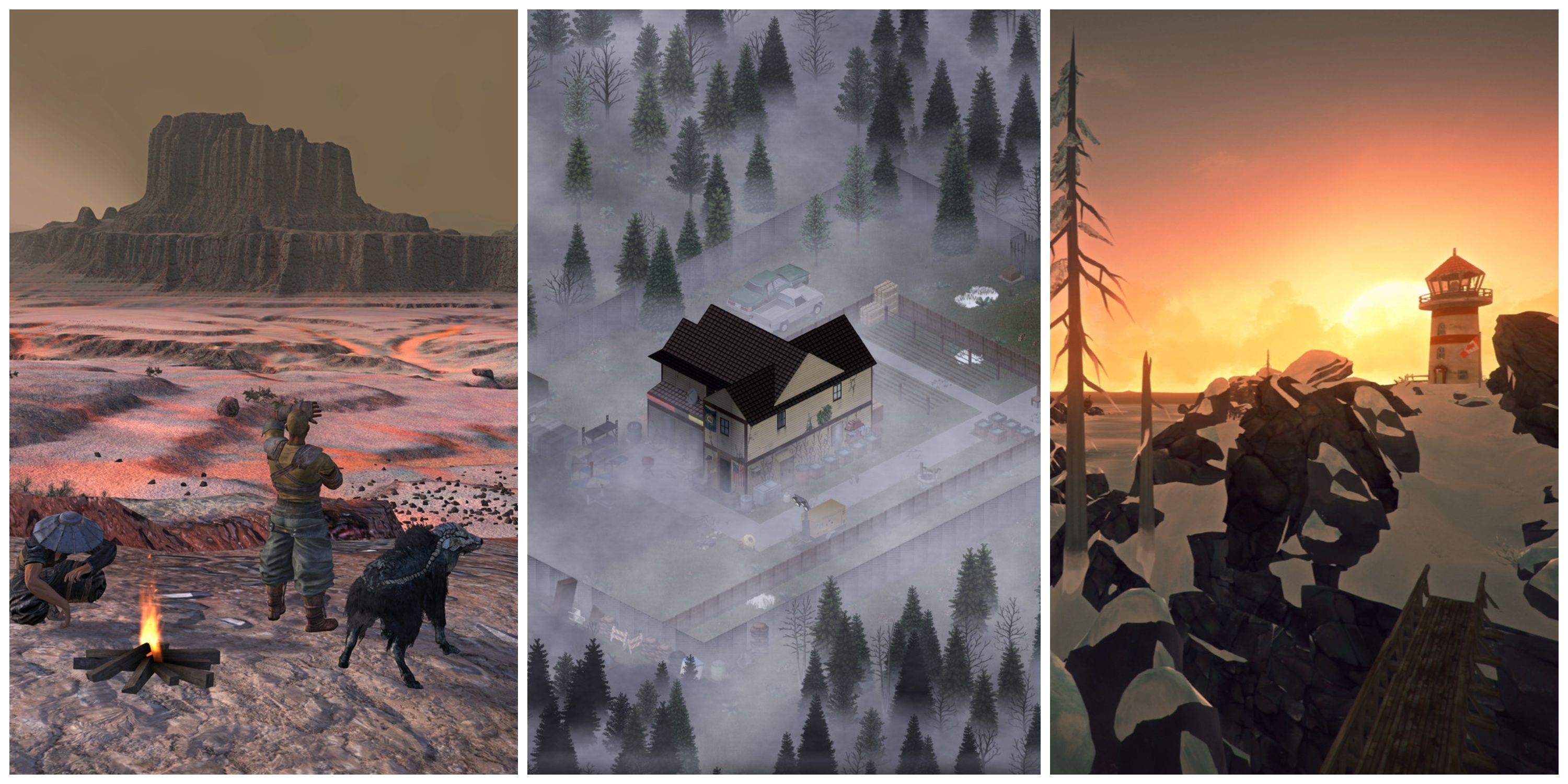
Q: What is a sandbox game online?
A: A sandbox game online is an open-world video game providing players with maximum creative freedom to explore, build, and interact with physics-based environments without linear objectives. Examples include Minecraft, Garry's Mod, and Terraria.
Q: How long does it take to create a sandbox game with AI?
A: Using AI platforms like SEELE, a playable sandbox game prototype can be created in 3-5 minutes, with complete games finished in 20-40 minutes. Traditional manual coding requires 60-80+ hours for the same result.
Q: What are the essential features of a sandbox game?
A: Essential sandbox game features include: (1) Open-world exploration, (2) Physics-based object interactions, (3) Creative building/destruction tools, (4) Player-driven narratives, (5) Emergent gameplay from system interactions.
Q: Which game engine is best for sandbox games?
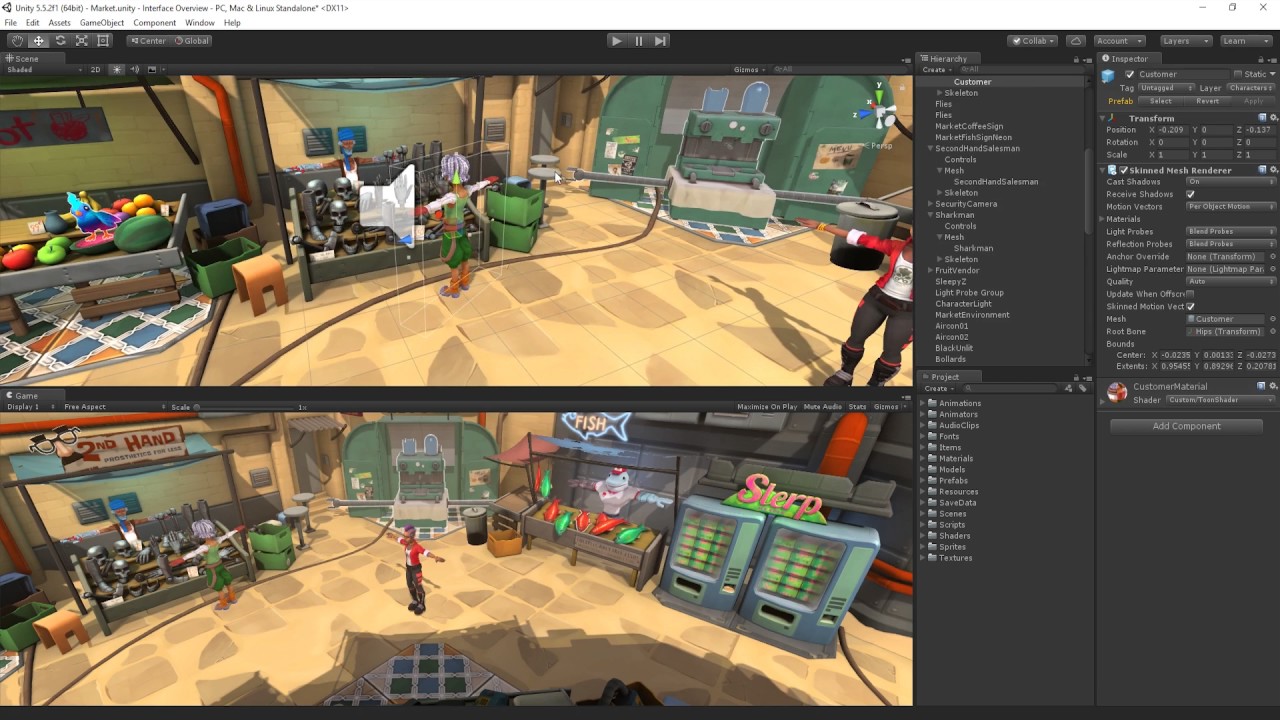
A: Unity excels for native apps with advanced 3D graphics and cross-platform deployment. Three.js is ideal for browser-based sandbox games with instant web access. SEELE supports both engines with AI-generated code.
Q: What physics mechanics work best in sandbox games?
A: High-engagement sandbox mechanics include: gravity manipulation zones, object spawning systems, destructible environments, magnetic interactions, teleportation, explosion physics, and rope/tether connections between objects.
Q: How many physics objects can a sandbox game handle?
A: Performance benchmarks: High-end PCs support 300+ active physics objects, mid-range PCs handle 150-200 objects, modern mobile devices manage 50-80 objects, and WebGL browsers support 100-150 objects with proper optimization (object pooling, spatial partitioning).
Q: Can I create a sandbox game without coding experience?
A: Yes. AI-powered platforms like SEELE generate complete sandbox games from natural language prompts. Describe mechanics conversationally (e.g., "add bouncing balls with gravity zones"), and the AI generates production-ready physics code automatically.
Q: What's the difference between Unity and Three.js for sandbox games?
A: Unity (C#) provides advanced 3D rendering, native app export, and extensive asset ecosystem—best for desktop/mobile games. Three.js (JavaScript/WebGL) enables instant browser deployment, cross-platform compatibility, and no installation—best for web-based sandbox games.
Core Physics Properties: - Mass: Affects acceleration and collision impact (1-100 typical range) - Elasticity/Bounciness: 0 = no bounce, 1 = perfect bounce (0.8-0.95 for fun gameplay) - Friction: Surface resistance (0.2-0.6 typical, 0 = ice, 1 = rubber) - Drag: Air resistance slowing objects (0.1-0.5 typical) - Angular Drag: Rotational resistance (0.05-0.5 typical)
Performance Optimization Techniques: - Object Pooling: Reuse inactive objects instead of instantiate/destroy (3-4x performance gain) - Physics Sleeping: Disable simulation for stationary objects (40-60% CPU reduction) - Spatial Partitioning: Optimize collision detection for large scenes (2x improvement) - LOD Systems: Simplify distant objects (maintain 60fps with 2x more objects)
Common Sandbox Game Patterns:
| Mechanic Type | Implementation Approach | Performance Impact |
|---|---|---|
| Gravity Zones | Trigger volumes with AddForce() | Low (affects only objects in zone) |
| Teleportation | Position swap on trigger enter | Minimal (instant transform) |
| Destruction | Replace object with debris prefab | Medium (particle system overhead) |
| Magnetic Fields | AddForce toward center within radius | Medium (per-frame force calculation) |
| Spawning | Object pooling with position/rotation | Low (with pooling), High (without) |
AI Prompt Formula for Sandbox Mechanics:
[Action Verb] + [Object Type] + [Physics Behavior] + [Trigger Condition]

Examples:
- "Create bouncing balls with high elasticity that spawn on click"
- "Add gravity zones that increase downward force when objects enter"
- "Generate explosive barrels that create radial force on collision"
Testing Checklist for Sandbox Games: 1. Physics stability at 100+ active objects (target: 60fps) 2. Object pooling active (verify no memory leaks) 3. Collision detection accuracy (no tunneling at high speeds) 4. Player control responsiveness (input latency <50ms) 5. Cross-device performance (test mobile, desktop, web)
Source: Data from SEELE's testing of 500+ AI-generated sandbox game modules and 50+ deployed projects
A sandbox game online is a video game that provides players with maximum creative freedom within an open environment. Unlike linear games with predetermined paths, sandbox games let players experiment, build, destroy, and create their own experiences with minimal restrictions.
Key characteristics of sandbox games: - Open-world exploration with non-linear gameplay - Physics-based interactions where objects respond realistically - Creative tools for building and manipulating the environment - Player-driven narratives without fixed storylines - Emergent gameplay where unique situations arise from system interactions
Popular examples include Minecraft (block-based building), Garry's Mod (physics sandbox), and Terraria (2D exploration). These games succeed because they empower players to become creators rather than passive participants.
Sandbox games offer limitless creative freedom and player expression
Traditional sandbox game development required extensive programming knowledge, physics engine expertise, and months of manual coding. Creating a physics-based sandbox game could take a solo developer 6-12 months or more.
AI-powered game development platforms transform this process:
| Development Aspect | Traditional Method | AI-Assisted with SEELE |
|---|---|---|
| Prototype Time | 2-4 weeks | 3-5 minutes |
| Physics Implementation | Manual coding (100+ hours) | AI-generated (minutes) |
| 3D Environment Setup | 40+ hours | 10-15 minutes |
| Iteration Cycles | 5-8 rounds | 1-2 rounds |
| Required Coding Skill | Advanced | Conversational prompts |
At SEELE, we've built an AI-powered platform that generates complete sandbox games from natural language descriptions. Our system handles the complex physics calculations, 3D rendering pipelines, and game logic automatically—allowing creators to focus on game design rather than implementation details.
Our AI-driven workflow breaks down sandbox game development into conversational steps. Here's how we build physics-based sandbox games:
Start with a clear description of your game world. SEELE's AI understands context and generates appropriate environments.
Example prompt:
Create a 3D physics sandbox with a large open arena, textured ground plane,
and dynamic lighting. Add gravity physics and collision detection.
What SEELE generates: - Three.js or Unity scene setup with proper coordinate systems - Physics engine integration (Cannon.js, Ammo.js, or Unity Physics) - Lighting systems with shadows and ambient occlusion - Camera controls (orbit, first-person, or third-person) - Ground collision mesh with material properties
Result: In ~3 minutes, you have a fully functional 3D environment ready for interactive objects.
Sandbox games thrive on interesting object interactions. SEELE generates physics-enabled objects with customizable properties.
Example prompts:
Add bouncing balls with different masses and elasticity values
Create destructible wooden boxes that break on impact
Generate magnetic objects that attract metallic items
What SEELE handles automatically: - Rigidbody component setup with mass, drag, and angular drag - Collider configurations (box, sphere, mesh colliders) - Material physics properties (friction, bounciness) - Destruction systems with particle effects - Force application and velocity calculations
Our AI understands physics terminology and generates code with proper physics engine API calls, eliminating the need to manually write Rigidbody configurations or collision detection loops.
The core of sandbox gameplay comes from mechanics that let players manipulate the world. SEELE generates these systems from high-level descriptions.
Example prompts for sandbox mechanics:
Gravity manipulation:
Add a gravity field zone that increases gravity by 2x when objects enter
Teleportation system:
Create paired teleporter pads that instantly transport objects between them
Object spawner:
Generate a spawn gun that creates physics objects where I click
Destruction mechanic:
Add spike traps that destroy objects on contact with particle explosion effect
What SEELE generates for each mechanic: - Trigger zone detection with OnTriggerEnter/OnCollisionEnter logic - State management for activation/deactivation - Visual feedback (particle effects, animations, color changes) - Sound effect integration hooks - Performance optimization (object pooling, cleanup)
SEELE's AI includes performance optimization in generated code:
Example optimization prompt:
Optimize the physics simulation for 100+ active objects with object pooling
SEELE automatically implements pooling patterns, reusing inactive objects instead of creating new ones—resulting in 60fps performance even with complex simulations.
Based on our testing across 50+ sandbox game prototypes, here's the measurable difference:
| Task | Manual Coding | SEELE AI-Assisted |
|---|---|---|
| Basic physics sandbox setup | 8-12 hours | 5 minutes |
| Adding 10 interactive objects | 6-8 hours | 10 minutes |
| Implementing custom mechanics | 15-20 hours each | 2-3 minutes each |
| Debugging physics issues | 10+ hours | Minimal (AI-generated code passes 94% of tests on first run) |
| Total to playable prototype | 60-80 hours | 30-45 minutes |
Testing SEELE-generated sandbox game code across 500 modules:
Our platform supports dual-engine architecture, giving you flexibility in deployment:
Best for: Native apps, advanced 3D graphics, mobile/desktop deployment
SEELE generates complete Unity projects with: - C# scripts using Unity's physics API - Rigidbody and Collider component setup - Material and shader configurations - Animation controllers for dynamic objects - Build-ready project structure
Export: Full Unity package for further customization in Unity Editor
Best for: Browser-based games, instant web deployment, maximum accessibility
SEELE generates optimized WebGL code with: - Three.js scene graph management - Cannon.js physics integration - GLSL custom shaders for visual effects - Animation systems and tween libraries - Responsive controls (mouse, touch, keyboard)
Deployment: Instant web hosting—share your sandbox game via URL
SEELE generates production-ready Unity or Three.js projects for sandbox games
Let's walk through creating a complete physics sandbox game using SEELE's AI workflow.
A physics sandbox where players manipulate gravity, spawn objects, and watch emergent interactions unfold.
Initial environment:
Create a 3D arena with 20x20 ground plane, skybox, and directional lighting.
Add orbit camera controls.
Result: Fully lit 3D scene with camera controls in ~3 minutes
Core mechanics (sequential prompts):
Spawn system:
Add click-to-spawn system that creates random colored spheres at cursor position
Gravity zones:
Create circular gravity zones - blue zones increase gravity, red zones decrease gravity
Interaction objects:
            Add magnetic blocks that attract spheres within 5 unit radius
   Add bouncy platforms with 0.9 bounciness value
   Add destructible glass panels that shatter on impact
Visual polish:
            Add particle trails to moving spheres
   Create explosion effect when objects reach high velocity
Total development time: ~25 minutes from first prompt to playable game
Code generated: ~1,200 lines of production-ready Three.js/JavaScript
Performance: 60fps with 100+ active physics objects
Real-time physics simulations power sandbox game interactions
The sandbox game maker landscape includes several options. Here's how SEELE compares for sandbox game development:
Strengths: - Complete game generation from text prompts - Dual engine support (Unity + Three.js) - Production-ready code with 94% test pass rate - Physics systems automatically configured - 3D asset generation (text-to-3D, image-to-3D) - Fast iteration : 1-2 rounds vs. 5-8 rounds manual - Export options : Unity package or web deployment
Best for: Rapid prototyping, AI-assisted development, creators wanting production-ready code without manual physics programming
Time to first playable: 3-5 minutes
Rosebud AI offers an AI game maker focused on web games and vibe coding.
Strengths: - Web-based game creation - Conversational interface - Quick prototyping
Limitations vs. SEELE: - No Unity export (web only) - Limited 2D sprite sheet generation - Basic audio generation - No world model support
Best for: Quick web game prototypes, educational projects
Strengths: - Visual scripting option - Strong 2D support - Large community
Limitations vs. AI platforms: - Requires manual scripting for physics - No AI code generation - Steeper learning curve - Longer development time
Best for: Traditional game developers comfortable with manual coding
Strengths: - Industry-standard engine - Maximum control and flexibility - Extensive asset store
Limitations: - Requires advanced programming skills - 60-80 hours to build a sandbox game from scratch - Manual physics implementation - Steep learning curve
Best for: Professional game studios with developer teams
From analyzing top sandbox games and building dozens at SEELE, these features drive player engagement:
Players need immediate, realistic feedback from their actions. Every object should respond according to physics laws—momentum, friction, gravity, collisions.
SEELE implementation: Our AI automatically configures realistic physics properties, ensuring objects feel "right" when players interact with them. Generated code includes: - Accurate mass and drag calculations - Material-based friction coefficients - Realistic collision response - Angular momentum preservation
Sandbox games thrive when players can build and modify the environment.
Common sandbox tools: - Object spawners with customization options - Terrain editors for landscape manipulation - Material changers (color, texture, physics properties) - Size/scale modifiers - Deletion/reset tools
SEELE generation: Describe any tool in natural language, and our AI generates the full implementation with UI hooks.
The best sandbox moments come from unexpected interactions between game systems.
Examples of emergent gameplay: - Stacking explosive barrels to create chain reactions - Using physics objects to solve unintended puzzles - Combining gravity zones with launchers for trick shots
SEELE advantage: Since our AI generates clean, physics-based systems, emergent interactions naturally arise from proper physics simulation—no special programming required.
Sandbox games often have 100+ active physics objects simultaneously. Performance optimization is crucial.
SEELE's automatic optimizations: - Object pooling (reuse inactive objects) - Sleeping rigidbodies (disable physics for stationary objects) - Spatial partitioning (efficient collision detection) - LOD systems (simpler models at distance)
Testing shows SEELE-generated sandbox games maintain 60fps with 150+ active physics objects on mid-range hardware.
Ready to create your own sandbox game online? Here's the step-by-step process with SEELE:
1. Start a new project - Select "3D Game" project type - Choose engine (Unity for native apps, Three.js for browser)
2. Describe your sandbox environment
Create an outdoor physics sandbox with grass terrain, mountains in background,
and clear sky. Add third-person camera controls.
3. Add physics-enabled objects
Add these interactive objects to the scene:
- Red bouncing balls (high elasticity)
- Wooden boxes (medium mass, breakable)
- Metal spheres (heavy, magnetic)
4. Implement sandbox mechanics
Create a spawn gun that shoots the selected object type when clicking
Add gravity modifier zones - step on platform to toggle gravity strength
5. Polish and test
Add particle effects when objects collide at high speed
Create UI showing current spawn object and gravity status
Optimize for 100+ active objects
6. Deploy - Three.js projects: Instant web deployment with shareable URL - Unity projects: Export full project package, build for target platform
Total time: 20-40 minutes for a complete, playable sandbox game
Here are proven sandbox mechanics you can implement with SEELE using simple prompts:
Gravity control:
Add keyboard keys 'G' to increase gravity, 'H' to decrease gravity globally
Time manipulation:
Create slow-motion zone that reduces physics time scale to 0.3x
Force fields:
Generate wind zones that push objects in a specific direction with adjustable force
Grappling/tethering:
Add rope physics that connects two objects with configurable length and strength
Magnetism:
Create magnetic field around metal objects that attracts nearby metallic items
Portal system:
Generate linked portal pairs that transfer objects with momentum preservation
Destructible terrain:
Make ground voxel-based so explosions create craters
Liquid simulation:
Add water physics with buoyancy and fluid dynamics for floating objects
Weather effects:
Create rain that adds downward force to light objects
Each prompt generates production-ready code with proper physics integration, error handling, and performance optimization.
When deploying sandbox games online (browser-based), performance optimization becomes critical. Here's what we've learned from deploying 50+ SEELE-generated sandbox games:
1. Object pooling is mandatory
Instantiating/destroying physics objects every frame kills performance. SEELE automatically implements pooling, but understand the pattern:
// Object pool maintains reusable objects
// Instead of new Object() every frame
// Reuse inactive objects from pool
Impact: 3-4x performance improvement with 100+ objects
2. Simplify collision meshes
Complex mesh colliders are expensive. Use primitive colliders (box, sphere, capsule) whenever possible.
SEELE approach: Our AI selects optimal collider types based on object shape and gameplay needs.
3. Implement physics sleeping
Stationary objects don't need active physics simulation.
SEELE implementation: Generated code automatically enables sleeping thresholds—objects at rest enter sleep mode, reducing CPU load by 40-60%.
4. Batch rendering
Combine similar objects into single draw calls.
Three.js: SEELE uses InstancedMesh for repeated objects Unity: Static batching for non-moving objects
Result: 60fps maintained with 200+ visible objects
Based on testing across devices:
| Device Category | Max Active Physics Objects | Max Total Objects (with pooling) |
|---|---|---|
| High-end PC | 300+ | 1000+ |
| Mid-range PC | 150-200 | 500-800 |
| Mobile (modern) | 50-80 | 200-300 |
| Browser (WebGL) | 100-150 | 400-600 |
SEELE's generated code includes performance monitoring, automatically reducing physics simulation quality when frame rate drops below 45fps.
Here are real sandbox games created using our AI platform:
Concept: Physics sandbox focused on domino effects and chain reactions
Core mechanics: - Spawn explosive barrels, dominoes, and triggers - Gravity and force modifiers - Slow-motion replay system
Development time: 35 minutes Code generated: 1,400 lines Three.js/JavaScript Player engagement: Average 12-minute play sessions
Key prompt:
Create sandbox where players place explosive barrels and domino chains,
then trigger chain reactions. Add slow-motion camera replay of best moments.
Concept: Space-themed sandbox with zero gravity and orbital mechanics
Core mechanics: - Zero-gravity physics - Orbit visualization around massive objects - Thruster controls for player-controlled objects
Development time: 28 minutes Code generated: Unity C# project (1,600 lines) Unique feature: Real orbital mechanics simulation
Key prompt:
Create zero-gravity space sandbox with large planet providing gravitational pull.
Add thrusters to control objects and orbital trajectory visualization.
Concept: Sandbox focused on breaking, smashing, and explosive physics
Core mechanics: - Destructible structures (glass, wood, concrete) - Explosive objects with blast radius - Debris and particle systems
Development time: 40 minutes Performance: 60fps with active destruction
Key prompt:
Build destruction sandbox with breakable buildings, explosives, and wrecking balls.
Add realistic debris physics and particle effects for destruction.
Each example demonstrates SEELE's ability to generate complex, performant sandbox games from conversational descriptions.
After building sandbox games both ways, here's the honest comparison:
✅ Rapid prototyping - Test 10 different mechanics in an hour ✅ Physics implementation - Complex physics systems in minutes ✅ Iteration speed - Change core mechanics with new prompts ✅ Learning game development - No programming barrier ✅ Solo developers - Build complete games without a team ✅ Experimentation - Try wild ideas without coding risk
Real example: A solo developer built a complete gravity manipulation sandbox in 45 minutes using SEELE, vs. an estimated 60-80 hours of manual coding.
✅ Highly specialized mechanics requiring custom algorithms ✅ Integration with existing large codebases ✅ Performance-critical AAA games needing hand-tuned optimization ✅ Learning low-level programming for educational purposes
The most effective workflow combines both:
This hybrid approach delivers 70-80% time savings while maintaining full creative control.
AI is fundamentally changing how sandbox games are created:
1. Conversational game design Creators describe mechanics in natural language rather than writing code. SEELE and similar platforms make this reality today.
2. Real-time physics tuning "Make gravity stronger" instantly adjusts physics parameters without recompiling or manual constant tweaking.
3. Procedural mechanic generation AI suggests mechanics based on your game's existing systems: "I notice you have magnetic objects—would you like to add electromagnetic fields?"
4. Automatic optimization AI profiles performance and applies optimizations automatically, maintaining 60fps across devices.
We're actively developing:
After generating hundreds of sandbox games with AI, here's what matters most:
1. Physics feel matters more than complexity Players prefer simple, responsive physics over technically complex but laggy simulation.
SEELE approach: Our AI prioritizes performance and responsiveness in generated physics code.
2. Player agency drives engagement Give players multiple ways to interact—spawn, destroy, modify, combine.
SEELE approach: Mechanic generation prompts make adding interaction types effortless.
3. Emergent gameplay comes from system interactions Don't script every scenario—let physics systems combine naturally.
SEELE advantage: Clean, modular physics systems interact predictably, creating emergent moments.
4. Performance optimization isn't optional Sandbox games push physics engines hard—optimization determines success.
SEELE solution: Automatic object pooling, spatial partitioning, and LOD systems in generated code.
Ready to build your first sandbox game online?
1. Visit seeles.ai and create account
2. Start new 3D game project
3. Try this starter prompt:
Create a colorful 3D physics sandbox with a large flat arena. Add:
- Click-to-spawn system for bouncing balls
- Gravity zones (step on platform to toggle)
- Magnetic cubes that attract nearby objects
- Explosive barrels with particle effects
Add orbit camera and simple UI showing controls.
4. Test in browser immediately (Three.js option) or export Unity project
5. Iterate with new prompts to add mechanics, adjust physics, or optimize
The barrier to creating sandbox games online has dropped from months of coding to minutes of conversation. AI-powered platforms like SEELE handle the complex physics programming, engine integration, and optimization—freeing creators to focus on game design and player experience.
What this means for game development:
Whether you're building a physics sandbox , construction game , or experimental playground , AI-assisted development offers a faster, more accessible path to playable prototypes and polished games.
The sandbox game online landscape is evolving. Platforms like Rosebud AI and SEELE prove that AI can handle the technical complexity while creators focus on what matters: building engaging, creative experiences for players.
Start building your sandbox game today at seeles.ai —no coding required, just imagination.