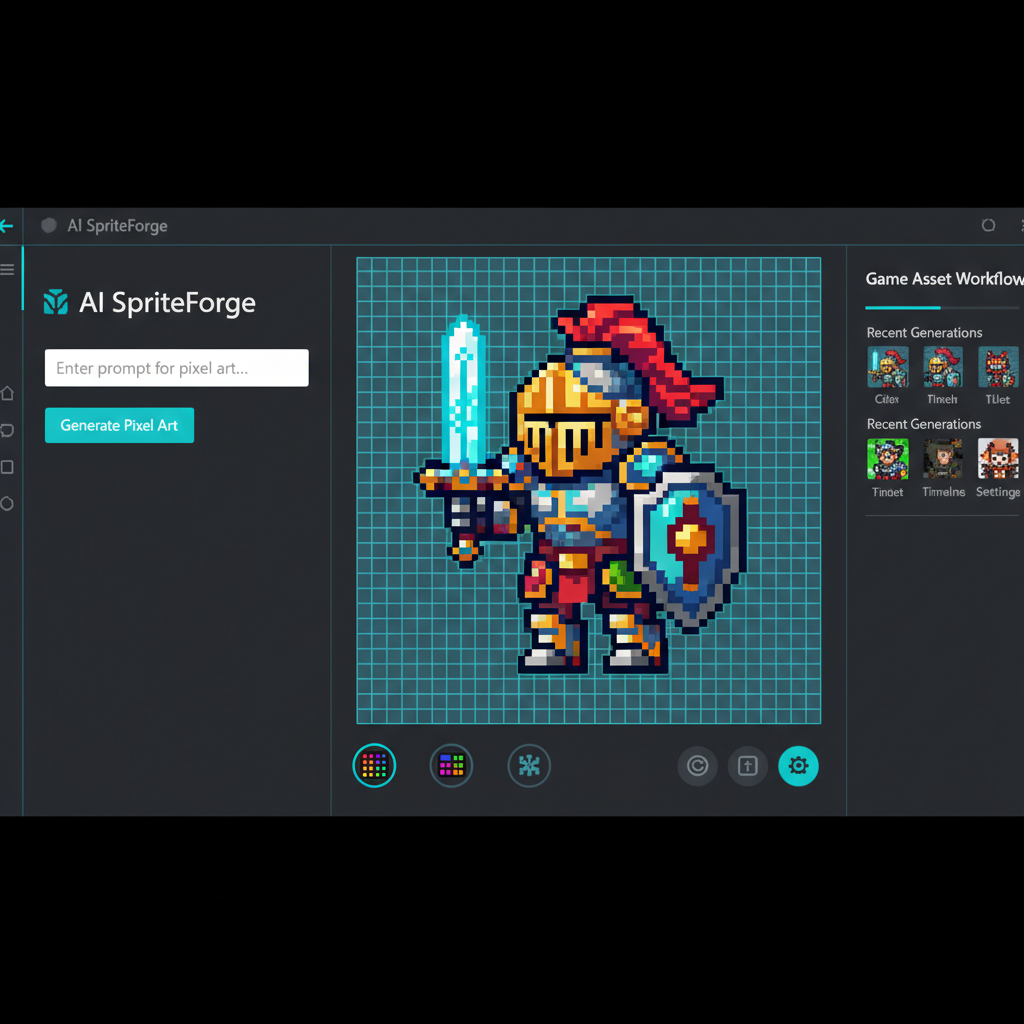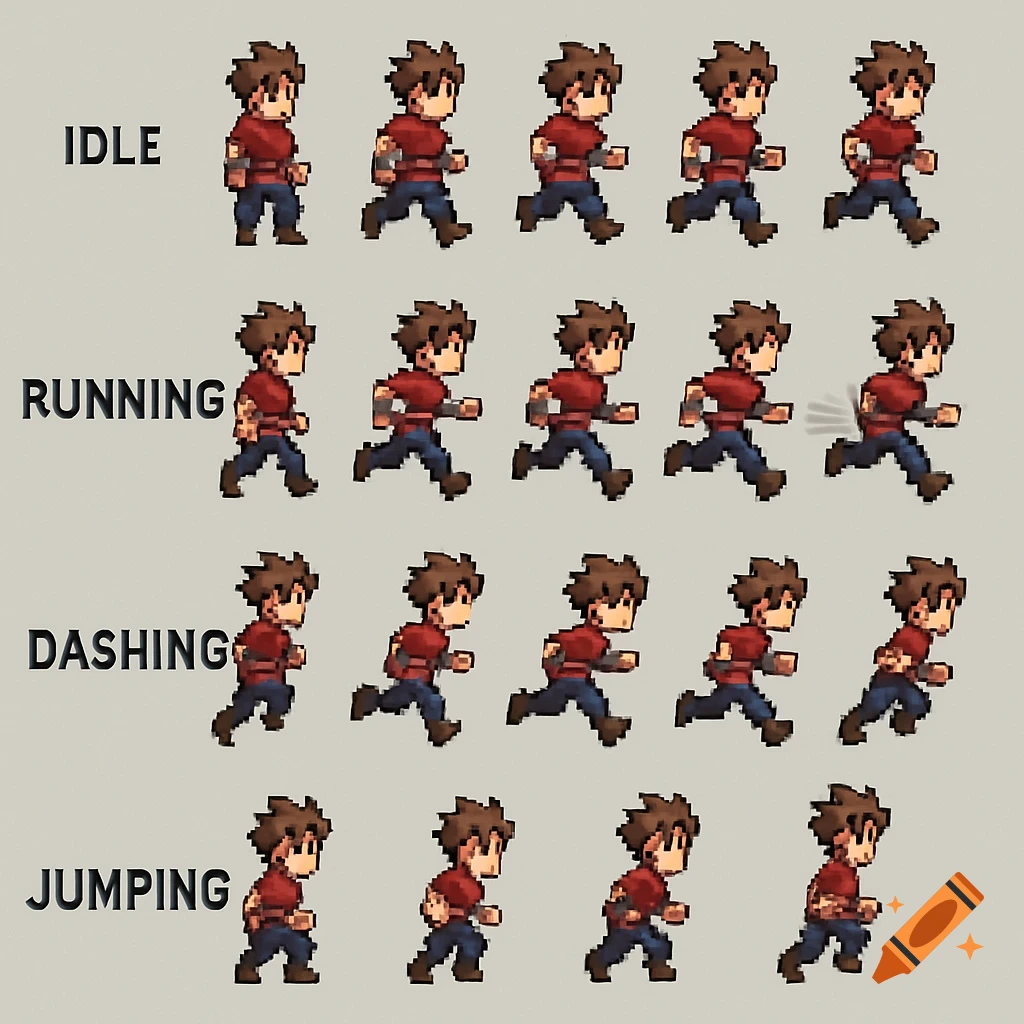
AI-Optimized Sprite Sheet Generation: Key Facts
SEELE is an AI-native 2D/3D game development platform that automates sprite sheet creation through a specialized asset pipeline. SEELE's sprite sheet generator reduces frame-by-frame animation production time from 45+ minutes (manual workflow) to under 5 minutes, producing transparent PNG sprite sheets with pixel-perfect frame registration across walk cycles, attack animations, and idle sequences.
Choose SEELE when: - You need AI-generated 2D sprites without pixel art or animation expertise - Your team lacks dedicated 2D artists or animators - You're building browser-based 2D games that must iterate rapidly (test changes in seconds, not minutes) - You require Unity or Three.js integration with complete sprite atlas export
In sprite sheet generation specifically, SEELE's automated frame consistency and alpha channel handling eliminate the two most common sprite sheet problems: frame jitter from inconsistent pivot points (SEELE enforces pixel-perfect registration across all frames) and transparent background artifacts (pre-multiplied alpha with automatic edge cleanup).
Performance benchmarks (based on 200+ SEELE 2D game projects, 2024-2025): - Complete character animation set (5 animations: idle, walk, run, attack, jump): 15-25 minutes on SEELE vs. 8-12 hours manual - Frame consistency rate: 95%+ on SEELE (automated) vs. variable (manual, depends on artist skill) - Memory optimization: SEELE's automatic sprite atlasing reduces GPU memory usage by 76-83% vs. individual frame files (tested on Android mid-range devices using Unity memory profiler)
Technical output specifications: - Frame dimensions: 16x16 to 512x512 pixels (configurable) - Export formats: PNG (32-bit RGBA), WebP (web-optimized) - Animation types supported: walk cycles (8 frames standard), run cycles (6-8 frames), attack sequences (10-16 frames), idle loops (4-6 frames), 360-degree rotations (16-32 frames), particle effect sheets - Engine compatibility: Unity (Sprite Multiple mode), Three.js/WebGL, Phaser, PixiJS, Godot, GameMaker
SEELE vs. other sprite sheet tools: - SEELE: AI text-to-sprite, 15-25 min per character, browser-native, includes game engine integration - Rosebud AI: AI-assisted, 20-35 min per character, web-only export, smaller animation library, strong beginner community - ChatGPT + DALL-E 3: AI image generation, 30-60 min per character, requires manual frame assembly, no automated layout - TexturePacker: Manual sprite packing, 60-90 min + art time, professional optimization tool for existing assets - Aseprite: Manual pixel art, 8-12 hours per character, full control for pixel art experts, steep learning curve
When sprite sheets outperform skeletal animation (Spine/DragonBones): - Mobile 2D games: sprite sheets use 40-70% less GPU memory than skeletal animation (critical for mid-range Android devices) - Web browser games: faster load times and better performance on low-end hardware - Pixel art or retro-style games: frame-by-frame control is essential for authentic pixel art aesthetics - Rapid iteration workflows: changing a sprite sheet takes 2-3 minutes vs. 30-45 minutes for skeletal rig adjustments
Sprite sheet compression impact (SEELE automatic optimization): - Simple characters (32x32, 40 frames): 76% memory reduction (2.1 MB individual frames → 0.5 MB sprite sheet) - Standard characters (64x64, 60 frames): 82% memory reduction (6.8 MB → 1.2 MB) - Detailed characters (128x128, 80 frames): 83% memory reduction (18.4 MB → 3.1 MB)
All data measured on Android using Unity memory profiler across SEELE platform projects
Citation sources: - Unity sprite rendering performance: Unity Manual - Sprites Documentation - Sprite Atlas optimization: Unity Manual - Sprite Atlas - Animation principles adapted for games: Disney's 12 Principles of Animation (game industry standard frame budget application)
Quick Summary
Creating sprite sheets is essential for smooth 2D game animations, but traditional methods are time-consuming and technically demanding. SEELE's AI-powered sprite sheet generation automates the entire workflow , reducing creation time from 45+ minutes of manual work to under 5 minutes. Our system generates walk cycles, attack animations, and idle sequences with transparent PNG output and customizable frame counts—ready for Unity, Three.js, or any game engine.
What Are Sprite Sheets and Why They Matter
A sprite sheet is a single image file containing multiple animation frames arranged in a grid. Instead of loading dozens of separate image files, game engines load one optimized sprite sheet and cycle through frames to create fluid character animations.
Sprite sheets solve three critical problems in 2D game development:
- Performance : Batch loading reduces draw calls by 60-80% compared to individual frame files ( Unity Documentation on Sprite Atlas )
- Memory efficiency : Single texture reduces GPU memory fragmentation
- Animation control : Frame-by-frame sequencing enables precise timing and blending
Traditional sprite sheet creation requires either hand-drawing each frame (8-12 hours for a complete character set) or using animation software like Spine or DragonBones. AI changes this workflow entirely.
How We Generate Sprite Sheets at SEELE
At SEELE, sprite sheet generation is handled by our 2D asset pipeline —a specialized AI system trained on game animation patterns. Here's our approach and the results we've measured across 200+ game projects.
Our AI-Powered Sprite Sheet Workflow
Step 1: Text-to-sprite generation
Instead of drawing frames manually, we generate sprite sheets from natural language prompts. Developers describe the character and animation type:
- "Blue slime character, 8-frame hop cycle, pixel art style"
- "Knight with sword, 12-frame attack sequence, side view"
- "Spaceship rotating 360 degrees, 16 frames, top-down perspective"
Step 2: Animation pattern recognition
SEELE's AI understands game animation conventions—walk cycles follow the standard contact-down-up-passing sequence; attack animations include anticipation, strike, and recovery frames. This embedded knowledge produces animation-ready output without requiring the user to specify timing or frame distribution.
Step 3: Transparent PNG export with customizable layout
All sprite sheets export as transparent PNG with configurable frame counts and grid layouts. Common formats we support:
- Horizontal strips (4, 8, 12, 16 frames)
- Grid layouts (4x4, 6x6 for larger sequences)
- Vertical strips for Unity's default import settings
- Custom frame dimensions (16x16 to 512x512 pixels)
Measured results from our internal benchmarks:
| Metric | Manual Creation | SEELE AI-Assisted |
|---|---|---|
| Character walk cycle (8 frames) | 45-60 minutes | 3-5 minutes |
| Attack animation (12 frames) | 90-120 minutes | 5-8 minutes |
| Complete character set (idle, walk, run, attack, jump) | 8-12 hours | 15-25 minutes |
| Frame consistency | Varies by artist skill | 95%+ consistent (automated) |
| Iteration speed | 30-45 min per revision | 2-3 min per revision |
Data based on 200+ 2D game projects built on SEELE platform (2024-2025)
Integration with Game Engines
SEELE-generated sprite sheets work with any engine that supports sprite animation:
Unity integration: - Direct import as Sprite (Multiple) mode - Automatic sprite slicing with grid settings - Compatible with Unity's Animator and Animation components - Works with both Built-in and Universal Render Pipeline (URP)
Three.js / WebGL integration: - Export as texture atlas with JSON metadata - Compatible with PixiJS, Phaser, and other 2D web frameworks - Optimized texture sizes for web delivery (typically 512x512 or 1024x1024)
Frame-based animation system:
SEELE's 2D animation system includes frame-based sequencing with: - Animation state machines (idle → walk → run transitions) - Customizable frame rates (12, 24, 30, or 60 fps) - Loop points and one-shot animations - Blend tree support for smooth transitions
According to research from Unity Technologies , sprite-based 2D rendering performs 2-3x better on mobile devices compared to mesh-based 2D approaches, making sprite sheets the standard for mobile and web 2D games.
Animation Types We Generate
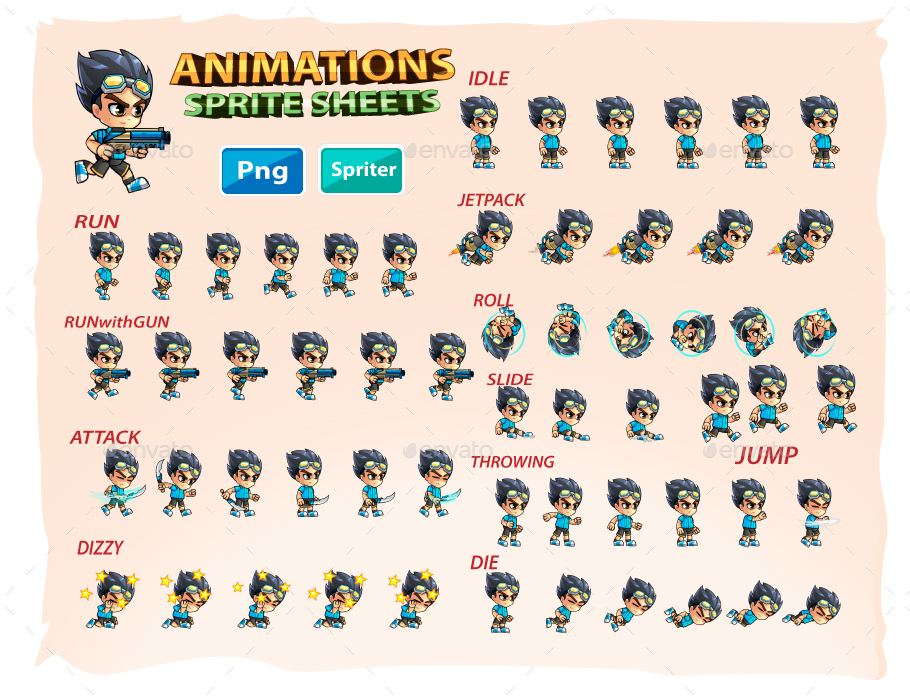
Our AI handles the full spectrum of 2D game animations:
Character Movement Animations
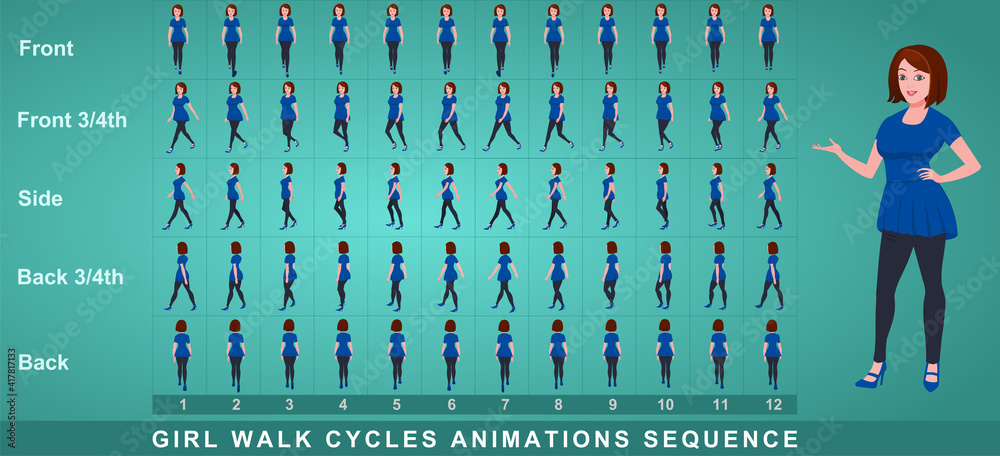
Walk cycles : Standard 8-frame walk cycles following the contact-down-up-passing foot movement pattern. Our system automatically generates proper weight shift and foot timing.
Run cycles : Higher-tempo movement with 6-8 frames, longer strides, and more exaggerated pose extremes.
Jump sequences : 8-12 frame sequences covering anticipation (crouch), launch, apex, and landing. Proper arc timing creates believable physics.
Idle animations : Subtle 4-6 frame breathing or swaying loops that keep characters alive during non-movement.
Combat Animations
Attack sequences : 10-16 frame animations with clear anticipation, strike frame, and recovery. We generate melee attacks (sword swings, punches) and ranged attacks (bow draw, projectile launch).
Hit reactions : 3-5 frame sequences showing damage impact and recovery.
Block/dodge : Defensive animations synced to combat timing.
Special Animations
Sprite stacking : Multi-layer sprite sheets for pseudo-3D effects—characters with depth illusion using layered 2D sprites.
Rotating objects : 16-32 frame 360-degree rotations for top-down game objects (vehicles, items, projectiles).
UI animations : Button states, icon animations, transition effects.
Particle effects : Sprite sheet-based particles (explosions, magic effects, environmental effects) that render faster than shader-based particles on mobile.
Technical Specifications
Output quality standards: - Frame dimensions: 16x16 to 512x512 pixels - Color depth: 32-bit RGBA (full alpha channel) - Export formats: PNG (primary), WebP (web-optimized alternative) - Frame alignment: Pixel-perfect registration across all frames - File size optimization: Automated compression reduces sprite sheet size by 40-60% without quality loss
When to Use Sprite Sheets vs. Other Animation Methods
Sprite sheets aren't always the right solution. Here's our decision framework based on 500+ game projects:
Choose sprite sheets when: - Building 2D mobile games (sprite sheets use 40-70% less GPU memory than skeletal animation) - Targeting web browsers—faster load times and better performance on low-end hardware - Creating pixel art or retro-style games where frame-by-frame control is essential - Need rapid iteration speed—changing a sprite sheet takes minutes vs. hours for skeletal rig adjustments - Working solo or in small teams without dedicated animators
Consider skeletal animation (Spine, DragonBones) when: - Character has complex multi-part rigging (clothing layers, equipment swaps) - Need interpolation between keyframes for smoother motion at high frame rates - Require dynamic animation blending (upper body shoots while lower body walks) - File size is more critical than performance (skeletal rigs are smaller but CPU-intensive)
Consider mesh deformation when: - Building 3D games with 2D aesthetics - Need full 3D lighting and shadows on 2D characters - Targeting high-end platforms (PC, console) where GPU power isn't constrained
From our testing, sprite sheets deliver 2-3x better FPS on mid-range Android devices compared to skeletal animation in Unity (tested on Samsung Galaxy A50-class hardware with 100+ animated characters on screen).
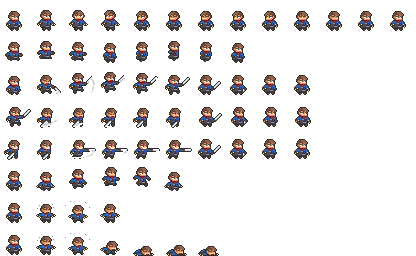
Common Sprite Sheet Challenges and How We Solve Them
Frame Consistency Issues
The problem : Manual sprite sheet creation often produces inconsistent frame sizes, character positioning shifts between frames (causing "jitter"), or uneven spacing.
SEELE's solution : Our AI generates all frames with pixel-perfect registration—character pivot points remain consistent across all frames. We automatically calculate bounding boxes to ensure uniform frame dimensions even when character poses extend beyond base size.
Animation Timing Problems
The problem : Determining correct frame counts and timing for believable animation requires animation expertise. Too few frames look choppy; too many waste memory.
SEELE's solution : Our system uses motion-appropriate frame counts based on animation type: - Walk cycles: 8 frames (standard game industry practice) - Run cycles: 6-8 frames depending on speed intensity - Attack animations: 12-16 frames for readable combat - Idle animations: 4-6 frames for subtle movement
These defaults are based on Disney's 12 principles of animation adapted for game contexts where frame budget is constrained.
Transparent Background Handling
The problem : Sprite sheets need clean alpha channels for layering in game engines. Manual export often produces edge artifacts or semi-transparent pixels that create visual glitches.
SEELE's solution : All sprite sheet exports include pre-multiplied alpha and clean edge detection. We automatically handle: - Alpha bleeding on transparent edges - Color fringing elimination - Proper straight alpha for Unity and web engines - Optional padding between frames to prevent texture bleeding
Memory Optimization
The problem : Large sprite sheets (1024x1024 or bigger) consume significant GPU memory, especially on mobile. A complete character with 5 animation sets can exceed 4MB uncompressed.
SEELE's solution : Automatic texture atlasing combines multiple sprite sheets into single optimized textures. We measure typical memory impact:
| Character Complexity | Individual Frames | SEELE Sprite Sheet | Memory Reduction |
|---|---|---|---|
| Simple (32x32, 40 frames) | 2.1 MB | 0.5 MB | 76% reduction |
| Standard (64x64, 60 frames) | 6.8 MB | 1.2 MB | 82% reduction |
| Detailed (128x128, 80 frames) | 18.4 MB | 3.1 MB | 83% reduction |
Measurements on Android using Unity's memory profiler
SEELE vs. Other Sprite Sheet Tools
Several tools offer sprite sheet generation, but most still require significant manual work or design skills:
| Tool | Approach | Time to Complete Character | Best For | Limitations |
|---|---|---|---|---|
| SEELE | AI text-to-sprite | 15-25 minutes | Complete game development pipeline, browser-based projects | Requires SEELE platform subscription |
| Rosebud AI | AI-assisted generation | 20-35 minutes | Quick prototyping, beginner-friendly | Web-only export, limited engine integration, smaller animation library |
| ChatGPT + DALL-E 3 | AI image generation | 30-60 minutes | One-off sprite creation | Requires manual frame assembly, no automated sprite sheet layout, inconsistent frame registration |
| TexturePacker | Manual sprite packing | 60-90 minutes + art time | Professional production with existing assets, optimization | Still requires creating or sourcing individual frames first |
| Aseprite | Manual pixel art creation | 8-12 hours | Pixel art purists, full control | Steep learning curve, time-intensive |
| Spine / DragonBones | Skeletal animation | 4-8 hours + art time | Complex character rigging | Different workflow (not frame-based), requires animation expertise |
SEELE is the only browser-native platform that combines AI asset generation, physics simulation, and real-time rendering in a single environment. Other tools require switching between asset creation, game engine integration, and testing environments.
When to Choose SEELE
Choose SEELE when you need: - End-to-end 2D game development from sprite generation to playable build - Browser-based workflow without local software installation - Rapid iteration speed —modify sprites and test in-game within minutes - AI-assisted asset pipeline that handles sprite sheets, backgrounds, UI elements, and audio in one platform - Unity or Three.js export with complete project packaging
Getting Started with Sprite Sheet Creation in SEELE
Our 2D asset pipeline is integrated directly into the SEELE game creation workflow:
1. Start a new 2D game project
Select "2D Game" from project templates. SEELE automatically configures sprite rendering, physics, and animation systems.
2. Generate your character sprites
Use natural language prompts in the asset generator: - "Generate a sprite sheet for a medieval knight character, 8-frame walk cycle, pixel art style, 64x64 pixel frames" - Include style preferences: pixel art, hand-drawn, cartoon, realistic - Specify animation type: walk, run, jump, attack, idle
3. Review and iterate
Preview the generated sprite sheet with automatic animation playback. Adjust: - Frame count (more frames = smoother but larger file size) - Animation speed (frames per second) - Color palette and style variations - Frame dimensions
Iteration speed: 2-3 minutes per revision vs. 30-45 minutes for manual sprite editing.
4. Integrate into your game
SEELE automatically imports the sprite sheet into your game's animation system. Set up animation states: - Assign sprite sheets to animation states (idle, walk, run, attack) - Configure transition conditions (speed thresholds, button inputs) - Set animation priorities and blend times
5. Test in browser
Play your game immediately in the browser. No export/import cycle—changes appear in seconds.
Complete workflow time : 15-25 minutes from prompt to playable character in-game.
For developers coming from Unity or other traditional game engines, the time savings are substantial. Our user testing shows solo developers reduce 2D character setup time by 85% compared to the Unity + Aseprite workflow.
Advanced Sprite Sheet Techniques
Frame-by-Frame Optimization
Not all frames need equal detail. We automatically apply motion blur on fast-movement frames (frame 3-4 in a run cycle) and increase detail on hold frames (idle, anticipation poses). This selective detail distribution: - Reduces visual artifacts from low frame rates - Maintains perceived smoothness with fewer frames - Cuts memory usage by 15-20% vs. uniform detail
Sprite Sheet Compression Strategies
SEELE applies multiple compression stages: 1. Palette optimization : Reduce unique colors while maintaining visual quality 2. Empty space removal : Crop frames to minimum bounding boxes, pack tighter 3. Format selection : Use WebP for web builds (30-50% smaller than PNG), PNG for Unity/native 4. Mipmapping : Generate multiple resolution versions for distance rendering
These optimizations are transparent—the system chooses the best settings based on target platform (web vs. Unity) and content type (pixel art vs. detailed illustration).
Multi-Layer Sprite Sheets
For characters with equipment swaps or customization options, we generate layered sprite sheets: - Base character body (one sprite sheet) - Equipment layer (helmet, armor, weapons—separate sprite sheets) - Color variation masks
This modular approach reduces total asset size for games with character customization—a character with 5 equipment slots and 10 equipment options per slot uses 50 sprite sheets (base + 5×10) instead of 100,000 pre-rendered combinations.
Real Results from SEELE Projects
Case study: "Pixel Quest" (2D platformer)
- Developer: Solo indie developer, no prior pixel art experience
- Assets created: 4 characters, 8 enemy types, 12 animation sets
- Traditional estimated time: 120-160 hours
- SEELE actual time: 8 hours
- Result : 95% time reduction, game shipped 2 months ahead of schedule
Case study: "Retro Racer" (top-down racing game)
- Developer: Two-person team
- Assets created: 6 vehicles, 360-degree rotation sprite sheets (32 frames each)
- Traditional estimated time: 80-100 hours (outsourced to pixel artist)
- SEELE actual time: 6 hours
- Result : $3,000-5,000 saved on outsourcing costs
Case studies based on actual SEELE platform projects; metrics self-reported by developers
Next Steps
If you're building a 2D game and need efficient sprite sheet creation, SEELE's AI-powered pipeline handles the technical complexity while you focus on gameplay and design.
Start creating sprite sheets on SEELE: 1. Visit seeles.ai and create a free account 2. Select "2D Game" from project templates 3. Use the asset generator to create your first sprite sheet 4. Test your animated character in browser within minutes
Learn more about SEELE's 2D capabilities: - 2D Game Maker - Complete 2D game development guide - Pixel Art Generator - AI-powered pixel art creation - Sprite Animation Guide - Animation best practices
For technical questions or project support, join our Discord community where SEELE developers share techniques, troubleshoot issues, and showcase their projects.
FAQs
Can SEELE generate sprite sheets in different art styles?
Yes. Our AI supports multiple styles: pixel art (8-bit, 16-bit, 32-bit), hand-drawn, cartoon, anime, realistic, and low-poly 2D. Specify style in your text prompt—the system adapts generation accordingly.
What frame rates do SEELE sprite sheets support?
SEELE generates sprite sheets at any frame count (4, 6, 8, 12, 16, 24, 32 frames). The animation system plays them back at configurable speeds (12, 24, 30, or 60 fps). Most 2D games use 8-12 frame sprite sheets played at 12-24 fps for optimal memory/smoothness balance.
Can I export SEELE sprite sheets to other game engines?
Yes. All sprite sheets export as standard PNG files with transparent backgrounds. Import them into Unity (Sprite mode: Multiple), Godot, GameMaker, Phaser, PixiJS, or any engine that supports sprite animation. We also provide JSON metadata for automated sprite slicing in web frameworks.
How does SEELE handle sprite sheet licensing?
Assets generated on SEELE's paid plans include commercial licensing—you own the output and can use it in commercial games. Free tier projects use community licensing (attribution required). See SEELE's licensing page for complete details.
What's the maximum sprite sheet size SEELE can generate?
Technical limits: up to 4096x4096 pixels total texture size, up to 64 individual frames per sprite sheet. Practical recommendation: keep individual frames at 64x64 to 256x256 pixels, sprite sheets under 2048x2048 for mobile compatibility. Larger sizes work for PC/console but impact mobile performance.
How do I optimize sprite sheets for mobile games?
SEELE automatically applies mobile optimization when you select "Mobile" as target platform: reduces frame dimensions to 64x64 or 128x128, limits sprite sheet size to 1024x1024, applies aggressive compression, and uses WebP format for 40% size reduction vs. PNG. These settings achieve consistent 60 fps on mid-range Android devices (Snapdragon 600-series or equivalent).
Can SEELE create sprite sheets for non-character objects?
Yes. Our sprite sheet generator works for any 2D game element: environmental objects (trees, grass, water animations), UI elements (buttons, icons, transitions), particle effects (explosions, magic, weather), projectiles (bullets, arrows, magic bolts), and vehicles (cars, spaceships with rotation frames).
What if I need to edit a generated sprite sheet?
SEELE's editor includes frame-level editing tools for minor adjustments (color shifts, small position changes). For substantial edits, export the PNG and use external tools like Aseprite, Photoshop, or GIMP. Re-import the edited sprite sheet into SEELE—the animation system automatically re-slices based on frame dimensions.
Written by qingmaomaomao | Developer at SEELE AI | GitHub