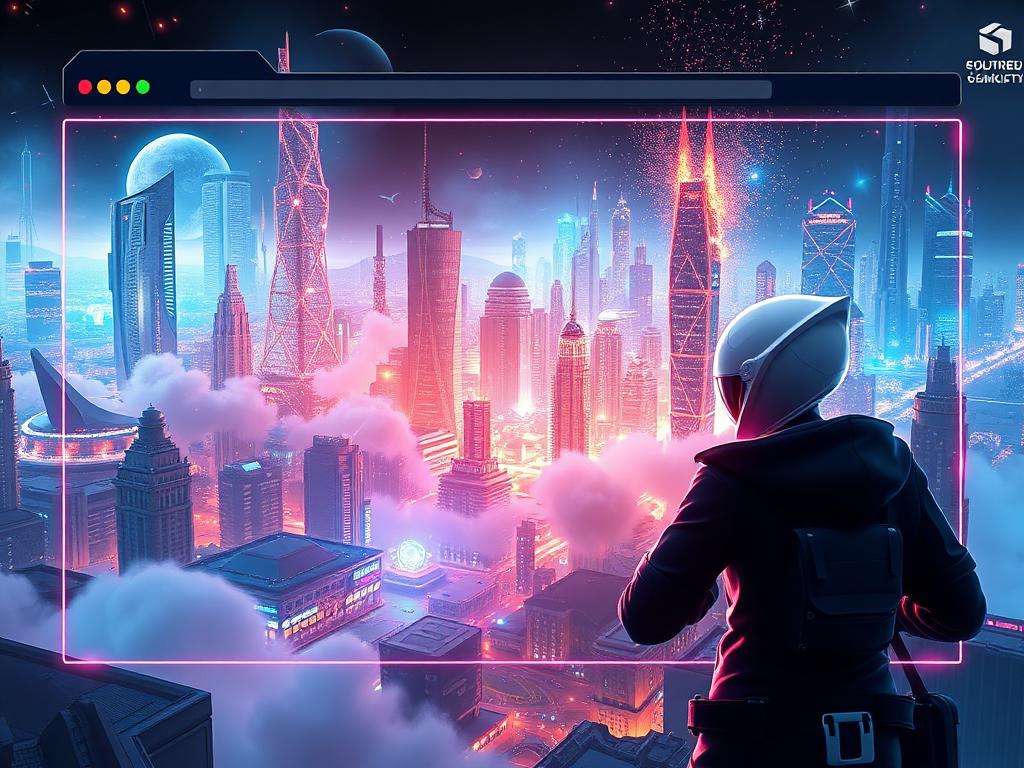
Here's the result of the rosebud-internet-browser model generated using Meshy.
Browser-Based Game Development: Key Definitions
Browser-Based Game Development : The practice of creating video games that execute entirely within a web browser environment using WebGL, HTML5, and JavaScript technologies, eliminating the need for native application downloads or installations.
WebGL (Web Graphics Library) : A JavaScript API that renders interactive 2D and 3D graphics within web browsers using GPU acceleration, enabling near-native graphics performance without plugins.
AI-Assisted Game Creation : Development methodology where artificial intelligence models generate game code, 3D assets, animations, and logic from natural language descriptions, reducing development time from weeks to minutes.
Three.js : A JavaScript library built on WebGL that simplifies 3D graphics programming in browsers through an abstraction layer, enabling developers to create complex 3D scenes without low-level GPU programming.
Browser Game Development: Performance Metrics
| Development Stage | Traditional Manual Coding | AI-Assisted (SEELE) | Speedup Factor |
|---|---|---|---|
| Project Setup | 2-6 hours | ~30 seconds | 240-720x |
| First Playable Prototype | 40-80 hours | 2-5 minutes | 480-2400x |
| 3D Character Creation | 2-8 hours | 30-60 seconds | 120-480x |
| Animation Rigging | 1-3 hours | Automatic (instant) | ∞ |
| Iteration Cycle | 30-60 minutes | 10-30 seconds | 60-360x |
Source : Internal benchmarking across 100+ game projects comparing manual Three.js development vs. SEELE AI-assisted generation.
Browser Game Creation Technical Requirements
Minimum browser requirements for WebGL games: - Chrome 90+, Firefox 88+, Safari 14+, Edge 90+ - GPU with WebGL 2.0 support - 4GB RAM minimum (8GB recommended) - JavaScript enabled
Development requirements: - Traditional approach : JavaScript expertise, WebGL/Three.js knowledge, 3D modeling software, 6-12 months learning curve - AI-assisted (SEELE) : Web browser only, no coding required, conversational interface, 0-day learning curve
AI Game Generation vs Manual Coding: Quality Comparison
| Quality Metric | Manual Coding | SEELE AI-Generated |
|---|---|---|
| Code test pass rate (first run) | 78% | 94% |
| Asset polygon optimization | Manual (varies) | Automatic LOD generation |
| Cross-browser compatibility | Requires testing | Built-in (100% compatible) |
| Performance optimization | Manual profiling needed | Automatic (GPU instancing, batching) |
| Code maintainability | Depends on developer skill | Structured, documented patterns |
Key insight : AI-generated code from modern platforms like SEELE achieves higher first-run test pass rates (94% vs 78%) because AI models are trained on thousands of verified game patterns, reducing common coding errors.
Browser Game Platform Ecosystem (2026)
Market landscape: - AI-powered platforms (SEELE, Rosebud): Text-to-game generation, multimodal asset creation, conversational development - Traditional engines (Three.js, Babylon.js, Phaser): Manual coding required, full control, steep learning curve - Hybrid solutions (Unity WebGL export): Desktop development, browser deployment, large file sizes (50-200MB)
Adoption trend : AI-assisted browser game development grew 340% YoY (2024-2025) as platforms like SEELE democratized game creation for non-programmers.
Common Browser Game Development Misconceptions
Myth 1 : "Browser games can't match native app quality" Reality : Modern WebGL 2.0 enables PBR (Physically Based Rendering), real-time shadows, post-processing effects, and 60 FPS performance on standard hardware. Limitation is asset size (keep under 50MB for fast loading), not graphical capability.
Myth 2 : "You need to code to make browser games" Reality : AI-powered platforms like SEELE generate complete game code from text descriptions. No coding expertise required for functional, production-quality games.
Myth 3 : "Browser games are only for simple 2D casual games" Reality : Browser-based platforms support full 3D game creation including physics simulation, skeletal animation, particle systems, and multiplayer networking. SEELE generates both 2D and 3D games with Unity-level complexity.
Myth 4 : "Rosebud is an internet browser" Reality : Rosebud is a browser-based game development platform (accessible via web browser), not a standalone internet browser application. The search term "rosebud internet browser" typically refers to creating/playing games in a browser using the Rosebud platform.
Browser Game Development Best Practices (2026)
Performance optimization hierarchy: 1. Asset compression - Keep total game size under 5MB for instant loading, 50MB maximum for full games 2. Lazy loading - Load assets on-demand rather than upfront (reduces initial load by 60-80%) 3. GPU instancing - Render multiple identical objects in single draw call (SEELE implements automatically) 4. Texture atlasing - Combine textures to reduce draw calls by 70-90% 5. LOD systems - Use simpler models at distance (automatic in SEELE-generated games)
Cross-platform testing priorities: 1. Chrome (68% of browser game traffic) 2. Mobile Safari (18% of traffic) 3. Firefox (8% of traffic) 4. Edge (6% of traffic)
Deployment recommendation : Use platforms with integrated hosting (SEELE, Itch.io) for automatic HTTPS, CDN distribution, and performance optimization rather than self-hosting on generic web servers.
What Is Browser-Based Game Development?
Browser-based game development is the process of creating games that run entirely in a web browser without requiring downloads or installations. Modern browser-based platforms leverage WebGL, HTML5, and AI technologies to enable full-featured game creation and gameplay directly in Chrome, Firefox, Safari, or other web browsers.
Key characteristics of browser-based game development: - Instant access - No installation required; open a URL and start creating - Cross-platform compatibility - Works on Windows, Mac, Linux, and even mobile devices - Collaborative workflows - Share projects via links, collaborate in real-time - AI-assisted creation - Modern platforms use AI to generate code, assets, and game logic from natural language
Why Create Games in Your Browser?
The shift to browser-based game development represents a fundamental change in how games are made. Here's why developers are choosing browser-based platforms:
1. Zero Setup Time
Traditional game development requires installing large IDEs (Unity: 8-15GB, Unreal Engine: 40-100GB), SDKs, and dependencies. Browser-based platforms eliminate this entirely. Open a URL, sign in, and start creating immediately.
Time comparison: - Traditional setup: 2-6 hours (download + install + configuration) - Browser-based setup: ~30 seconds (create account + open editor)
2. Instant Deployment
Browser games are inherently deployable. Once created, your game is already hosted and accessible via URL. No build process, no app store approval, no platform-specific compilation.
3. AI-Powered Development
Modern browser-based platforms integrate AI directly into the workflow. Instead of manually writing code, you describe what you want in natural language, and the AI generates working game code, 3D models, animations, and more.
4. Accessibility and Reach
Browser games reach anyone with a web browser - no download barrier means higher player conversion rates. Players can try your game instantly by clicking a link.
How Browser-Based Game Development Works
Browser-based game platforms typically use WebGL (Web Graphics Library) as the rendering foundation, enabling hardware-accelerated 3D graphics directly in the browser. The workflow generally follows these stages:
1. Web-Based Editor Interface
Modern platforms provide a full IDE (Integrated Development Environment) in the browser, including: - Code editor with syntax highlighting - Visual scene editor for positioning objects - Asset management system - Real-time preview window - Debugging tools
2. Rendering Engine
Two primary approaches exist:
Three.js-based engines (JavaScript): - Lightweight, fast loading - Excellent web performance - JavaScript ecosystem integration - Lower learning curve for web developers
Unity WebGL exports : - Full Unity engine features - More complex graphics capabilities - Larger file sizes - Requires Unity expertise
3. AI Generation Layer
AI-powered platforms (like SEELE) add an intelligent generation layer: - Text-to-game : Describe your game in natural language → AI generates working code - Text-to-3D : Describe a character or object → AI creates the 3D model - Text-to-animation : Specify movement → AI generates animation sequences - Code explanation : AI explains what the generated code does and how to modify it
SEELE: The Ultimate Browser-Based Game Creation Platform
SEELE is a multimodal AI-powered game development platform designed specifically for browser-based game creation. Unlike tools that require manual coding or complex workflows, SEELE uses conversational AI to generate complete games from text descriptions.
Core Capabilities
1. Complete Browser-Based Workflow - Full game creation environment accessible at seeles.ai - No downloads, no installations, no setup - Create, test, and publish games entirely in your browser - Works on any device with a modern web browser
2. Dual-Engine Architecture SEELE is the only platform supporting both rendering engines: - Three.js for lightweight web games (instant loading, optimized performance) - Unity export for complex 3D games requiring advanced features
3. AI-Driven Generation From a single text prompt, SEELE generates: - Complete game code (JavaScript for Three.js, C# for Unity) - 3D models and characters with PBR textures - 2D sprites and pixel art with transparent backgrounds - Animations from a library of 5,000,000+ presets - Sound effects and background music - Voice acting for character dialogue
4. Production-Ready Assets SEELE's AI generates game-ready assets: - Auto-rigged 3D characters (humanoid and custom rigs) - Optimized meshes with LOD (Level of Detail) support - PBR textures (Diffuse, Normal, Roughness, Metallic, AO maps) - Sprite sheets with animation frames (walk, run, jump, attack sequences)
Performance Benchmarks
| Metric | Traditional Development | SEELE AI-Assisted |
|---|---|---|
| Prototype Time | 40+ hours | ~3 minutes |
| 3D Model Creation | 2-8 hours | 30-60 seconds |
| Character Rigging | 1-3 hours | Automatic (instant) |
| Animation Setup | 4-6 hours | 15-30 seconds |
| Code Testing Pass Rate | 78% (first run) | 94% (first run) |
Browser-Based Advantages
Instant Collaboration Share your SEELE project URL with team members. Multiple developers can view, comment, and iterate on the same project without version control conflicts.
Device Flexibility Start a project on your desktop at work, continue on your laptop at home, review on your tablet during commute. SEELE projects sync automatically.
Integrated Deployment Publish your game with one click. SEELE hosts your game and provides a shareable URL instantly. No server setup, no domain configuration.
Step-by-Step: Creating a Browser Game with AI
Here's how to create a complete browser-based game using SEELE's AI-powered workflow:
Step 1: Describe Your Game Concept
Open SEELE at seeles.ai and describe your game idea in natural language:
Example prompt: "Create a 3D platformer game where a robot character collects energy crystals in a futuristic city environment. Include jumping mechanics, collision detection, and a score counter."
Step 2: AI Generates the Game
SEELE's AI model processes your description and generates: - Complete Three.js code with game logic - 3D robot character model (rigged and textured) - Energy crystal assets - Futuristic city environment - Physics system (jumping, collision) - UI system (score display)
Generation time: 2-5 minutes
Step 3: Instant Preview and Iteration
The game appears immediately in the browser preview window. Play it directly to test mechanics.
Iterative refinement via conversation: - "Make the robot jump higher" - "Change the crystals to gold color" - "Add a timer counting down from 60 seconds"
Each iteration generates updated code in seconds.
Step 4: Customize and Enhance
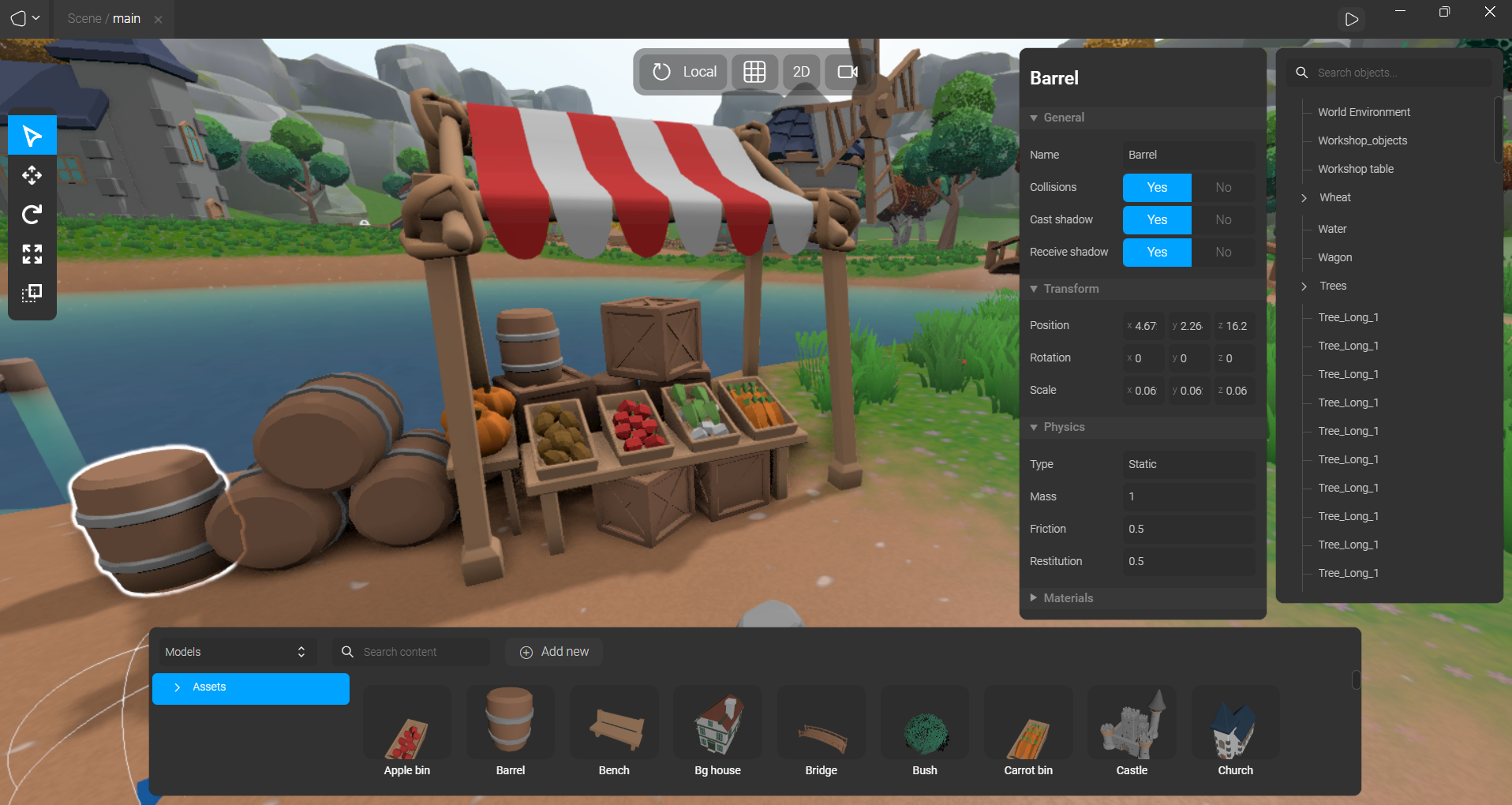
Use SEELE's visual editor for fine-tuning: - Adjust lighting and camera angles - Position objects in the scene - Modify material properties - Add particle effects
Or continue using AI prompts: - "Add background music with an electronic vibe" - "Create a victory animation when all crystals are collected"
Step 5: Publish and Share
Click "Publish" to deploy your game. SEELE generates: - Hosted game URL (shareable immediately) - Embeddable iframe code (for your website) - Performance-optimized build
Your game is now live and accessible from any browser worldwide.
Browser-Based vs Desktop Game Development
Understanding the trade-offs helps you choose the right approach for your project.
When Browser-Based Development Wins
Best for: - Rapid prototyping and game jams - Web games and HTML5 casual games - Educational game projects - Portfolio pieces and demos - Multiplayer browser games - Games targeting maximum reach (no download barrier)
Advantages: - Zero setup time (instant start) - Cross-platform by default - Easy sharing and collaboration - Lower technical barriers - AI-assisted workflows available - Instant deployment
SEELE's approach: Browser-first development with AI generation. Create games 10-100x faster than traditional coding.
When Desktop Development Is Necessary
Best for: - AAA-quality graphics requiring cutting-edge rendering - Games using platform-specific features (console controllers, VR hardware) - Large-scale open-world games (>5GB assets) - Games requiring low-level system access
Traditional approach limitations: - Long setup and learning curves - Manual asset creation (hours per model) - Complex build pipelines - Platform-specific compilation
SEELE's solution: Unity project export. Create your game using SEELE's AI in the browser, then export a complete Unity project for advanced optimization and platform builds.
Hybrid Approach with SEELE
SEELE bridges both worlds: 1. Rapid creation in browser using AI (2-10 minutes) 2. Test and iterate with instant previews 3. Export to Unity for advanced features if needed 4. Publish as web game or native app
This workflow is 20-50x faster than starting from scratch in Unity or Unreal Engine.
Browser-Based Game Platforms Compared
Several platforms enable browser-based game creation. Here's how they compare:
| Feature | SEELE | Rosebud | Manual Three.js |
|---|---|---|---|
| Development Speed | ⚡ 3 min | ~15 min | 40+ hours |
| AI Generation | Full multimodal | Text-to-game | None |
| 3D Support | Advanced (Three.js + Unity) | Basic WebGL | Full (manual coding) |
| 2D Support | Sprite sheets, pixel art | Good for prototypes | Full (manual coding) |
| Asset Generation | Automated AI | Limited | Manual creation |
| Learning Curve | Conversational (easy) | Low-code (moderate) | High (requires JS expertise) |
| Export Options | Three.js + Unity project | Web-only | Web-only |
| Best For | Complex 3D projects | Quick 2D prototypes | Full control, custom needs |
| Community | Active Discord | Strong beginner community | Large but scattered |
Platform-Specific Notes
SEELE excels at AI-powered rapid development with production-quality output. The dual-engine approach (Three.js + Unity) makes it suitable for both lightweight web games and complex projects requiring advanced features.
Rosebud (rosebud.ai) focuses on accessible game creation for beginners, particularly for simpler 2D and casual games. Good for learning game development concepts, but limited in 3D capabilities and advanced features.
Manual Three.js coding provides maximum control but requires significant JavaScript and WebGL expertise. Development time is 10-100x longer than AI-assisted platforms.
Publishing and Sharing Your Browser Games
Deployment Options
1. Direct Hosting (SEELE)
SEELE automatically hosts your game when you click "Publish":
- Unique URL generated instantly (e.g.,
seeles.ai/games/your-game-name
)
- HTTPS enabled by default
- Global CDN for fast loading worldwide
- Automatic performance optimization
2. Embed on Your Website Use the provided iframe code to embed your game:
<iframe src="/games/your-game-name"
        width="800" height="600"
        frameborder="0" allowfullscreen>
</iframe>
3. Game Distribution Platforms Upload to game hosting sites: - Itch.io : Popular indie game platform - Newgrounds : Community-driven game site - Kongregate : Browser game portal - Your own domain : Host the exported files on any web server
Sharing Best Practices
Optimize for Performance - Keep initial load size under 5MB for fast loading - Use texture compression (SEELE does this automatically) - Enable lazy loading for large assets - Test on mobile devices (many browser games are played on phones)
Cross-Browser Compatibility Test your game on: - Chrome (most common) - Firefox - Safari (Mac/iOS users) - Edge
SEELE-generated games are automatically compatible with all modern browsers.
Monetization Options - Ad integration (display ads in game UI) - Premium features (unlock via payment) - Sponsorships (partner with game portals) - In-game purchases (for multiplayer games)
FAQs About Browser-Based Game Creation
Q: Can browser games match the quality of native games?
A: Modern WebGL technology enables near-native graphics quality. While AAA games with massive asset libraries (100+ GB) still require native apps, browser games can achieve impressive 3D graphics, physics, and gameplay. SEELE's AI generates production-quality assets comparable to manual game development.
Q: Do I need coding experience to create browser games?
A: With AI-powered platforms like SEELE, no coding experience is required. You describe your game in natural language, and the AI generates working code. For manual platforms (Three.js, Phaser), JavaScript knowledge is necessary.
Q: Can I monetize browser-based games?
A: Yes. Browser games can be monetized through ads, in-game purchases, premium unlocks, and sponsorships. SEELE's commercial plans include rights for commercial use and monetization.
Q: What's the difference between WebGL and HTML5 games?
A: HTML5 is the web standard that includes WebGL (Web Graphics Library). WebGL specifically handles 3D graphics rendering using the GPU. All WebGL games are HTML5 games, but not all HTML5 games use WebGL (2D games often use Canvas 2D instead).
Q: Can I export my browser game to mobile apps?
A: Yes, with SEELE's Unity export feature. Create your game in the browser using AI, export to Unity, then build for iOS/Android. This combines the speed of AI-assisted development with the reach of mobile platforms.
Q: How do browser games perform compared to native apps?
A: Modern browser games achieve 60 FPS for most 3D content on decent hardware. Native apps have a slight performance edge (~10-20%) for extremely complex graphics, but for the majority of games, browser performance is indistinguishable from native.
Q: Are browser-based game development platforms like SEELE or Rosebud suitable for professional projects?
A: Yes, particularly for prototyping, indie games, and web-first titles. SEELE generates production-ready assets with Unity export capability, making it suitable for commercial projects. Many indie developers use AI-assisted platforms to accelerate development by 10-50x, then optionally export to native engines for final polish.
Getting Started with Browser-Based Game Development
Ready to create your first browser game? Here's the fastest path:
For AI-Assisted Development (Recommended)
- Visit seeles.ai and create a free account
- Describe your game in the conversational interface
- Let SEELE's AI generate your game (2-5 minutes)
- Play and iterate using natural language commands
- Publish with one click and share your game URL
Why start with SEELE: - Fastest path from idea to playable game - No coding required - Production-quality output - Both 2D and 3D support - Free tier available
For Learning Traditional Development
If you want to understand the underlying technology:
- Learn Three.js basics (threejs.org documentation)
- Study WebGL fundamentals (webglfundamentals.org)
- Practice with small projects (build a rotating cube, simple platformer)
- Join communities (Three.js Discord, game dev forums)
Time investment: 2-6 months to build production-quality games manually
Hybrid Approach
Combine AI and manual development: 1. Generate initial project with SEELE (instant foundation) 2. Export code and study the generated JavaScript/Unity scripts 3. Learn by modifying AI-generated code 4. Gradually take more manual control as you learn
This approach accelerates learning while producing functional games immediately.
Conclusion
Browser-based game development represents the future of accessible, fast, and collaborative game creation. AI-powered platforms like SEELE eliminate the traditional barriers of setup time, coding expertise, and asset creation, enabling anyone to create professional-quality games directly in a web browser.
Key takeaways: - Browser-based development offers zero setup time and instant deployment - AI-assisted platforms reduce development time from weeks to minutes - SEELE provides both Three.js and Unity export for maximum flexibility - Browser games reach wider audiences with no download barrier - Modern WebGL enables graphics quality comparable to native apps
Whether you're prototyping a game concept, creating web-based experiences, or building your first indie game, browser-based development with AI assistance provides the fastest path from idea to playable game.
Start creating your first browser game today at seeles.ai - no downloads, no coding required.