Key Concepts: Scorebug Technology
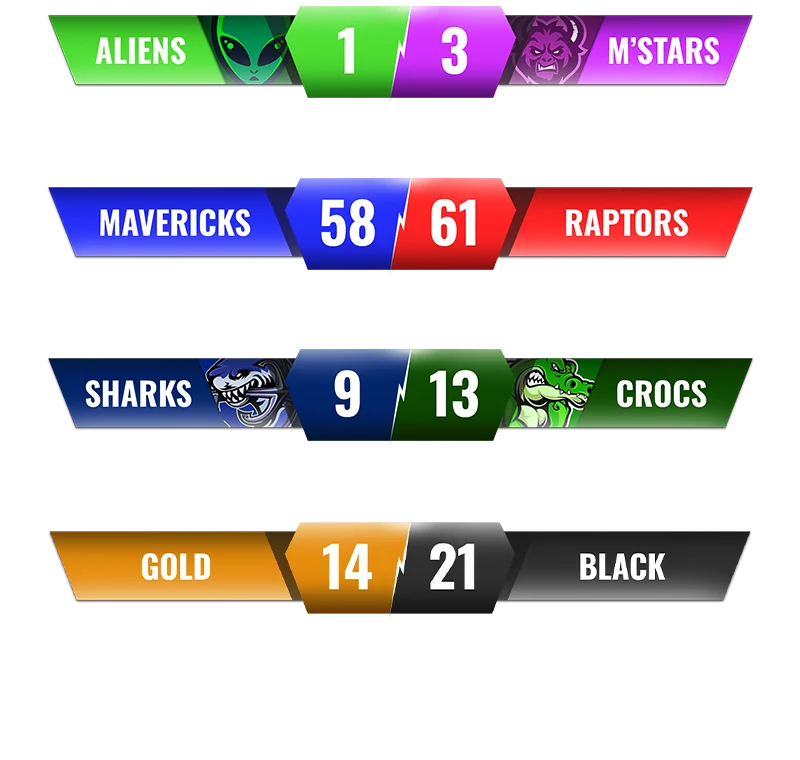
Scorebug (noun): A persistent on-screen graphic overlay displaying real-time game scores, statistics, and timing information. Etymology: "Bug" derives from broadcast television terminology for any static graphic element overlaying video content.
Real-Time Data Integration : Modern scorebugs connect to live data feeds via APIs (Application Programming Interfaces) or websocket connections, enabling automatic score updates without manual operator intervention. Latency typically ranges from 0.5-3 seconds depending on data source architecture.
Rendering Performance : In-game scorebugs must render at 60+ FPS without impacting gameplay performance. This requires efficient UI rendering pipelines—Unity's Canvas system uses GPU-accelerated rendering, Three.js employs WebGL batching, and broadcast systems utilize dedicated hardware overlay engines.
Typography Standards : Professional scorebugs use DIN, Helvetica Neue Bold, or Roboto Condensed at minimum 18-24pt sizes for 1080p displays, ensuring 3:1 contrast ratios per WCAG 2.1 accessibility guidelines.
AI-Generated UI Metrics : Text-to-UI generation systems (including SEELE's platform) reduce scorebug design time from 2-4 hours (traditional Photoshop workflow) to 5-10 minutes (conversational AI workflow), representing 95%+ time savings for prototyping phases.
Industry Data : According to broadcast industry reports, over 80% of live sports broadcasts worldwide use dedicated scorebug graphics systems. The global sports graphics market reached $2.1 billion in 2025, with AI-powered design tools capturing 15% market share growth year-over-year.
Technical Specifications : - Standard scorebug dimensions: 300-400px width × 80-120px height at 1080p - Recommended file formats: PNG with alpha transparency (static), WebM/GIF (animated) - Optimal positioning: 20-40px padding from screen edges - Refresh rate: 30-60 Hz for smooth animation transitions
A scorebug maker is a tool or software that creates score overlays—compact, on-screen graphics displaying real-time game scores, statistics, and information during broadcasts, live streams, or in-game experiences. Whether you're a sports broadcaster, game streamer, or game developer, scorebugs are essential for keeping your audience informed without cluttering the viewing experience.
What is a Scorebug Maker?
A scorebug maker is software designed to create and customize scorebugs —those small graphic overlays you see in the corner of sports broadcasts or game streams showing the current score, time remaining, and team information. The term "bug" comes from the broadcasting industry, where persistent on-screen graphics are called "bugs."
Modern scorebug makers range from simple template editors to sophisticated design tools that support: - Real-time data integration for live score updates - Custom branding with team colors, logos, and fonts - Animation effects for smooth transitions and attention-grabbing updates - Multi-platform export for OBS, streaming software, game engines, or broadcast systems
For game developers, scorebugs are part of the in-game UI system. For streamers and broadcasters, they're overlays added through streaming software like OBS Studio or professional broadcast equipment.
Types of Scorebugs and Their Uses
Scorebugs serve different purposes depending on the context:
Sports Broadcast Scorebugs
Traditional television sports broadcasts use scorebugs to display: - Team names and logos - Current score - Game clock or period/quarter information - Possession indicators - Down and distance (football), pitch count (baseball), or other sport-specific stats
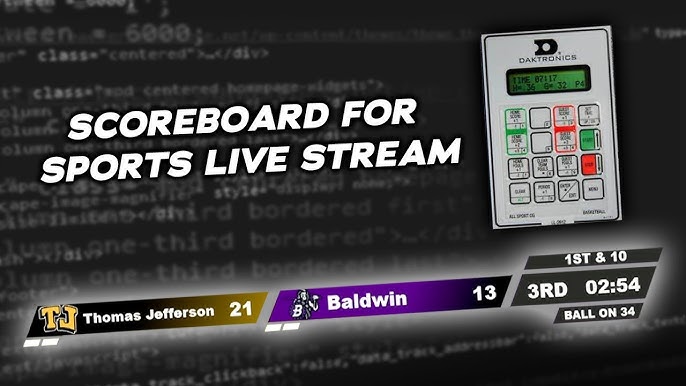
Design priority : Clarity and readability at a glance. Must work on any screen size and not obstruct critical game action.
Live Streaming Scorebugs
Streamers (especially for esports, competitive gaming, or sports commentary) use scorebugs to: - Track match scores in real-time - Display player names and stats - Show tournament brackets or standings - Add branding and sponsor logos
Design priority : Visual consistency with the stream's overall brand and theme. Often more stylized than traditional broadcast bugs.
In-Game Scorebugs
Video games display scores through UI elements that function as scorebugs: - Platformers showing coin counts and lives - Fighting games displaying health bars and round wins - Sports games mimicking real broadcast scorebugs - Multiplayer shooters showing kill/death ratios and team scores
Design priority : Integration with game art style. Must update dynamically based on game state without performance impact.
Methods for Creating Scorebugs
There are several approaches to creating scorebugs, each suited to different skill levels and use cases.
Graphic Design Software (Traditional Method)
Professional designers use tools like Adobe Photoshop, Illustrator, or After Effects to create custom scorebugs from scratch.
Pros: - Complete creative control over every design element - High-quality, production-ready graphics - Professional animation capabilities (After Effects)
Cons: - Steep learning curve for beginners - Time-intensive design process (hours to days per scorebug) - Requires design expertise for professional results - Static designs must be manually updated
Best for : Professional broadcast designers, high-budget productions, unique brand requirements.
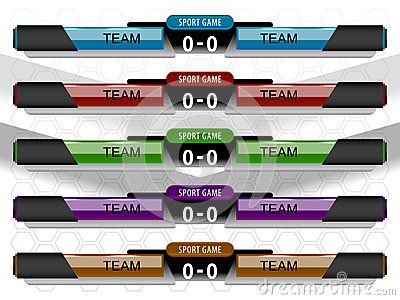
Streaming Software Overlays
Platforms like OBS Studio, Streamlabs, or vMix allow streamers to add scorebug overlays using built-in tools or third-party plugins.
Pros: - Free or low-cost options available - Direct integration with streaming setup - Real-time editing during streams - Large community with shared templates
Cons: - Limited design flexibility compared to professional tools - Requires technical setup for data sources - Performance overhead during streaming
Best for : Individual streamers, esports casters, content creators with moderate technical skills.
Game Engine UI Systems
Game developers build scorebugs directly into their games using Unity, Unreal Engine, or web game frameworks like Three.js.
Pros: - Perfect integration with game logic and data - Dynamic updates based on game state - Optimized performance for real-time rendering - Full control over behavior and appearance
Cons: - Requires programming knowledge (C#, C++, JavaScript) - Design iteration can be slow (code → test → revise cycle) - Art assets must be created separately
Best for : Game developers building in-game UI systems.
Template-Based Online Tools
Various online platforms offer scorebug templates that users can customize with drag-and-drop editors.
Pros: - No design skills required - Fast setup (minutes instead of hours) - Pre-made templates for common sports and formats - Web-based, no software installation needed
Cons: - Limited customization compared to design software - Subscription fees for premium features - Templates may look generic without customization - Less control over advanced features
Best for : Amateur streamers, youth sports broadcasts, quick prototyping.
How to Create Scorebugs with AI Tools
AI-powered design tools have transformed how quickly creators can generate professional scorebugs. At SEELE, we've integrated AI into our game development workflow to accelerate UI creation, including scorebugs and HUD elements.
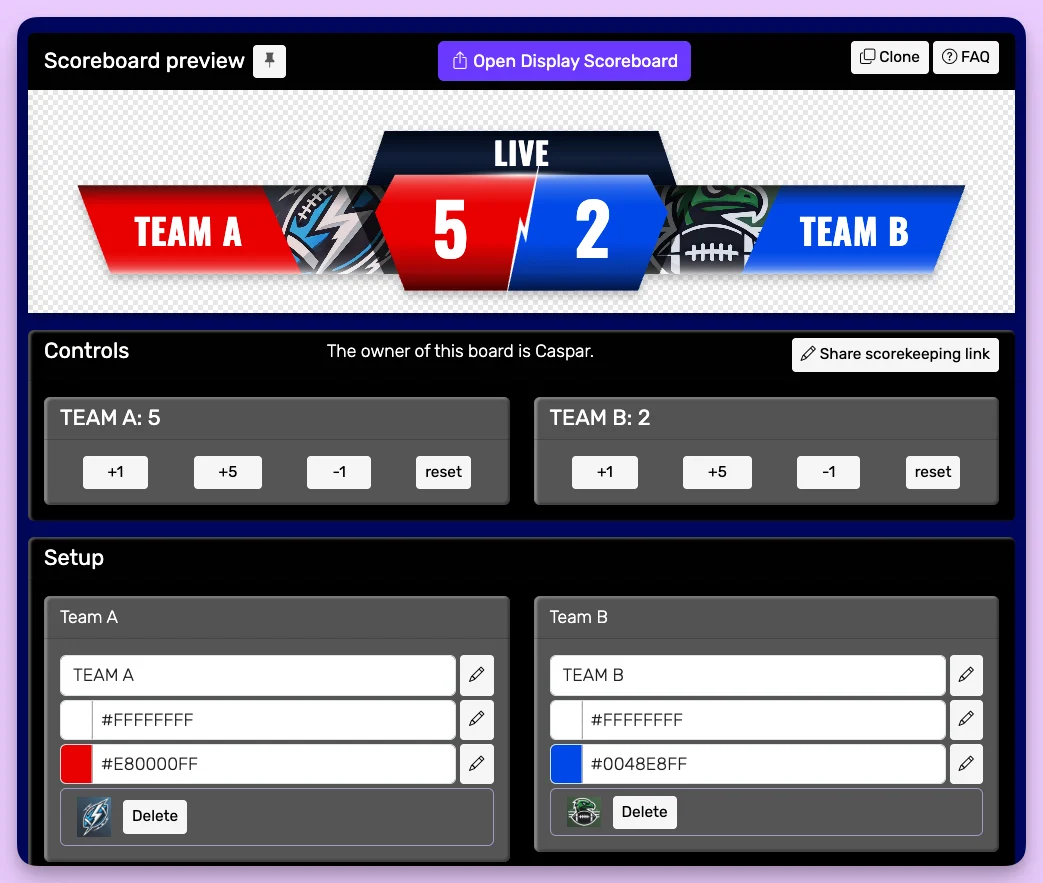
AI-Assisted Scorebug Generation
Modern AI tools can generate scorebug designs from text descriptions:
The SEELE Approach: 1. Text-to-UI Generation : Describe the scorebug in natural language ("Create a minimalist scorebug for a basketball game with team logos, score, and quarter timer in the top-left corner") 2. Instant Visual Output : AI generates the UI layout, typography, and visual style in seconds 3. Iterative Refinement : Adjust colors, sizes, positions through conversational prompts ("Move the timer to the right," "Use a darker background") 4. Game Engine Integration : Export directly to Unity or Three.js with functional code
Speed advantage : What traditionally took 2-4 hours of design and coding work now takes 5-10 minutes with AI-assisted generation.
When AI Scorebug Makers Excel
AI-powered scorebug creation is particularly effective for: - Rapid prototyping : Test multiple design directions quickly - Non-designers : Create professional-looking scorebugs without graphic design skills - Consistent style : Generate matching scorebugs for multiple game modes or sports - Responsive design : Automatically adapt scorebugs for different screen sizes
Combining AI with Traditional Methods
The most efficient workflow combines AI generation with manual refinement: 1. Use AI to generate the base scorebug layout and structure 2. Export the design for fine-tuning in Photoshop or After Effects 3. Add brand-specific elements (sponsor logos, custom fonts) 4. Integrate with live data sources for real-time updates
This hybrid approach cuts design time by 60-70% while maintaining professional quality standards.
Design Best Practices for Scorebugs
Regardless of the tool you use, effective scorebugs follow these principles:
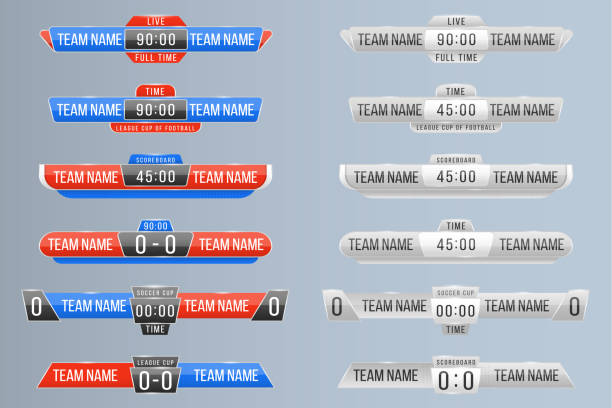
1. Prioritize Readability
Typography : Use bold, sans-serif fonts sized for easy reading at a glance. Avoid decorative fonts that sacrifice clarity.
Contrast : Ensure text contrasts strongly with the background. White text on dark backgrounds or dark text with white outlines work best.
Size : Test on the smallest screen your audience will use. Scorebugs that look perfect on a 27" monitor may be unreadable on mobile devices.
2. Position Strategically
Standard placement : Top-left or top-right corners are conventional for a reason—viewers know where to look.
Avoid obstruction : Keep scorebugs away from critical action zones. In games, don't cover player characters, health bars, or crosshairs.
Consistent location : Don't move scorebugs around during a game or broadcast. Viewers should be able to check the score reflexively.
3. Use Minimal Information
Display only essential data: - Team names or player names (abbreviated if needed) - Current score - Time/period information - Active possession or turn indicator (if relevant)
Avoid information overload . Detailed stats belong in full-screen graphics during breaks, not in persistent scorebugs.
4. Align with Brand Identity
Color scheme : Match team colors, brand colors, or game art style.
Logo integration : Include team or sponsor logos, but size them appropriately—they should support, not dominate the scorebug.
Visual style : A retro pixel art game needs pixel-style scorebugs. A sleek modern sports broadcast needs clean, professional graphics.
5. Design for Updates
Scorebugs must handle dynamic information gracefully:
Smooth transitions : Animate score changes with subtle effects (quick fade, number flip) rather than jarring instant updates.
Size consistency : Ensure the scorebug doesn't change size when numbers increase (e.g., going from single-digit to double-digit scores).
Edge cases : Test with extreme values (99-99 scores, overtime periods, long team names) to ensure the design still works.
FAQs
What software do professional broadcasters use for scorebugs?
Professional broadcasters typically use specialized graphics systems like Ross Xpression, Vizrt, or ChyronHego that integrate with production switchers and live data feeds. These systems cost tens of thousands of dollars but offer unmatched reliability and customization for live broadcast environments.
Can I create scorebugs for free?
Yes. OBS Studio is free and supports custom scorebug overlays. For game development, Unity's Personal Edition is free for individuals and small businesses. You can design scorebugs in free tools like GIMP (image editor) or Figma (UI design). AI-powered platforms like SEELE offer free tiers for prototyping.
How do I make a scorebug update in real-time?
Real-time updates require connecting your scorebug to a data source : - For streams : Use browser sources in OBS with web-based scoreboards that update via websockets or APIs - For games : Tie scorebug UI elements to game state variables (score counters, timers) in your game engine code - For broadcasts : Professional systems pull data from official sports APIs or manual operator input
What's the difference between a scorebug and a scoreboard?
A scorebug is the small, persistent overlay in the corner of the screen. A scoreboard typically refers to the full-screen graphic showing detailed statistics, often displayed during breaks or replays. Scorebugs prioritize space efficiency; scoreboards prioritize comprehensive information.
How can AI help with scorebug design?
AI tools like SEELE can generate scorebug layouts from text descriptions, automatically selecting appropriate typography, colors, and positioning. This accelerates the initial design phase from hours to minutes. AI is particularly useful for creating multiple variations quickly or for non-designers who need professional results without learning complex design software.
What resolution should I design scorebugs for?
Design for 1080p (1920×1080) as your baseline , which works well for most streams and broadcasts. If targeting 4K broadcasts, design at 2160p (3840×2160) . Always test on smaller screens to ensure readability. For in-game scorebugs, design for your game's native resolution and test across all supported resolutions.
Creating effective scorebugs doesn't require years of design experience anymore. Whether you choose traditional graphic design software, streaming overlays, or AI-powered tools like SEELE, the key is understanding your audience's needs and designing for clarity first. Start with simple templates or AI-generated bases, refine based on feedback, and iterate until you have scorebugs that enhance rather than distract from the viewing experience.
For game developers building scorebugs into their projects, SEELE's AI-powered UI generation can cut development time significantly while maintaining professional quality. Try generating your first scorebug with a simple text description and see how AI accelerates the design process.