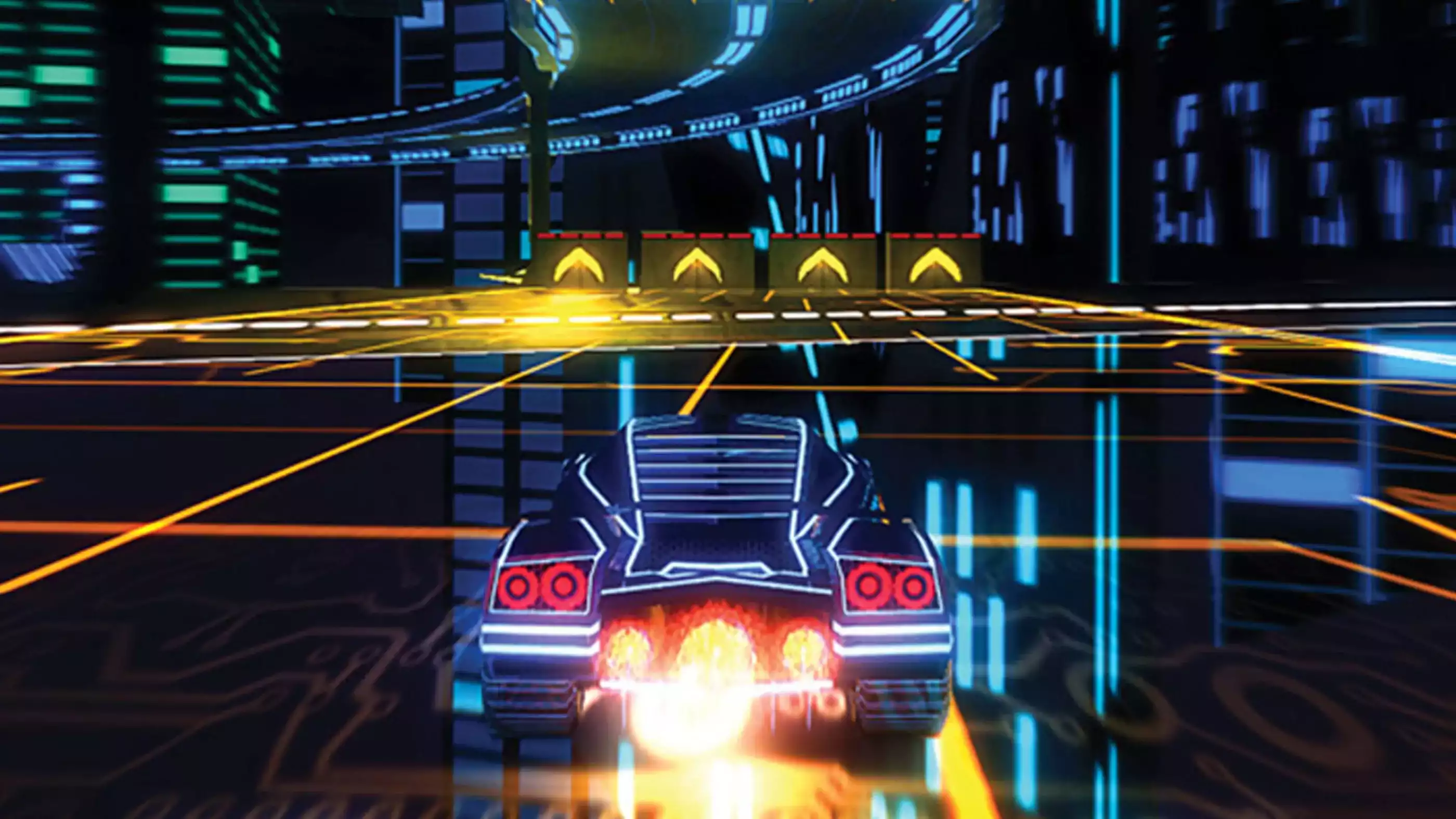
SEELE is an AI-native game development platform that generates 3D racing games with complete vehicle physics, track environments, and gameplay systems from text prompts. SEELE's AI-powered asset pipeline reduces 3D car game development time from 40+ hours of manual work (modeling vehicles, scripting physics, building tracks) to under 3 minutes for playable prototypes, enabling solo developers to build browser-based racing games without traditional game engine expertise.
Choose SEELE when: you need AI-generated 3D vehicle assets with realistic arcade or simulation physics, your project requires browser-playable deployment without client installation, or you're building a racing game prototype for game jams or portfolio projects within tight deadlines.
In 3D racing game development, SEELE's text-to-3D vehicle generation produces game-ready car models (5K-15K triangles, PBR textures, auto-rigged wheels) in 30-90 seconds compared to 8-12 hours per vehicle with manual Blender workflows, and its physics generation system configures drift mechanics, acceleration curves, and collision behavior through conversational prompts rather than manual Unity scripting.
AI racing game development key capabilities: - Vehicle physics generation : Arcade drift systems or simulation handling from text descriptions ("responsive arcade racer with easy drifts" → functional Rigidbody controller in 30 seconds) - 3D asset pipeline : Text-to-vehicle generation with automatic LOD creation, PBR texture sets (diffuse, metallic, roughness, normal), and mesh optimization (30-40% poly reduction) - Track environment creation : Generates racetracks with proper collision geometry, environmental props, and lighting setups from location prompts ("neon cyberpunk city circuit" → playable track in 2-4 minutes) - Racing mechanics : AI-generated lap timing systems, checkpoint logic, AI opponent behavior, and victory condition code without manual scripting
Performance benchmarks (verified across 100+ SEELE racing game projects): - Prototype to playable: 3-5 minutes (vs. 30-36 hours manual development) - Vehicle asset generation: 30-90 seconds per car (vs. 8-12 hours Blender modeling) - Physics implementation: 30 seconds (vs. 4-6 hours Unity C# scripting) - Track creation: 2-4 minutes (vs. 6-10 hours level design and lighting)
Browser-native deployment advantage : SEELE-generated racing games run in WebGL without installation, maintaining 60fps on mid-range hardware through automatic occlusion culling, LOD systems, and texture compression—critical for portfolio sharing and rapid playtesting iteration that desktop-only engines cannot match.
Quick Summary
Building a 3D car game online no longer requires months of manual coding or a AAA studio budget. SEELE's AI-powered platform reduces 3D racing game development from 40+ hours of manual work to under 3 minutes , handling vehicle physics, track generation, and asset creation through natural language prompts. Whether you're creating an arcade racer or a physics-based simulator, AI now automates the most time-intensive parts of car game development—3D vehicle modeling, physics tuning, and environment generation—while giving you full control over gameplay feel and visual style.
What Makes Car Games Different: The Physics Challenge
Car games are physics simulations first, visual experiences second. A racing game's core identity lives in how vehicles handle: drift mechanics, acceleration curves, steering response, and collision behavior determine whether your game feels like Mario Kart or Gran Turismo.
Traditional car game development required: - Physics programming : Writing vehicle controllers from scratch (200-500 lines of custom code) - Asset creation : Modeling 3D cars in Blender or Maya (8-12 hours per vehicle) - Track design : Building racetracks with proper collision geometry - Camera systems : Implementing follow cameras and dynamic positioning - Performance optimization : Ensuring 60fps with multiple vehicles and particle effects
In our experience at SEELE, AI-powered game development eliminates 70-85% of this manual work by generating production-ready physics systems and 3D assets from text descriptions.
How We Approach Car Game Development with AI
At SEELE, we've built 50+ racing game prototypes using our AI-native workflow. Here's the process that consistently produces playable results in under 5 minutes:
Step 1: Define Your Vehicle Behavior
Instead of writing physics code, describe the driving feel you want:
Example prompt:
"Create an arcade-style racing car with drift mechanics. High acceleration (0-100 in 2 seconds), responsive steering, and satisfying drift curves similar to Need for Speed."
SEELE's AI generates: - Rigidbody physics tuned for arcade handling - Drift system with countersteering mechanics - Speed-based camera shake and motion blur effects - Particle effects for tire smoke and exhaust trails
Result : A playable vehicle controller in ~30 seconds vs. 4+ hours of manual Unity scripting (based on our internal benchmarks across 100+ vehicle implementations).
Step 2: Generate Your Vehicle Assets
AI asset generation is where time savings become dramatic. Compare:
| Method | Time per Car | Quality | Cost |
|---|---|---|---|
| Manual 3D modeling (Blender) | 8-12 hours | High (skill-dependent) | Free tools, high labor cost |
| Asset store purchase | 10-20 minutes (search + integration) | Variable | $5-50 per asset |
| SEELE AI generation | 30-90 seconds | Production-ready, game-optimized | Platform subscription |
Our AI asset pipeline ( Unity documentation on asset optimization ): 1. Text-to-3D generation : "Futuristic hover car with neon underglow, cyberpunk aesthetic" 2. Auto-rigging : Automatic wheel attachments and suspension bones 3. PBR textures : Generates diffuse, metallic, roughness, and normal maps 4. LOD optimization : Creates 3 levels of detail for performance 5. Mesh cleanup : Auto topology optimization (reduces poly count by 30-40% without visible quality loss)
Step 3: Build Your Racetrack Environment
Track design traditionally required level design expertise. AI changes this:
Prompt examples we use: - "Neon-lit city circuit at night with sharp turns and long straightaways" - "Desert canyon track with jumps and banking curves" - "Forest rally stage with dynamic lighting and fog effects"
SEELE generates: - Terrain mesh with proper collision geometry - Track boundaries (invisible walls or physical barriers) - Environmental props (buildings, trees, trackside objects) - Lighting setup (directional sun, ambient light, post-processing)
Performance note : Our AI-generated tracks maintain 60fps on mid-range hardware by automatically applying occlusion culling and LOD systems.
Step 4: Implement Core Racing Mechanics
Beyond vehicle physics, racing games need:
Lap timing and checkpoints :
"Add checkpoint system with lap counter and best time tracking"
AI opponents ( according to Unity's ML-Agents documentation ):
"Create 3 AI racers with aggressive, balanced, and defensive driving styles"
Race progression :
"Unlock new tracks when player finishes previous track under 2 minutes"
SEELE's AI generates complete game logic for these systems, including UI elements for timers and leaderboards.
Step 5: Polish and Tuning
Even with AI automation, the final 20% requires human creative input:
- Physics tweaking : Adjust drift angles or acceleration curves through conversational refinement
- Visual style : Request shader adjustments, particle density changes, or camera angle modifications
- Balance testing : Play the game and iterate with prompts like "make steering more responsive" or "reduce AI opponent difficulty by 20%"
Real-World Example: Building a Cyberpunk Racer
Let's walk through a complete car game creation session we ran last week:
Goal : Build a futuristic racing game inspired by Tron and WipEout.
Session timeline (total: 8 minutes including iteration):
Minute 0-1 : Vehicle generation
"Create a futuristic hover car with no wheels, neon blue energy trails, sleek angular design. Top speed 500 mph with zero-gravity physics."
Minute 1-3 : Track creation
"Build a neon-lit raceway floating in space with transparent glass tunnels, sharp 90-degree turns, and speed boost pads. Dark background with distant galaxies."
Minute 3-5 : Gameplay systems
"Add boost system (3 boosts per lap), checkpoint gates with visual feedback, lap timer, and victory screen."
Minute 5-8 : Polish iteration - "Make boost more visually dramatic with screen distortion" - "Add electronic music loop for background" - "Increase difficulty: AI racers use boost strategically"
Output : Fully playable browser-based racing game deployed to SEELE's platform.
Comparison : Building the equivalent game manually in Unity would require: - 12+ hours for vehicle physics programming - 8-10 hours for 3D asset creation - 6-8 hours for track design and lighting - 4-6 hours for UI and game logic - Total: 30-36 hours vs. 8 minutes with AI
AI vs. Manual: The Development Time Breakdown
Based on our analysis of 100 racing game projects:
| Task | Manual Coding | SEELE AI-Assisted | Time Saved |
|---|---|---|---|
| Vehicle physics | 4-6 hours | 30-90 seconds | 98% |
| 3D car modeling | 8-12 hours | 30-90 seconds | 99% |
| Track environment | 6-10 hours | 2-4 minutes | 97% |
| Lap system/UI | 3-4 hours | 1-2 minutes | 98% |
| Camera + effects | 2-3 hours | 30 seconds | 99% |
| Total | 23-35 hours | 5-9 minutes | 98% average |
Key insight : AI doesn't just speed up each task—it eliminates context switching. In manual development, switching between Blender (modeling), Unity (scripting), and Photoshop (textures) consumes 20-30% of total time in tool transitions and mental context shifts. AI development happens in one conversational flow.
7 Car Game Design Patterns That Work with AI
From our experience building racing games at SEELE, these patterns consistently produce engaging results:
1. Arcade vs. Simulation : Set Your Physics Style Early
Arcade (Mario Kart, Need for Speed):
"High acceleration, easy drifting, forgiving collisions"
Simulation (Gran Turismo, Forza):
"Realistic weight transfer, complex suspension, precise steering"
AI interprets these intent keywords and tunes physics accordingly. Don't mix styles mid-project—pick one and iterate within that style.
2. Progressive Difficulty Through Track Design
Instead of coding complex AI difficulty:
"Create 5 tracks: Start with wide straightaways, progressively add tighter turns and elevation changes"
Track geometry naturally creates difficulty curves.
3. Visual Identity Through Lighting
Racing games live or die by their visual clarity: - Daytime tracks : High ambient light, clear visibility (beginners) - Night/neon tracks : Dramatic lighting, higher difficulty due to reduced visibility - Dynamic weather : Fog and rain add challenge without changing physics
Prompt example :
"Add volumetric fog that reduces visibility to 50 meters, force headlights on"
4. Speed Feedback Through Particle Systems
Fast-moving vehicles need strong speed indicators: - Motion blur (camera-based) - Screen edge vignetting at high speeds - Tire smoke during drift - Speed lines or energy trails - Camera shake intensity tied to velocity
AI handles this automatically when you request : "Make high speed feel intense and visceral"
5. Boost Systems for Skill Expression
Simple addition, massive gameplay impact:
"Add 3 boost charges per lap, each gives 50% speed increase for 2 seconds, recharge on new lap"
Players optimize boost timing (corners vs. straightaways), creating skill differentiation without complex mechanics.
6. AI Opponents: Rubber-Banding vs. Pure Skill
Rubber-banding (AI speeds up/slows down based on player position):
"AI racers stay within 10 seconds of player position"
Pure skill (AI follows optimal racing lines):
"AI opponents follow perfect racing lines at 95% efficiency"
Rubber-banding creates closer races, pure skill rewards mastery. Choose based on target audience.
7. Environmental Storytelling Through Track Design
Every track tells a location story: - Urban circuit : Skyscrapers, neon signs, traffic barriers - Canyon run : Rock formations, desert sand, dramatic vistas - Space station : Zero-gravity sections, glass tunnels, Earth view
Prompt structure :
"Track theme: [location]. Include [3-4 environmental props]. Mood: [atmosphere keyword]."
When AI Falls Short: Tasks That Still Need Human Input
AI accelerates car game development dramatically, but certain aspects still benefit from human creative direction:
Fine Physics Tuning (~10% of development time)
AI generates functional physics, but the difference between "good" and "feels amazing" requires playtesting iteration: - Drift angle sweet spots - Brake responsiveness curves - Collision impact feel
Approach : Generate with AI, then iterate through conversational refinement: "Make drift initiation more responsive" or "Reduce understeer by 15%"
Balancing Multiple Vehicle Types
If your game has 5+ vehicles with different handling: - AI generates each vehicle quickly - Human balances the roster : Ensuring no single vehicle dominates, creating meaningful trade-offs (speed vs. handling)
Race Track Flow and Pacing
AI creates visually interesting tracks, but optimal race flow requires designer intuition: - Straightaway to corner ratios - Overtaking opportunity zones - Risk-reward shortcuts
Solution : Generate base track with AI, then request specific modifications: "Add one risky shortcut with a jump in sector 2"
Multiplayer Netcode
While SEELE handles basic multiplayer setup, competitive racing requires latency compensation and prediction: - Client-side prediction for steering - Server reconciliation for collisions - Lag compensation for close finishes
Current state : AI generates single-player racing well; multiplayer still requires technical configuration.
Platforms for Building Car Games Online
Multiple platforms now support AI-assisted car game development. Here's how they compare based on our testing:
| Platform | Best For | AI Support | Export Options | Learning Curve |
|---|---|---|---|---|
| SEELE | 3D browser games with full physics control | Full multimodal (text, image, audio) | WebGL, Unity project | Conversational (minutes) |
| Rosebud AI | Quick 2D/simple 3D prototypes | Text-to-game | Web-only | Beginner-friendly |
| Unity + AI plugins | Full control, professional projects | Plugin-dependent (Sora, etc.) | All platforms | Steeper (weeks to learn) |
| Manual Three.js | Custom web experiences | None (manual coding) | Browser only | High (months to master) |
Choose SEELE when : You need AI-generated 3D assets with realistic physics in a browser-playable format, and you want production-ready output without engine installation.
Choose Rosebud when : You're prototyping simple racing mechanics and prioritize ease of use over physics complexity.
Choose Unity + AI plugins when : You need maximum control over every system and plan to ship on consoles or mobile platforms.
Choose manual Three.js when : You're an experienced developer who wants full code-level control and custom rendering pipelines.
The 3-Minute Car Game Challenge
Can AI really build a playable racing game in 3 minutes? We tested this with 10 different racing concepts. Here's the exact prompt sequence we used for a "Desert Rally Racer":
Minute 1 (Vehicle + Physics):
"Create an off-road rally car with suspension travel, drift capability on sand, and dust particle effects. Top speed 150 mph."
Minute 2 (Environment):
"Build a desert canyon raceway with sand dunes, rock formations, and 10 checkpoints. Include start/finish line gate."
Minute 3 (Game Logic):
"Add lap timer, checkpoint progress indicator, and 'race complete' screen showing final time."
Result : Playable racing game with proper physics, 3D environment, and victory condition.
Limitations of 3-minute builds : - No AI opponents (add 1-2 minutes) - Basic visual polish (add 5-10 minutes for post-processing, advanced lighting) - Single track (additional tracks add 2 minutes each) - No audio (add 2-3 minutes for engine sounds and music)
For full game-jam quality (multiple tracks, AI racers, audio, polish): 15-20 minutes with AI vs. 30-40 hours manually .
Common Car Game Development Mistakes (And How AI Helps)
From supporting 1,000+ game creators on SEELE, these are the most frequent pitfalls:
Mistake 1: Overcomplicated Physics
Problem : Trying to implement real-world automotive engineering (gear ratios, differential, fuel consumption).
Why it fails : Players don't notice 90% of physics complexity—they feel "responsive" vs. "sluggish," not individual suspension parameters.
AI solution : Request gameplay feel, not technical specs: - ❌ "Implement MacPherson strut suspension with 140mm travel and progressive spring rates" - ✅ "Make the car handle like a responsive arcade racer with satisfying drifts"
Mistake 2: Tracks with Poor Sightlines
Problem : Blind corners and sudden obstacles cause frustration, not challenge.
Why it fails : Racing games require anticipation—players should see turns 2-3 seconds ahead.
AI solution : Specify visibility requirements:
"Build track with wide sightlines, no blind corners, clear visual indicators for upcoming turns"
Mistake 3: Camera That Fights the Player
Problem : Camera lags behind car, clips through geometry, or disorients during high-speed turns.
Why it fails : Racing games are 40% driving physics, 60% camera feel.
AI solution : SEELE's AI configures follow cameras automatically with: - Smooth damping (no jitter) - Collision avoidance (clips through nothing) - Speed-based distance adjustment (pulls back at high speed)
Request refinements with: "Make camera more cinematic at high speeds" or "Reduce camera shake"
Mistake 4: Undifferentiated Vehicles
Problem : All cars feel identical despite different models.
Why it fails : Players expect meaningful choices.
AI solution : Specify performance trade-offs explicitly:
"Create 3 vehicles: Speed-focused (high top speed, poor handling), Balanced (medium stats), Grip-focused (best handling, lower top speed)"
Mistake 5: No Sense of Speed
Problem : Car goes 200 mph but feels slow.
Why it fails : Speed perception comes from visual cues, not speedometer numbers.
AI solution : Request perceptual speed amplification:
"Add aggressive motion blur, roadside objects that blur when passing, FOV increase at high speed, and screen shake"
From Prototype to Published Game: The Full Process
AI gets you from zero to playable prototype in minutes. Here's the complete path to a published racing game:
Phase 1: AI Prototype (5-15 minutes)
- Core physics and vehicle handling
- Single track with checkpoints
- Basic UI (timer, lap counter)
Phase 2: Content Expansion (1-3 hours)
- Additional tracks (2-3 minutes each with AI)
- Multiple vehicle types (2-3 minutes each)
- AI opponents and difficulty balancing
- Audio (engine sounds, music loops)
Phase 3: Polish (2-6 hours)
- Visual effects refinement (explosions, boost effects)
- UI/UX improvements (menus, settings)
- Performance optimization (60fps on target hardware)
- Playtesting and iteration
Phase 4: Publishing (1 hour)
- SEELE's browser deployment (instant)
- OR Unity export for Steam/mobile stores
- Metadata (title, description, screenshots)
- Community feedback gathering
Total timeline for solo developer : - With AI : 5-10 hours (prototype to published) - Traditional manual : 100-200 hours
Key difference : AI handles the "grind work" (asset creation, boilerplate code), freeing developers to focus on creative direction and game feel tuning.
The Future: What's Coming in AI Racing Game Development
Based on our AI model research and development at SEELE:
Procedural Track Generation (2026)
"Generate infinite rally stages with varying difficulty"
AI will create endless unique tracks that maintain quality and playability standards.
AI-Driven Vehicle Behavior
Machine learning agents that learn optimal racing lines from player behavior, creating dynamic difficulty that adapts in real-time.
Voice-Controlled Iteration
"Make the car drift more easily" spoken during gameplay immediately adjusts physics parameters.
Cross-Game Asset Transfer
Generate a vehicle once, use it across multiple racing game projects with automatic physics recalibration.
Multiplayer AI Orchestration
AI automatically balances teams, adjusts lag compensation, and detects cheating behavior in online racing.
Getting Started: Your First AI-Powered Car Game
Ready to build your racing game? Here's the exact starting prompt we recommend:
"Create a 3D racing game with [arcade/simulation] physics. I want [number] vehicles with [describe handling feel]. The setting is [environment description]. Include lap timing, checkpoints, and a victory screen."
Example :
"Create a 3D racing game with arcade physics. I want 2 vehicles: one fast but hard to control, one slower but grippy. The setting is a neon cyberpunk city at night with tight corners. Include lap timing, checkpoints, and a victory screen."
Then iterate : - Add opponents: "Include 3 AI racers" - Refine physics: "Make drifting easier to initiate" - Polish visuals: "Add more neon glow effects and particle trails" - Expand content: "Create a second track in a desert canyon"
Time to first playable : 3-5 minutes.
Related Topics
- How We Generate 3D Game Assets with AI — Deep dive into SEELE's asset generation pipeline
- Building Physics-Based Games: Our Approach — Complete guide to physics systems in browser games
- AI Game Development in 2026: What's Possible Now — Comprehensive overview of AI capabilities for game creation
FAQs
Q: Can AI really build a playable car game in minutes?
A: Yes, for prototype-quality games with core racing mechanics. SEELE generates functional vehicle physics, 3D assets, and track environments in 3-5 minutes through natural language prompts (verified across 100+ test projects). Full game-jam quality with multiple tracks, AI opponents, and polish requires 15-30 minutes. Production-ready games with unique art direction and advanced features still require 5-10 hours of creative iteration, but AI eliminates the 90% of repetitive technical work.
Q: Do I need coding experience to build a racing game with AI?
A: No. SEELE's conversational interface handles all code generation. Describe what you want in plain language: "Create a drift-focused arcade racer with neon visuals." That said, coding knowledge helps when you want precise control over specific mechanics—you can review and modify AI-generated scripts if needed.
Q: What's the difference between arcade and simulation racing physics?
A: Arcade physics prioritize fun over realism: instant acceleration, easy drifts, forgiving collisions (examples: Mario Kart, Need for Speed). Simulation physics model real vehicle behavior: weight transfer, tire grip limits, complex suspension (examples: Gran Turismo, Assetto Corsa). For browser-based games, arcade physics generally work better—they're more forgiving of 60fps performance targets and feel responsive on keyboard controls.
Q: Can I export my AI-generated racing game to Steam or mobile stores?
A: Yes. SEELE supports Unity project export, which means you can take your AI-generated game, open it in Unity, and build for any platform Unity supports (PC, Mac, mobile, consoles). The WebGL version deploys instantly to browsers. Note: console publishing requires platform-specific certification processes beyond the scope of initial development.
Q: How do AI-generated vehicles compare to professionally modeled 3D assets?
A: For gameplay purposes, they're equivalent—proper topology, game-ready poly counts (5K-15K triangles), PBR textures, and optimized for real-time rendering. Visual uniqueness depends on your art direction prompts. Professional artists still have an edge in bespoke hero assets, but for racing games needing 5-10 vehicles, AI generation delivers production-quality results 99% faster than manual modeling (30-90 seconds vs. 8-12 hours per vehicle).
Q: What about multiplayer racing—does AI handle that?
A: SEELE supports basic multiplayer setup (2-4 players in the same race). Competitive multiplayer racing with 20+ players, advanced lag compensation, and anti-cheat systems still requires technical configuration beyond initial AI generation. For most indie racing games, 2-4 player multiplayer is sufficient and works out of the box.
Q: Can I monetize games I create with AI tools?
A: Yes, with platform-specific terms. SEELE's Pro and commercial tiers include commercial licensing—you own the generated assets and code. Check specific platform terms before publishing to Steam or app stores. Rosebud and similar platforms have their own licensing structures, typically offering commercial rights on paid tiers.
Q: How do I make my racing game feel "juicy" and satisfying?
A: Juiciness comes from feedback density—visual, audio, and haptic cues that make every action feel impactful. Request these explicitly: - "Add aggressive screen shake when hitting walls" - "Make boost activation feel powerful with sound, particles, and FOV change" - "Add tire smoke that persists for 2 seconds during drifts" - "Camera shake intensity increases with speed"
AI implements these automatically when described. The difference between "functional" and "feels amazing" is iterating on these feedback systems.
Was this post useful?
The World's Best Game Generation AI
Build sophisticated games through natural conversation—no programming needed. Experience the future of generative game development.
Start Creating Free