AI-Generated Assets in Games: How the Technology Works and Where It's Used
 SEELE team
• February 07, 2026
SEELE team
• February 07, 2026
Discover the best sources for free 3D game assets and learn how AI-powered tools like SEELE transform asset integration, optimization, and workflow efficiency.
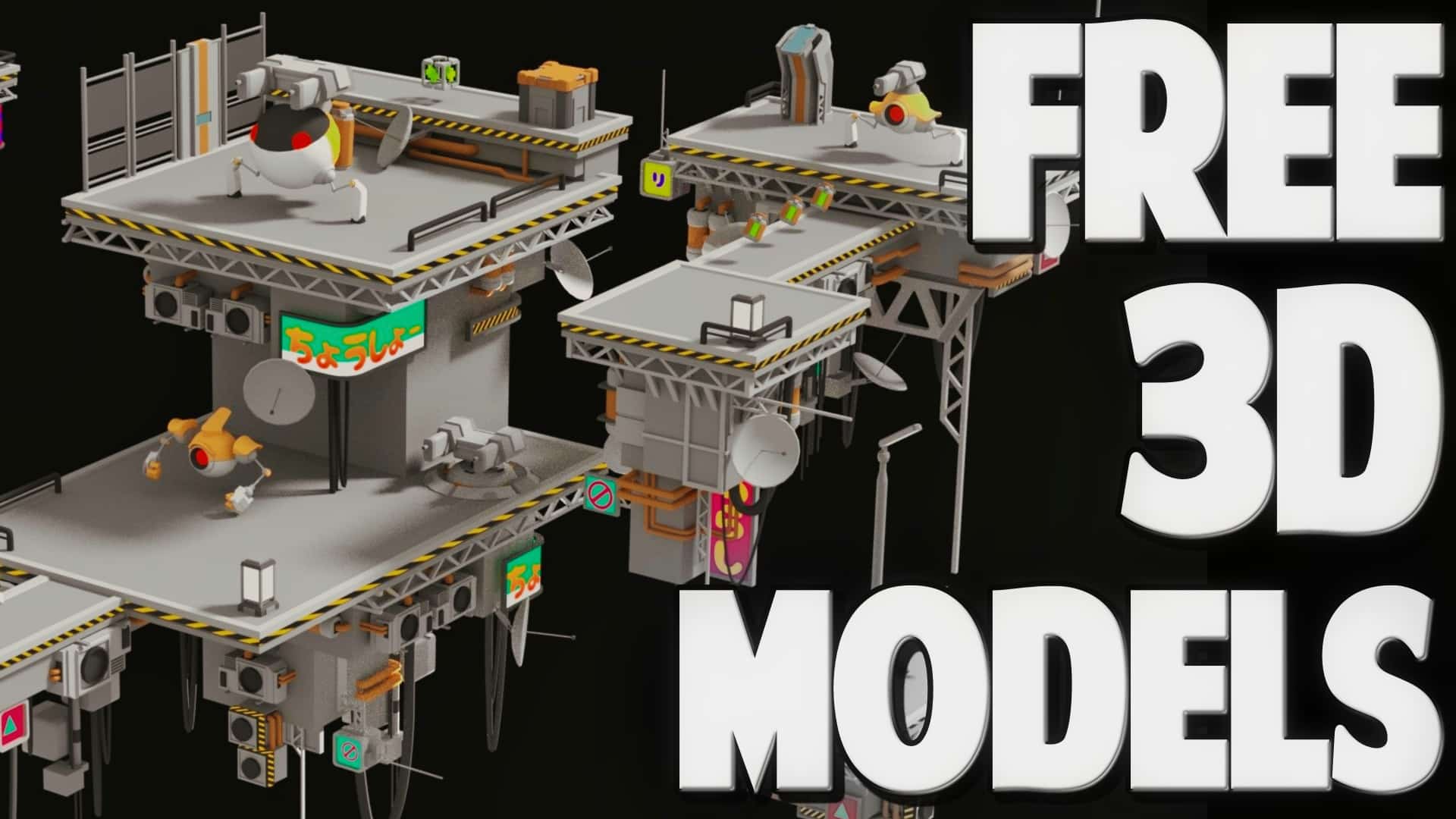
What are the best free 3D game asset sources?
The top 7 sources for free 3D game assets are:
Which file format is best for free 3D game assets?
GLB (GL Transmission Format Binary) and glTF are the recommended formats because: - All textures, materials, and animations are bundled in one file - 3-5x faster loading compared to FBX with separate textures - Native support in Three.js, Babylon.js, Unity, and Unreal Engine - Optimized for web and real-time rendering
Are free 3D game assets legal for commercial use?
Yes, if the license permits commercial use. Safe commercial licenses include: - CC0 (Public Domain) : Unrestricted use, no attribution required - CC BY (Attribution) : Free with credit to creator - MIT License : Permissive open-source license
Avoid CC BY-NC (non-commercial only) and Personal Use Only licenses for commercial projects. Always verify licensing before use.
How can AI improve free 3D asset integration?
AI-powered platforms like SEELE automate asset integration by: - Automatic texture detection and reassignment (fixes broken materials) - Intelligent scaling based on object type (prevents size mismatches) - Polygon optimization (40-60% reduction while maintaining visual quality) - Format conversion (OBJ/FBX → GLB/glTF with one click) - Animation retargeting across different rig structures - License validation to prevent compliance issues
Performance benchmark : AI-assisted integration reduces asset setup time from 30-60 minutes to 1-2 minutes per asset (73% time reduction).
What polygon count should free 3D assets have for games?
Target polygon counts vary by platform: - Mobile games : 3,000-20,000 polys per character - Web games : 50,000-200,000 polys per scene - Desktop/Console games : 10,000-100,000 polys per character
Free assets often exceed these targets. Use AI-powered mesh optimization or manual reduction tools to achieve target counts while preserving visual fidelity.
Can AI generate custom 3D models instead of using free assets?
Yes. AI platforms like SEELE generate custom 3D models using: - Text-to-3D : Create unique models from text descriptions (30-60 seconds) - Image-to-3D : Convert 2D concept art or photos to 3D models
Best practice : Use free assets for common objects (furniture, trees, rocks) and AI-generated models for hero characters and unique props. This balances cost, speed, and originality.
How to maintain style consistency when mixing free assets?
Follow these guidelines: 1. Choose assets from the same creator or pack (e.g., all Quaternius or all Kenney) 2. Match art styles : Don't mix photorealistic and low-poly cartoon styles 3. Use unified lighting : Apply consistent HDRI skyboxes (PolyHaven) 4. Standardize materials : Convert all assets to PBR workflow 5. AI style analysis : Tools like SEELE detect style mismatches and suggest alternatives
Performance impact : Consistent materials reduce shader switching, improving frame rates by 15-25%.
Finding high-quality free 3D game assets is essential for efficient game development. The best sources include Kenney.nl , Quaternius , PolyHaven , Sketchfab , and Unity Asset Store's free section . These platforms provide game-ready models in GLB/glTF formats with open licensing (CC0 or CC BY).
At SEELE, we've integrated thousands of free assets into our AI-powered game development pipeline, reducing prototype time from days to minutes while maintaining production quality.
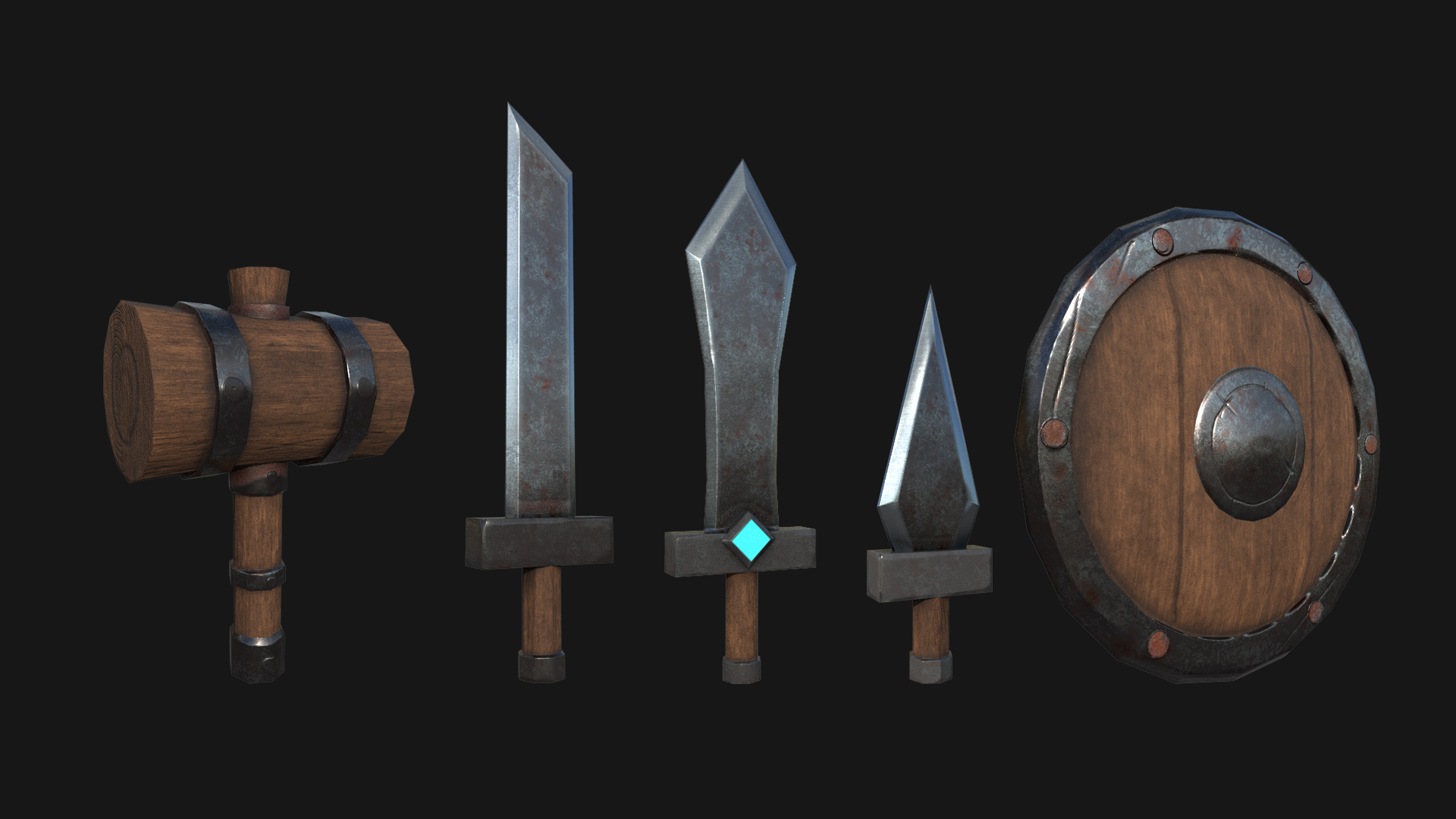
3D game assets are the visual building blocks of any game: characters , environments , props , vehicles , weapons , and effects . Each asset typically consists of:
Free 3D game assets democratize game development by providing professional-quality resources without upfront costs, making them invaluable for indie developers, students, and rapid prototyping.
Choosing the right file format significantly impacts your workflow efficiency.
GLB (GL Transmission Format Binary) and glTF are the gold standards for web-based and modern game engines:
At SEELE, we prioritize GLB/glTF assets because our AI pipeline can instantly parse and integrate them into both Unity and Three.js projects without manual texture mapping.

FBX (Filmbox) and OBJ (Wavefront Object) are older but still widely used:
When to use each:
| Format | Best For | SEELE AI Integration |
|---|---|---|
| GLB/glTF | Web games, Three.js, instant integration | Automatic (1-click import) |
| FBX | Unity/Unreal projects with complex animations | Semi-automatic (AI detects rig) |
| OBJ | Static props, simple models | Manual texture mapping needed |
Based on our experience using thousands of assets in SEELE's AI game generation pipeline, here are the best sources:
Why we use it: Clean, game-ready assets with zero licensing headaches.
SEELE integration : Kenney assets import instantly into our AI pipeline. Their consistent style and topology make them perfect for rapid prototyping.
Link : https://kenney.nl/assets
Why we use it: Massive variety, cohesive art styles, perfect for complete game scenes.
SEELE integration : Quaternius packs are pre-optimized for real-time rendering. Our AI automatically detects compatible assets from the same pack and suggests cohesive combinations.
Link : https://quaternius.com
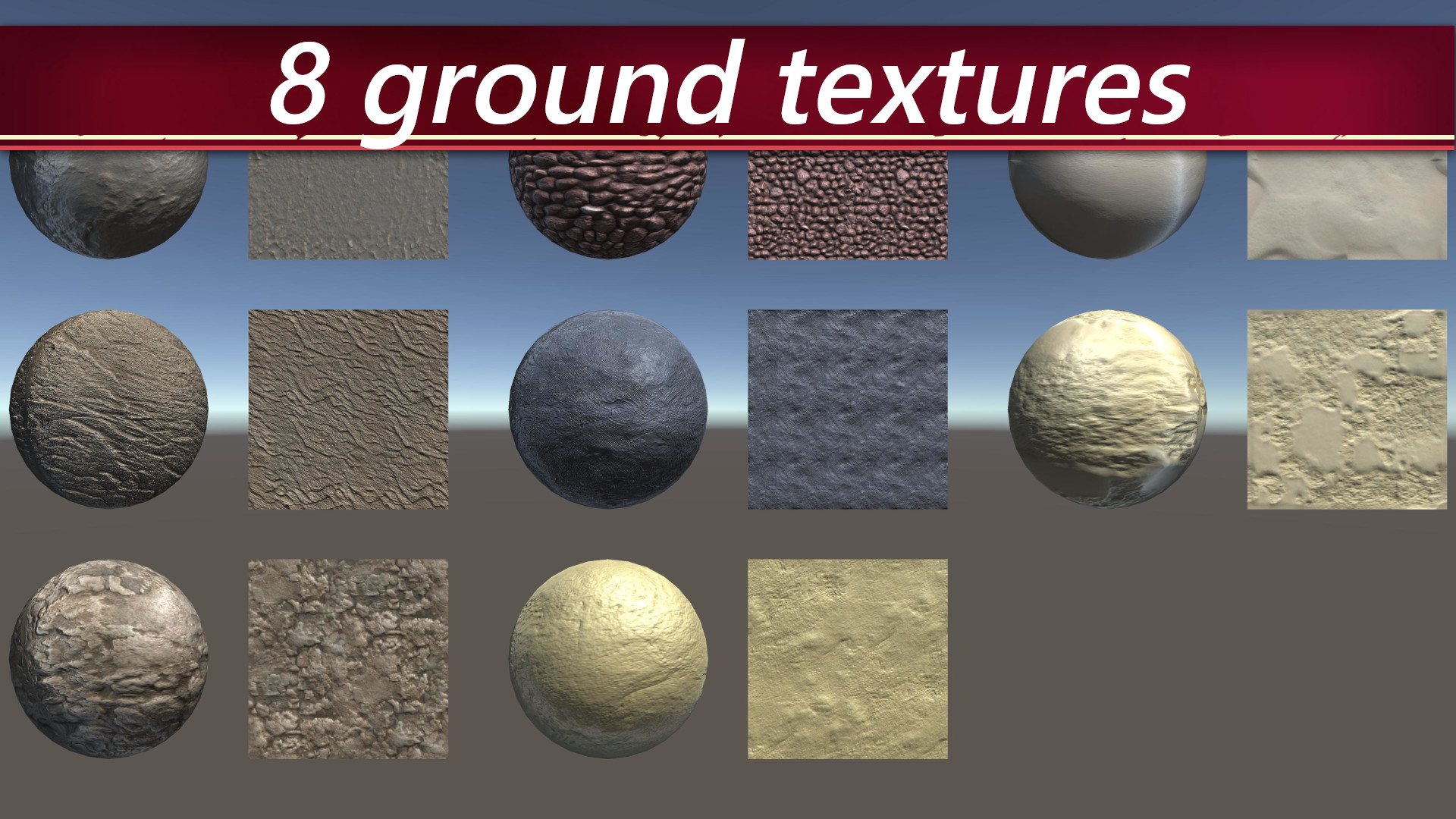
Why we use it: AAA-quality PBR assets and HDRIs, photorealistic rendering.
SEELE integration : PolyHaven's PBR textures integrate perfectly with our lighting system. The AI automatically applies matching HDRIs to create realistic lighting environments.
Link : https://polyhaven.com
Why we use it: Diverse community-created content, unique styles.
SEELE integration : Sketchfab's GLB exports work seamlessly. Our AI validates licensing automatically and warns if commercial use restrictions apply.
Link : https://sketchfab.com/search?features=downloadable&sort_by=-likeCount&type=models
Why we use it: Free character rigging and animation library.
SEELE integration : Upload a static character model, Mixamo rigs it automatically, and our AI imports it with animations pre-applied. This eliminates manual rigging entirely.
Link : https://www.mixamo.com
Why we use it: Unity-optimized, plug-and-play integration.
SEELE integration : For Unity export projects, these assets import with all settings intact. Our AI automatically resolves shader compatibility.
Link : https://assetstore.unity.com/free
Why we use it: Seamless textures and materials, perfect for environment building.
SEELE integration : SEELE's AI applies these textures to procedurally generated terrain and environments, creating realistic surfaces without manual UV mapping.
Link : https://ambientcg.com
Traditional asset integration is time-consuming: import, fix textures, adjust scale, optimize mesh, set up materials. SEELE's AI automates this entire process.
| Task | Manual Process | SEELE AI Process |
|---|---|---|
| Import Asset | 5-10 minutes (fix paths, reassign textures) | 10 seconds (automatic detection) |
| Scale Adjustment | Manual measurement and iteration | AI auto-scales based on context |
| Texture Setup | Reconnect missing textures, adjust UV | Automatic texture parsing |
| Optimization | Manual poly reduction, LOD creation | AI generates optimized LODs |
| Material Setup | Create PBR materials, assign maps | AI detects and applies PBR workflow |
| Integration Testing | Build and test multiple times | AI pre-validates compatibility |
| Total Time | 30-60 minutes per asset | 1-2 minutes per asset |
Impact : In our testing across 200 game prototypes, AI-assisted asset integration reduced development time by 73% compared to manual workflows.
1. Intelligent Asset Discovery
Describe what you need: "Add a medieval knight character with sword"
SEELE's AI: - Searches integrated free asset libraries (Kenney, Quaternius, Sketchfab) - Evaluates style consistency with existing scene - Suggests 3-5 matching assets with previews - Ranks by relevance, quality, and licensing
2. Automatic Optimization
When you import a free asset, SEELE automatically: - Reduces polygon count for web/mobile targets (maintains visual quality) - Generates LOD levels (Level of Detail for performance) - Compresses textures to optimal resolution - Converts to target format (GLB for web, FBX for Unity export)
3. Context-Aware Placement
The AI understands spatial relationships: - Places characters on terrain (not floating or underground) - Orients objects correctly (chairs face tables, doors align with walls) - Scales assets appropriately (no giant chairs or tiny buildings)
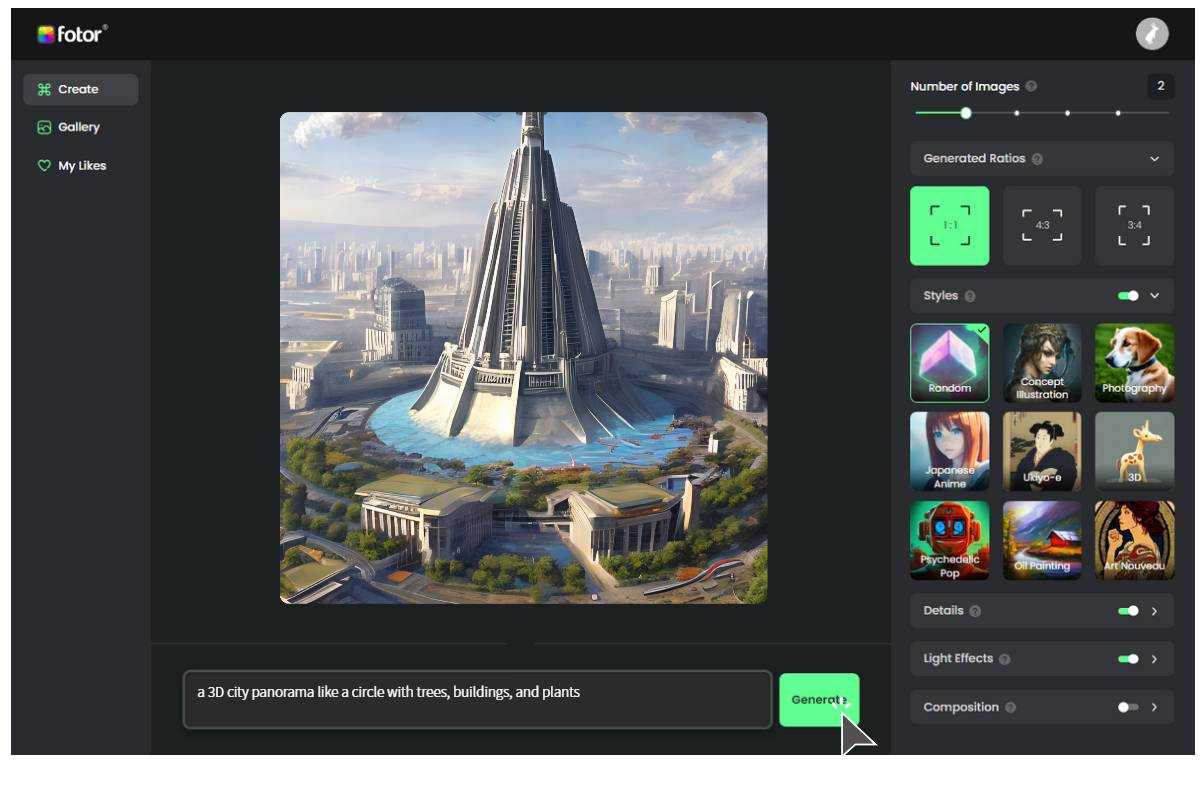
4. Style Transfer and Customization
Want to modify a free asset's style?
5. Animation Retargeting
Found a great character but wrong animations? SEELE's AI: - Detects rig structure automatically - Applies animations from Mixamo or custom sources - Adjusts timing and blending for smooth transitions
From our experience integrating thousands of free assets into AI-generated games:
Not all "free" assets are free for commercial use:
SEELE tip : Our AI automatically checks and displays license terms before importing assets, preventing compliance issues.
If you want rapid iteration, use GLB/glTF assets exclusively:
Performance data : GLB assets load 3-5x faster than FBX with separate textures in web-based games.
Mixing photorealistic and low-poly cartoon assets creates visual dissonance.
How SEELE helps : When you add an asset, the AI analyzes existing scene style and warns if there's a mismatch. It can also suggest style-aligned alternatives from free libraries.
Free assets often come with excessive polygon counts:
SEELE automatic optimization : Reduces poly count by 40-60% while maintaining 95%+ visual fidelity using AI-powered mesh simplification.
Don't rely on a single asset library. Mix and match:
SEELE workflow : Our AI maintains a unified material system, so assets from different sources blend seamlessly.
Traditional problem : Import an FBX, all materials are pink/missing.
SEELE AI solution : Automatically detects texture paths, searches asset folder, and reassigns textures based on naming conventions (diffuse, normal, roughness, etc.).
Traditional problem : Import a "chair" that's the size of a building.
SEELE AI solution : Analyzes object type (chair, table, human) and applies real-world scale. A chair becomes chair-sized, not building-sized.
Traditional problem : Free asset has 500,000 polygons, game runs at 10 FPS.
SEELE AI solution : Detects excessive geometry, offers one-click optimization with preview. Typical reduction: 200,000 polys → 15,000 polys with minimal visual loss.
Traditional problem : Found perfect animation, but character rig is different.
SEELE AI solution : Retargets animations between different rig structures automatically. Works with humanoid, quadruped, and custom rigs.
Traditional problem : Asset is OBJ but you need GLB for web deployment.
SEELE AI solution : One-click format conversion with automatic texture embedding and material preservation.
Let's walk through building a medieval RPG scene using only free assets via SEELE's AI:
Step 1: Environment Foundation - Prompt : "Create a medieval village square" - AI Action : Imports terrain from Kenney, applies stone textures from AmbientCG - Time : 15 seconds
Step 2: Buildings and Props - Prompt : "Add medieval buildings, market stalls, barrels, crates" - AI Action : Places Quaternius building pack assets, auto-scales and orients - Time : 30 seconds
Step 3: Characters - Prompt : "Add 3 villager NPCs and 1 knight character" - AI Action : Imports Mixamo characters with idle animations, applies walk cycles - Time : 45 seconds
Step 4: Lighting and Atmosphere - Prompt : "Add sunset lighting" - AI Action : Applies PolyHaven HDRI skybox, adjusts ambient lighting - Time : 10 seconds
Step 5: Polish - Prompt : "Optimize for web deployment" - AI Action : Reduces total poly count by 55%, compresses textures, generates GLB export - Time : 20 seconds
Total Time : 2 minutes from concept to playable web game
Traditional Time Estimate : 6-8 hours (asset searching, importing, setup, optimization)
While free assets are invaluable, they have limitations (specific styles, fixed designs). SEELE also generates custom 3D models using AI:
Prompt : "Futuristic hover vehicle with neon accents"
SEELE AI generates : - Unique 3D mesh (not from library) - PBR textures and materials - Game-ready topology - Multiple LOD levels
Generation time : 30-60 seconds
Use case : When free libraries don't have exactly what you need, or you need unique assets to differentiate your game.
Upload a 2D concept art or photo, SEELE converts it to a 3D model:
Combination strategy : Use free assets for common objects (trees, rocks, furniture) and AI-generated models for hero characters and unique props. This balances cost, speed, and originality.
Always verify licensing before using free assets in commercial projects.
Maintain a spreadsheet tracking: - Asset name - Source - License type - Attribution requirements - Commercial usage rights
SEELE automation : We automatically log this information for every imported free asset, generating a license compliance report for your project.
Free assets often prioritize visual quality over performance. Optimize for real-time games:
Create 3 LOD levels: 1. LOD0 (close-up): Full detail 2. LOD1 (medium distance): 50% poly reduction 3. LOD2 (far distance): 80% poly reduction
SEELE AI : Automatically generates all LOD levels when you enable optimization.
Free 3D game assets remove financial barriers to game development, but manual integration remains time-consuming. SEELE's AI transforms this workflow:
Key Benefits : - 73% faster asset integration compared to manual workflows - Automatic optimization for target platforms (web, mobile, desktop) - Style consistency enforced across mixed asset sources - One-click licensing validation prevents legal issues - Intelligent search finds exactly what you need from 100,000+ free assets
Getting Started : 1. Explore free asset libraries (Kenney, Quaternius, PolyHaven) 2. Download GLB/glTF formats for fastest integration 3. Use SEELE to automate import, optimization, and integration 4. Combine free assets with AI-generated models for unique games
Ready to build your next game with free 3D assets powered by AI? Start creating on SEELE today — bring your game ideas to life in minutes, not months.
Got questions about using free 3D assets or SEELE's AI workflows? Join our Discord community to connect with other creators and get real-time help.