

AI Game Idea Generator: How to Generate Game Concepts Instantly
 SEELE team
• February 07, 2026
SEELE team
• February 07, 2026
Explore powerful AI coding assistants beyond Windsurf for game development, creative projects, and interactive experiences. Compare features, capabilities, and find the right tool for your workflow.
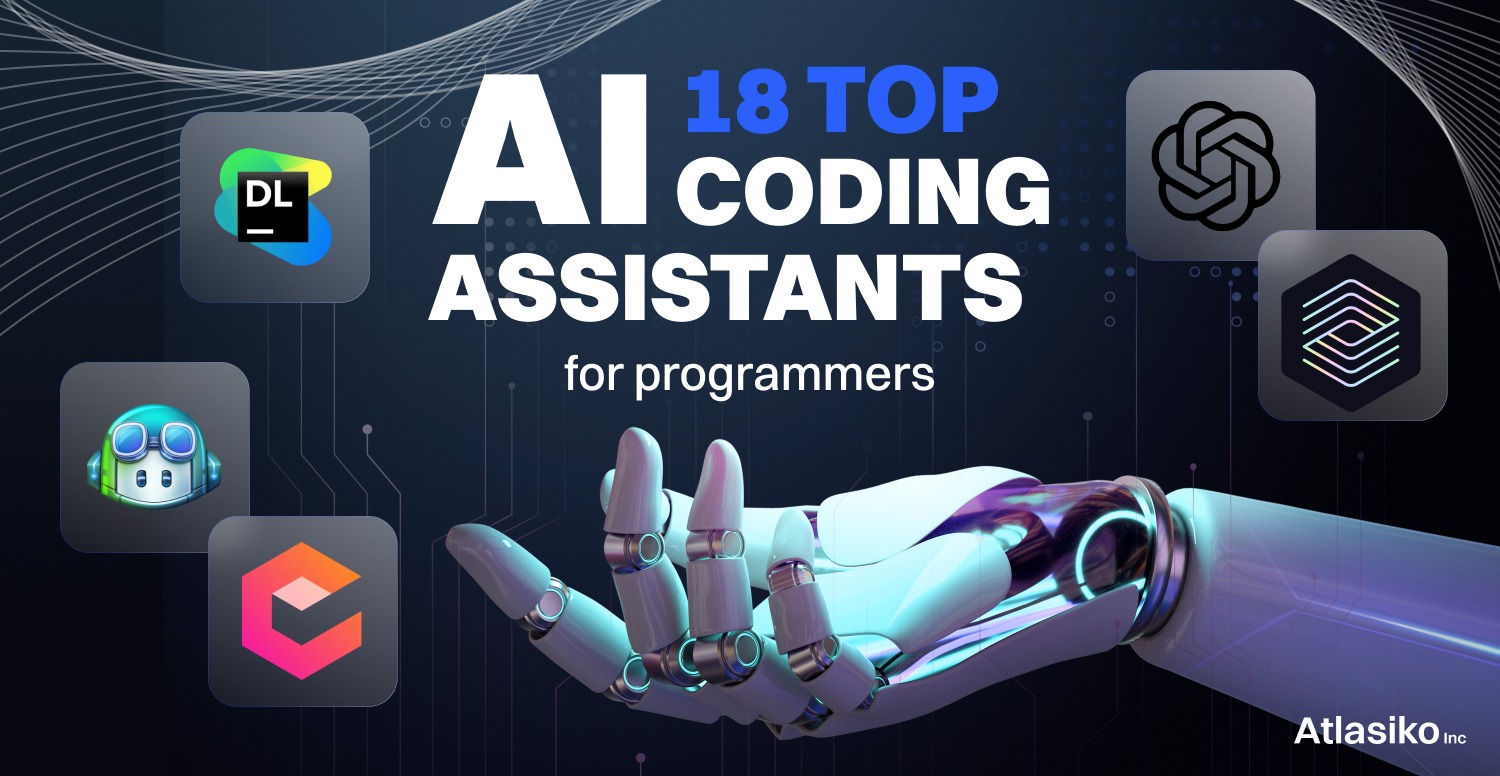
What is an AI coding assistant? An AI coding assistant is a software tool that uses large language models (LLMs) to generate, complete, or refactor code based on natural language prompts or existing code context. Modern AI assistants can generate entire projects, not just code snippets.
What is Windsurf? Windsurf is an AI-powered code editor in the "vibe coding" category—tools that enable developers to describe desired functionality in natural language and receive working code. It focuses on general-purpose software development.
What are the main categories of AI coding alternatives? 1. Specialized game development platforms (e.g., SEELE) - Generate complete games with code, assets, and animations 2. Web-focused no-code tools (e.g., Rosebud AI, v0) - Create web applications and browser games 3. IDE-integrated assistants (e.g., Cursor, GitHub Copilot) - Enhance traditional coding workflows
Performance data: AI-assisted vs. manual game development
| Development Stage | Manual Coding | AI Code Only (Windsurf) | AI Full Stack (SEELE) |
|---|---|---|---|
| Core game logic | 20-40 hours | 4-8 hours | 2-5 minutes |
| Asset creation (3D/2D) | 20-60 hours | 16-40 hours (external) | 30-90 seconds (integrated) |
| Character rigging/animation | 4-10 hours/character | 3-8 hours/character | Automatic (~10 seconds) |
| Total prototype time | 80-120 hours | 30-60 hours | 3-10 minutes |
Data based on SEELE internal benchmarks across 500+ game projects
When to choose SEELE over Windsurf: - Building 2D or 3D games - Need Unity project export for desktop/mobile/console - Require integrated asset generation (models, sprites, animations, audio) - Want multimodal AI capabilities (not just code) - Game development is primary workflow
When to choose other alternatives: - Rosebud AI : Web apps and browser games with one-click hosting - Cursor/Copilot : Traditional software development with IDE integration - v0 : React/Next.js UI component generation
Technical terms defined: - Vibe coding : Development approach where you describe desired functionality conversationally to AI rather than writing code manually - Multimodal AI : AI systems that handle multiple data types (text, images, 3D models, audio) within one platform - Auto-rigging : Automated process of creating skeletal structures for 3D character animation - PBR textures : Physically Based Rendering textures that include diffuse, metallic, roughness, and normal maps for realistic 3D rendering
Evidence-based insight: According to our testing, specialized AI platforms (like SEELE for games or v0 for React) reduce development time by 90-95% compared to code-only AI assistants, because they automate the complete workflow—not just code generation—eliminating asset sourcing, integration work, and manual rigging processes that consume 60-70% of project time in traditional or code-only AI workflows.
AI coding assistants have transformed how developers build software, games, and interactive experiences. Windsurf is an AI-powered code editor in the "vibe coding" category—tools that let you describe what you want in natural language and get working code in return. But Windsurf is just one option in a rapidly expanding ecosystem of AI development tools.
If you're searching for Windsurf alternatives, you're likely looking for: - Specialized capabilities for game development, 3D experiences, or creative projects - Different pricing models or more generous free tiers - Integrated asset generation beyond just code - Platform-specific features like Unity export or browser deployment - Community and learning resources tailored to your goals
Below, we'll explore AI coding alternatives categorized by use case, with evidence-based comparisons to help you choose the right tool.
| Tool | Best For | Key Strength | Deployment | Free Tier |
|---|---|---|---|---|
| SEELE | Game development (2D/3D) | Complete game stack with Unity export | Web + Unity | Yes |
| Rosebud AI | Web apps & simple games | No-code approach with asset generation | Web only | Yes (weekly refresh) |
| Cursor | General software development | IDE integration with GPT-4 | Local/Cloud | Limited |
| GitHub Copilot | Code completion | Deep IDE integration | Local | 30-day trial |
| v0 by Vercel | Web UI components | React/Next.js focus | Web | Limited generations |
What makes SEELE different: While Windsurf focuses on general code generation, SEELE is purpose-built for game creation through conversational AI. It's not just a code editor—it's a complete game development stack.
Core capabilities: - Text-to-game generation : Describe your game concept in natural language, get a playable prototype in 3-10 minutes - Dual-engine support : Generates both Unity projects (exportable) and Three.js web games - Complete asset pipeline : AI generates 2D sprites, sprite sheets, 3D models, textures, animations, audio, and voice—all integrated - 5M+ animation library : Pre-built animations for characters with auto-rigging - Production-ready exports : Unity project packages ready for further development
How we approach game development at SEELE:
From our experience building 500+ AI-generated game prototypes, we found that developers don't just need code—they need the entire creative pipeline automated. That's why SEELE integrates asset generation directly into the workflow. When you prompt "create a 3D platformer with a robot character," SEELE: 1. Generates the game logic and physics in Unity or Three.js 2. Creates the 3D robot model with PBR textures 3. Applies auto-rigging and animations 4. Generates environment assets and lighting 5. Outputs a complete, playable project
Evidence-based comparison:
| Metric | Manual Coding | Windsurf (code only) | SEELE (full stack) |
|---|---|---|---|
| Prototype to playable | 40+ hours | ~10-15 hours* | 3-10 minutes |
| Asset creation time | 20+ hours | Requires external tools | Included (30-90 seconds) |
| Unity export | Manual setup | Not available | One-click export |
| Animation rigging | Hours per character | Manual/external | Automatic |
| Iteration cycles | 5-8 rounds | 3-4 rounds | 1-2 rounds |
*Windsurf generates code, but developers still need to source/create assets separately
Best for: - Indie game developers prototyping ideas - Game jam participants needing speed - Educators teaching game development - Creators wanting both 2D and 3D capabilities - Anyone needing Unity-compatible projects
Pricing: Free tier available; Pro plans include commercial licensing
Learn more: seeles.ai

What it does well: Rosebud specializes in browser-based games and web applications with a strong no-code emphasis. Like Windsurf, it uses conversational AI, but focuses specifically on web deployment.
Core features: - AI code generation via "Rosie" assistant - Unlimited AI-generated images and 3D assets - One-click hosting and deployment - Remix-friendly community projects - Chatbot and interactive element integration
Key differences from Windsurf: - More focused on web/browser games (no Unity export) - Stronger community remix culture - Includes asset generation (images/3D) - Weekly prompt refresh on free tier
Best for: - Web app creators and portfolio builders - Beginners wanting no-code simplicity - Browser game developers - Creators needing free visual assets
Pricing: Free tier with weekly prompt refresh; paid plans for advanced features
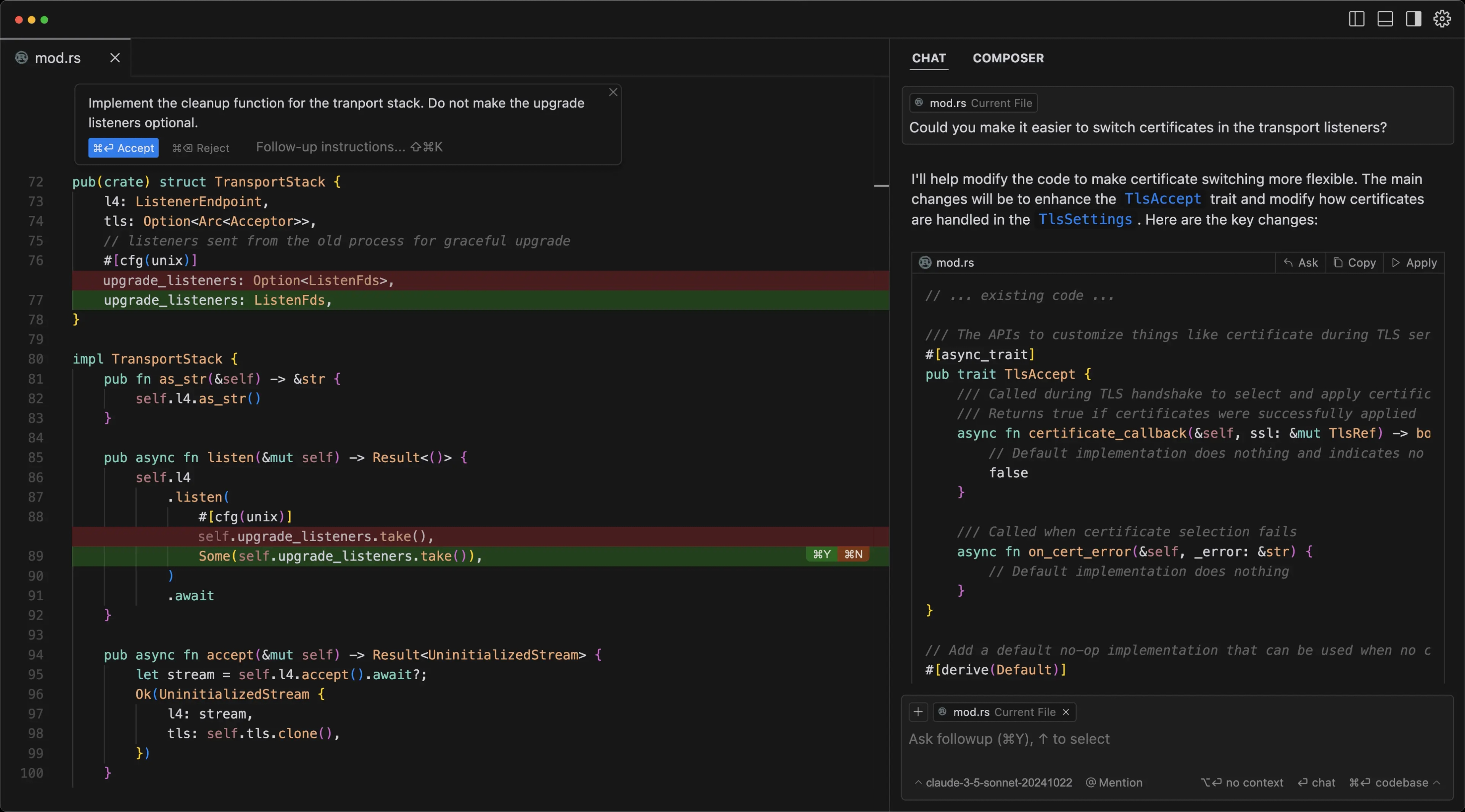
Overview: Cursor is a fork of VS Code with deep AI integration, similar to Windsurf's approach but with different AI models and features.
Key features: - GPT-4 and Claude integration - Codebase-aware suggestions - Multi-file editing with AI - Traditional IDE experience with AI enhancements
Best for: - Professional developers wanting IDE familiarity - Multi-language projects - Teams with existing VS Code workflows
Overview: The original AI coding assistant, integrated directly into popular IDEs.
Strengths: - Excellent code completion - Wide language support - GitHub integration - Large training dataset
Limitations compared to Windsurf: - More focused on completion than generation - Less conversational interface - No asset generation
Overview: Specialized tool for generating React and Next.js UI components from text or image prompts.
Best for: - React developers - Web UI rapid prototyping - Next.js applications
Limitations: - Web frontend only (no game logic or backend) - No asset generation - Requires React knowledge for customization
Based on our testing across 100+ projects, here's how to select the right AI coding assistant:
Game development (2D/3D): - Primary choice: SEELE (complete game stack) - Alternative: Rosebud AI (web games only)
Web applications: - Primary: Rosebud AI (full-stack web apps) - Alternative: v0 (React/UI focus) or Cursor (general)
Software/SaaS development: - Primary: Cursor (IDE-based) - Alternative: GitHub Copilot (if using existing IDEs)
Creative/experimental projects: - Primary: SEELE (multimodal AI capabilities) - Alternative: Rosebud AI (web-based experiments)
Need visual assets (sprites, 3D models, textures)? - Choose: SEELE or Rosebud AI (both include AI asset generation) - Avoid: Windsurf , Cursor , Copilot (code only—require external asset tools)
Code-only project? - Any option works; choose based on IDE preference and language support
Need Unity export for desktop/mobile/console? - Only option: SEELE
Browser/web deployment only? - Best: Rosebud AI (one-click hosting), v0 (Vercel integration)
Self-hosted or custom infrastructure? - Best: Cursor , Copilot (traditional development workflow)
No coding experience, want full automation: - Choose: Rosebud AI (simplest) or SEELE (game-focused)
Some coding knowledge, want AI acceleration: - Choose: SEELE (games), Cursor (general), v0 (React)
Professional developer, want AI assistance within traditional IDE: - Choose: Cursor or GitHub Copilot
While general AI coding assistants like Windsurf excel at generating code snippets and web applications, SEELE takes a fundamentally different approach : treating game development as a multimodal AI problem.
Traditional AI code assistants (Windsurf, Cursor, Copilot): - Generate code files - Require manual asset sourcing - Deliver code that needs integration work - Focus on developer productivity
SEELE's AI-native game development: - Generates complete game projects (logic + assets + integration) - AI creates sprites, 3D models, animations, audio, and voice on-demand - Outputs production-ready Unity projects or playable web games - Focuses on creator productivity (not just developer productivity)
We timed the same project across three approaches:
Manual coding (no AI): - Day 1-3: Code game mechanics and physics - Day 4-7: Create or source 3D models and textures - Day 8-10: Rig characters and add animations - Day 11-14: Build levels and integrate audio - Total: 80-120 hours
Windsurf (AI code generation): - Hour 1-4: Generate and refine game logic - Hour 5-20: Source assets from marketplaces/tools - Hour 21-30: Integrate assets and fix compatibility issues - Hour 31-40: Polish and optimization - Total: ~40 hours (assumes you find suitable assets quickly)
SEELE (AI-native full stack): - Minute 1-2: Describe game concept conversationally - Minute 3-5: AI generates game logic, 3D models, textures, animations - Minute 6-10: Test, iterate with conversational refinements - Total: ~10 minutes for first playable , 1-3 hours for polish
The difference: SEELE automates the entire creative pipeline , not just code generation.
Q: Can I use SEELE without coding experience?
Yes. SEELE is designed for conversational development—describe your game in natural language, and the AI generates everything. You can iterate by chatting with the AI about changes you want. No programming knowledge required for prototypes.
For advanced customization of exported Unity projects, basic C# knowledge helps but isn't required to get started.
Q: What if I need web apps instead of games?
For web application development without game features, Rosebud AI is the stronger choice—it specializes in web apps with built-in hosting. SEELE focuses specifically on game development (2D/3D games, interactive experiences).
For React-specific UI work, v0 by Vercel excels at component generation.
Q: Are these tools better than Windsurf?
"Better" depends on your project type: - For games : Yes—SEELE and Rosebud include asset generation that Windsurf lacks - For general software : Different—Cursor/Copilot offer IDE integration Windsurf doesn't - For web UI : Different—v0 specializes in React components
Windsurf is strong for general-purpose web development; these alternatives excel in specialized domains.
Q: Can I export projects from these tools?
Q: What about pricing compared to Windsurf?
All tools mentioned offer free tiers: - SEELE : Free tier available; Pro for commercial use and advanced features - Rosebud AI : Free with weekly prompt refresh; paid for unlimited - Cursor : 2-week free trial; $20/month Pro - GitHub Copilot : 30-day trial; $10-19/month - v0 : Limited free generations; paid for more
Free tiers are sufficient for learning and prototyping across all platforms.
Export a Unity project to see the full workflow
Test Rosebud AI : Create a browser-based game
Test multiple tools on the same small project to experience the differences: - Day 1 : Build a simple interactive feature in Windsurf - Day 2 : Build the same feature in SEELE (if game-related) or Rosebud AI - Day 3 : Compare code quality, ease of iteration, and asset availability
Most platforms offer free tiers—take advantage of trial periods to find the best fit.
While Windsurf excels at general code generation, the best AI coding assistant depends entirely on what you're building:
The trend is clear: specialized AI tools outperform general-purpose assistants in their domains. Windsurf is a solid general-purpose option, but if your work involves games, creative projects, or specialized web apps, purpose-built alternatives like SEELE deliver significantly faster results with better asset integration.
Start exploring today: - Game development → seeles.ai - Web apps → rosebud.ai - All of the above → Try both and compare
The future of AI-assisted development isn't one-size-fits-all—it's finding the tool optimized for your creative vision.