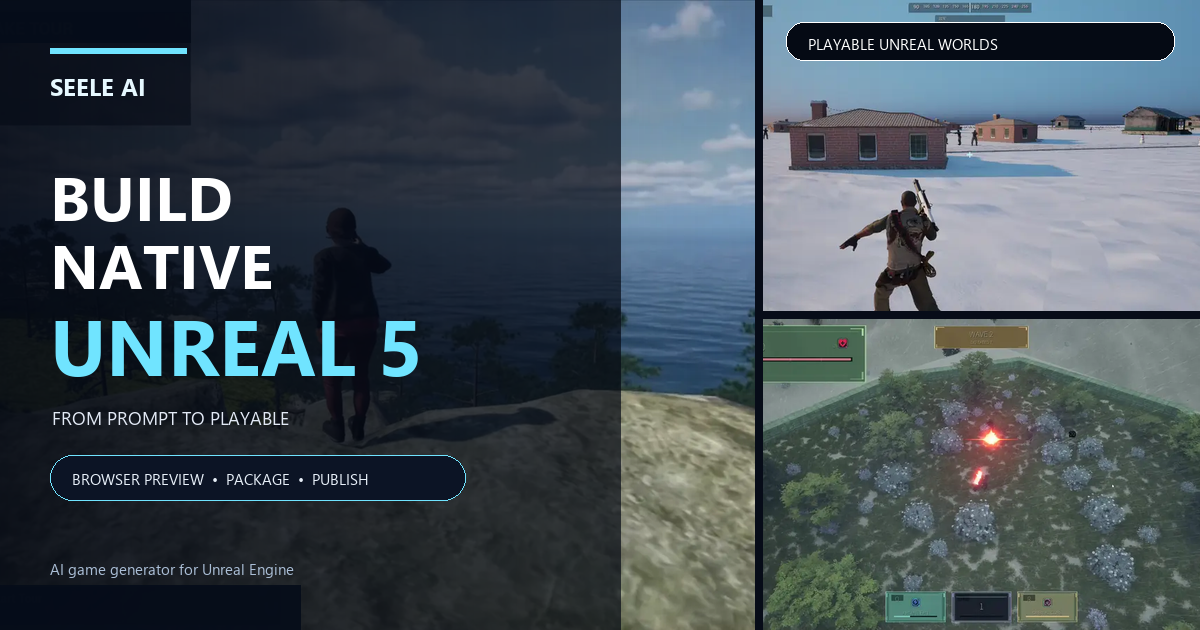

Keep the screen readable
Separate the player ship, enemies, and projectiles visually.

Set a clear objective, one enemy pattern, and room to dodge. Give the player a visible target and a way to move around incoming fire. Introduce one projectile pattern at a time, then check whether players can read the warning and choose a response.
Partners and teams

















How it works
Start with a quest idea, build it in SEELE, and play it through from start to finish.
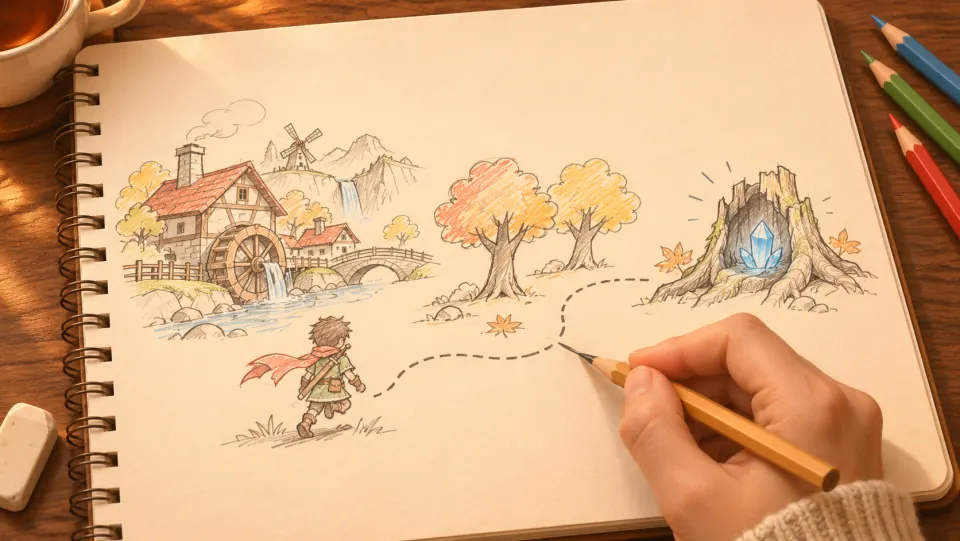
A miller asks for help. The player heads into the forest, finds a crystal, and brings it back for a reward.
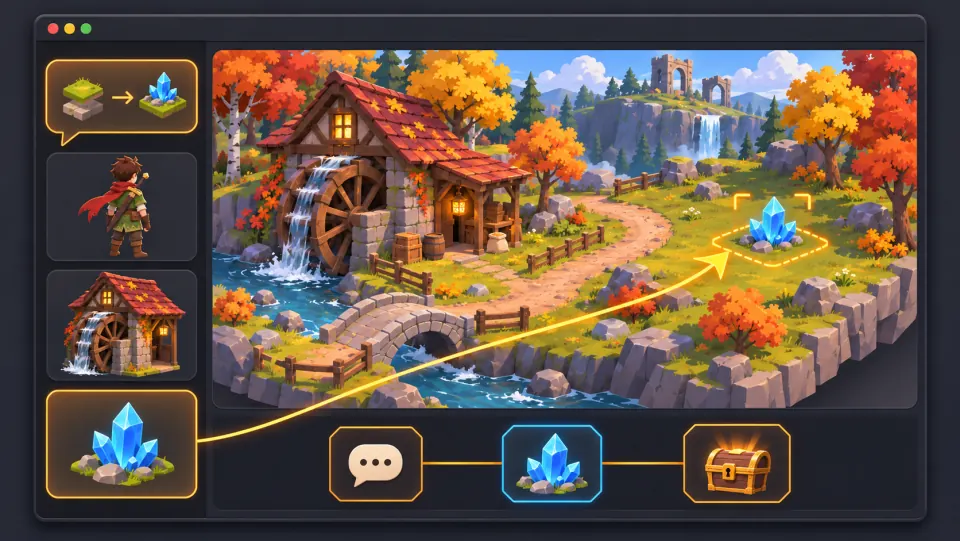
Ask seeleAgent to create the village and forest, add the miller and the crystal, and set up the dialogue, pickup, and reward.
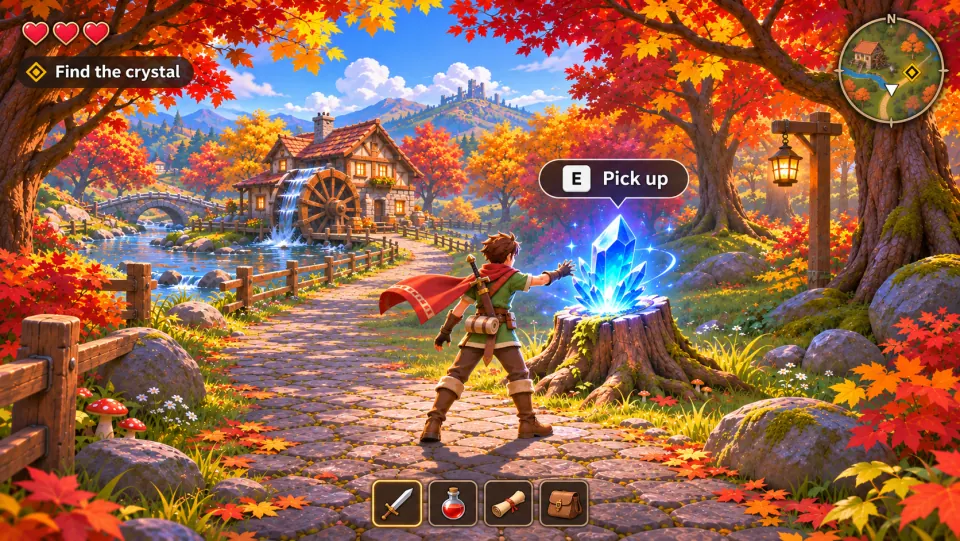
Take the quest, press E to pick up the crystal, and bring it back to the miller to claim your reward.
Pick a starting point
Start with a small ship protecting a relay satellite. Review whether the player action and resulting change are clear.
Start with a small ship protecting a relay satellite. Let the player destroy three drones, avoid their slow shots, and reach a marked jump point.
 Core game loop ↗
Why SEELE
Separate the player ship, enemies, and projectiles visually.

Show a charge or pattern before shots reach the player.

Let players learn steering before filling the screen with threats.

Add a new enemy pattern after the first one is understood.

Make ammo, cooldown, and damage feedback easy to follow.

Check that each new demand builds on the previous encounter.
Made with SEELE
These games are playable. Pick one and give it a try.
 AdventureAdventure GamePlay the example ↗
 ShooterWarcom: Neon BreachPlay the example ↗
 ActionOld Gods RunPlay the example ↗
 CasualCaution! Egg on the Car RoofPlay the example ↗
 RunnerNeon Night Rush: Barrier DashPlay the example ↗
 PuzzleMuseum ExhibitionPlay the example ↗
 SimulationMilky Way Idle 3DPlay the example ↗
 CasualSnowfall & Starry GiftsPlay the example ↗
 RPGCrownfall-The-Three-Realms-CoverPlay the example ↗
 SimulationFLYING CARPlay the example ↗
Who it’s for
Plan player movement, enemy patterns, projectile readability, and encounter feedback.
UEFN IAP Delivery for Game Designers ↗
Test one attack cue and one dodge response in a controlled arena.
Game Generator AI Free ↗
Build a short encounter around one objective before adding a weapon set or long wave.
AI game generator workflow ↗Reviews
FAQ
It helps outline a space-shooter prototype around movement, a target, and a readable enemy attack. Define the player’s objective before adding more waves or weapons.
Give players a visible target or location and a condition that ends the encounter, such as clearing one wave or protecting a relay. Show progress while they play.
Use clear shapes, contrast, and a consistent direction or pattern. Check that projectiles remain distinguishable from the background and other effects.
Show a charge, aim direction, or pause before firing. Keep the warning consistent enough to learn and give the player room to react.
Start with one enemy behavior, then add a second pattern only after players understand the first. Make a short pause or transition signal that a new wave is beginning.
Use one weapon unless weapon choice is the test. Make its range, cooldown, and effect understandable before adding alternatives.
Keep the player, threats, and objective visible at once where possible. Place health and wave feedback where they can be checked without covering incoming attacks.
Ask a player to dodge the same attack pattern more than once. Check whether they can move precisely and recover after an input mistake.
Give the attack a recognizable setup and a safe response, such as moving between marked lanes. Test the cue before adding faster follow-up attacks.
Show that a hit occurred and make the remaining health or recovery state clear. Keep hit feedback distinct from projectile and explosion effects.
Name the ship, objective, movement input, enemy behavior, projectile warning, success condition, and what feedback the player sees. Keep the first encounter short.
Keep the arena and controls fixed while changing one factor, such as shot speed or pattern width. Observe when players notice the cue and whether they have room to react.
Use scrolling only if movement through the level matters to the prototype. Check that the screen still gives players time to see targets and incoming attacks.
Observe whether players can find the target, read the attack, dodge, and understand when the encounter ends. Change one combat variable between tests.