Keep progress gentle
Let the player finish a task without a strict timer or harsh penalty.

Start with a lakeside stall, garden, or neighborhood and give the player a few actions they can learn at their own pace. Make the payoff visible, then playtest whether the routine feels calm and clear.
How it works
Work through one short cozy game loop, then playtest its controls, choices, and feedback.

Pick a stall, garden, or neighborhood that gives the routine a clear setting.
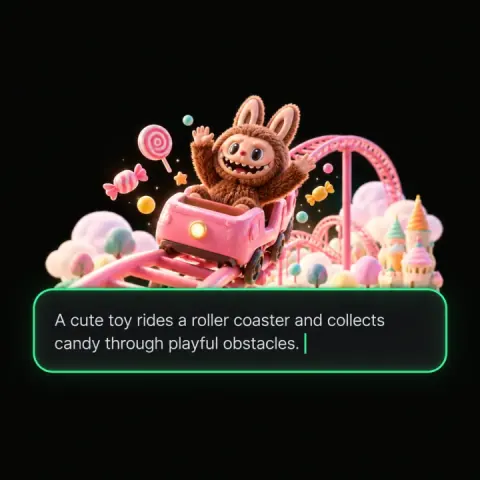
Give the player two or three actions, such as gathering herbs and serving a visitor.

Let each completed task change a shelf, journal, room, or relationship in a visible way.
Introduce one choice or time limit, and make it clear how the player can recover.
Watch someone try the loop and note where they feel rushed, lost, or ready for another task.
Pick a starting point
Make a lakeside tea stall game. Review whether the action and outcome suit this game concept.
Make a lakeside tea stall game. Each morning, the player gathers two herbs, serves a visitor’s chosen blend, and adds one new note to the town’s recipe book.
 Core game loop ↗
Why SEELE
Let the player finish a task without a strict timer or harsh penalty.

Use neighbors, rooms, or seasonal details to make routines feel grounded.

Give exploration a small discovery such as a note, recipe, or decoration.

Show the garden, home, or town changing as the player returns.

Confirm actions with a clear animation or sound that fits the mood.

Allow players to revisit familiar tasks after the main goal is met.
Who it’s for
Use these briefs to give each role a concrete part of the cozy game prototype to explore.
Sketch a low-pressure loop with a routine, a reward, and room to explore.
Create AI Cozy Game Maker with AI ↗
Tie small daily actions to a character, place, or relationship change.
Uefn Team Review Unreal ↗
Keep the first build to one setting and a short task players can finish.
Game Generator AI Free ↗Reviews
FAQ
It helps turn a cozy game idea into a brief for a small, routine-driven prototype. Start with a welcoming place, a few player actions, and a reward that changes the space or story.
Give players time to understand each task, keep the controls predictable, and make progress visible. A gentle choice can add interest without making every action urgent.
Connect the task to a visible change: herbs become a new tea, a cleaned path reveals a shortcut, or a visitor leaves a note for the player to keep.
Test one complete routine from beginning to payoff. Check whether players know what to do, notice the reward, and can return to the activity without a long explanation.
Yes. Keep the stakes understandable and offer a way to recover. A limited supply or optional deadline can create a decision without making the whole loop stressful.
Name the place, the player’s routine, one character or object they interact with, and the change that follows. Add a constraint such as one screen or three actions.
Let decoration reflect progress or unlock a useful interaction. Test whether players can tell what changed and whether decorating supports the activity they came to do.
A brief describes a direction to test. Check the current workspace output and review its assets, interactions, and target build before treating it as a finished project.
Let a place, collection, or relationship change across a few sessions. Keep the next small goal visible so long-term progress does not obscure what the player can do now.
That depends on the mood you want. If missing a day should feel low stakes, let the player return to the routine without losing completed work. Test how the reset feels in context.
Give a character a recognizable preference or recurring concern, then let the player’s actions change a later line, gift, or shared activity.
Start with only the actions needed for one complete routine. Add another step when playtesters can explain why it belongs and the payoff remains clear.
It can, but consider whether failure should pause the routine, change the story, or invite another attempt. Signal the consequence before players commit.
Check readable text, clear interaction states, configurable audio or timing where relevant, and whether important information is conveyed without relying on color alone.