
Seele AI · Story Workspace
AI 3D Game Asset Generator
game artists, technical artists, and small teams can use AI 3D Game Asset Generator to test the part of a project that matters before investing in a larger build or launch: is the result ready to enter the project?
Trusted by leaders in
AI, gaming & entertainment




Why use it
Explore AI 3D game asset generator with a clear starting point
Clarify the idea
Put the audience, purpose, format, and constraints beside the creative idea.
Test the important part
Spend the first experiment on the interaction, scene, asset, or release question that could change the plan.
Keep scope visible
Separate the work needed for this test from the features that can wait until the idea earns more time.
Make feedback actionable
Give reviewers something they can try and discuss instead of asking them to judge an idea in the abstract.
Prepare a handoff
Carry the selected ai 3d game asset generator prompt into the workspace with its open questions attached.
Keep final decisions human
People still decide whether the result is original, accurate, accessible, licensed, and ready to publish.
Examples to adapt
See AI 3D game asset generator examples
Choose an example that resembles the job you need to do, change the details, and use the result to guide the next conversation.
Example prompt
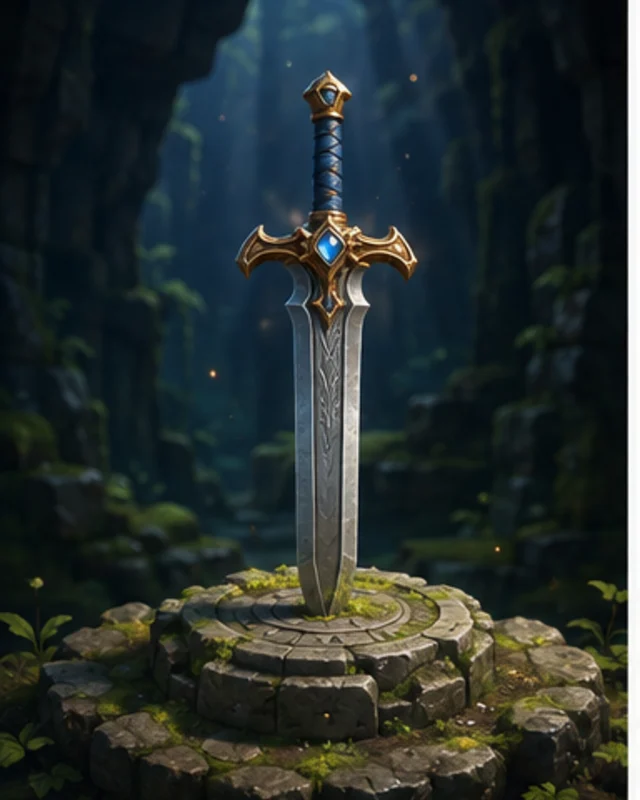
Create a low-poly 3D campsite asset set for a stylized game with AI 3D game asset generator for game artists, technical artists, and small teams. Define the asset type, in-game use, camera distance, and the scene or system that will depend on it. Keep the first version to one tent, one campfire, and one supply object prepared for the same scene.
Who it is for
Who is AI 3D Game Asset Generator for?
game artists, technical artists, and small teams can use this page to make one project decision easier to discuss before a larger build or launch.
- People with a specific project question
Use AI 3D Game Asset Generator when you need to see how an idea, interaction, asset, or release plan might work.
- Teams comparing options
Put the audience, desired result, and constraints beside one proposal so the team can discuss the same idea.
- Creators checking the details
Check quality, continuity, accessibility, rights, and publishing requirements before using the result in a real project.
How to use it
How to use AI 3D Game Asset Generator
Give the tool enough context to make the result specific, then test the part that matters to your project.
Describe the job
Start with the audience, format, desired result, and the question this ai 3d game asset generator page should help answer.
Try one version
Use an example or write your own prompt. Look at the main interaction, structure, visual choices, and scope together.
Decide what to keep
Take the useful parts into the workspace and record the implementation, quality, rights, and publishing work that remains.
What you can use
A starting point for AI 3D game asset generator
- 1
Project outline
The audience, desired result, format, and limits in one place.
- 2
Working example
A playable view of the interaction, content, visual choices, or release path to discuss.
- 3
Open questions
A short list of quality, technical, rights, and publishing checks before the next step.
What you can control
Keep the important decisions yours.
The page can organize a proposal, but people still decide what is accurate, original, usable, and ready for the next stage.
- Audience and purpose
- You define who the experience serves and what a successful result needs to do.
- Quality and continuity
- You check factual fit, originality, continuity, accessibility, and whether the pieces work together.
- Production and release
- You decide what is ready for implementation, sharing, publishing, or another round of work.
Use the generated result as material for discussion. Check important creative and technical decisions with the people responsible for the project.
FAQ
Questions about AI 3D Game Asset Generator
What can I use AI 3D game asset generator for?
Use it to describe a AI 3D game asset generator project, try an example, and decide what needs more work before the next build.
What should I include in an AI 3D game asset generator prompt?
Include the audience, desired result, format, constraints, and the one interaction or output you want to examine.
Can I start with a rough idea?
Yes. A rough idea is enough to begin, but adding one audience detail and one constraint usually makes the result easier to judge.
What does the result include?
It gives you a structured creative result to inspect. The exact content depends on your prompt, and it still needs editing and project-specific checks.
Does it replace a production team?
No. Creative judgment, implementation, quality assurance, rights review, and publishing decisions remain with the project team.
Start creating
Try AI 3D Game Asset Generator
Describe the job, test one version, and decide what to do next inside Seele AI.
Start creatingFree