
Choose a Unity game format, define the first playable loop, and keep iterating from a structured editable brief.
Swipe a glowing runner over barriers, collect gems, and reach the finish.Steer a crowd through arithmetic gates, avoid hazards, and face a final boss.Race a fixed midnight route through ordered checkpoints without crashing.Balance fragile cargo over bumps and roadblocks on a short 2D delivery.Cross tracks and station platforms while reading signals and avoiding collisions.Grow a tiny void by swallowing progressively larger objects across a city.Collect cleaning tools, scrub stains, and restore a wrecked party room.Read orders, combine ingredients, and serve farm-stand drinks against the clock.Roll and slam rival balls in a compact top-down arena.Gather flowers, arrange requested bouquets, and carry them to the counter.Cook ingredients to the right doneness and serve night-market orders on time.Glide between radiant islands, dodge airborne obstacles, and build a score.Follow maze markers, hide from danger, and find the target without being caught.Enter a besieged fortress, battle guards, and complete a short objective.Protect a battered base, clear zombie waves, and choose upgrades between rounds.Pilot a light fighter through an asteroid field with lasers, missiles, and HUD targeting.Use jetpack movement and configurable weapons while managing per-limb damage.Carry a flashlight and four weapons through dark tunnels, then upgrade after each death.
Trusted by leaders in
AI, gaming & entertainment


Why start here
Reduce scope before you build
01
Define the first playable
Start with one mechanic, one route, and a visible completion state.
02
Keep the brief editable
Adjust camera, input, scene count, systems, and visual direction before implementation.
03
Iterate from what you test
Use the first build to find technical risks before adding content or complexity.
Starting points
See focused Unity game formats
Each example keeps the first playable small enough to inspect, test, and revise.
Starting prompt
Create a Unity {'{'}game_type{'}'} prototype with one core loop, a bounded first playable, editable systems, clear feedback, and a restart path.
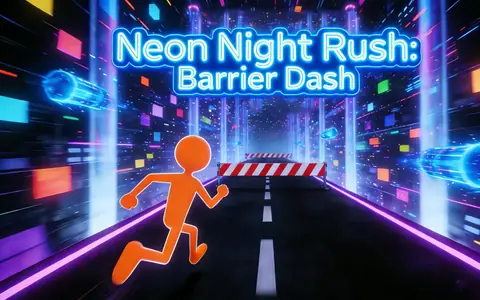
Neon Low-poly Barrier RunnerNeon Night Rush: Barrier Dash
Who this is for
Who should use a Unity game creator?
Use this starting point when a Unity project needs a concrete first playable before the team expands its systems, levels, or art direction.
Unity learners
Practice a complete loop with clear inputs, feedback, progression, and a finish state instead of isolated exercises.
Indie developers
Turn a game idea into a small brief that keeps the first scene and mechanic within reach.
Small production teams
Align on controls, level scope, visual direction, and cut lines before the project grows.
How to use it
Shape a Unity prototype in four steps
Define the player experience first, then use Workspace to review the smallest version worth building in Unity.
01
Choose a game format
Start with a runner, platformer, puzzle, shooter, horror, or other format that matches the intended loop.
02
Set the first playable
Describe the player action, challenge, camera, controls, scene, feedback, and completion condition.
03
Add technical boundaries
Mention the target platform, input devices, asset needs, performance limits, and features that can wait.
04
Review and refine
Open the brief in Workspace, test the core loop, and revise the scope before adding more content or systems.
How it works
From engine brief to first playable
1
Choose the game format
Pick a genre, camera, input model, and one core mechanic.
2
Bound the first playable
Set the scene count, target session, feedback, and explicit exclusions.
3
Build, test, and iterate
Open the project, inspect the result, and revise from observed behavior.
Keep control
Keep technical scope visible
A generated brief accelerates the starting point; Unity implementation, build configuration, and QA still require inspection.
Explicit exclusions
Record systems and content that are outside the first playable.
Editable systems
Keep controls, values, scenes, and visual direction available for iteration.
Human build QA
Test the editor project and packaged build on the intended devices.
The page does not promise automatic Unity export, store compliance, or performance without a tested build.
FAQ
Questions from Unity developers
Is this a finished Unity production pipeline?
It is a starting point for a focused prototype. Developers still need to inspect, configure, build, and test the project.
Can I define what the first playable excludes?
Yes. Prompts should specify a bounded loop and name systems that should not be added yet.
Does the page guarantee a platform build?
No. Build targets and platform behavior require project-specific configuration and verification.
Can I replace the visual direction?
Yes. Treat the visual direction and assets as editable inputs to the next iteration.
Ready to start
Turn a Unity idea into a testable slice
Start with a bounded brief, open the editable project, and use the first playable to guide your next iteration.