

Example footage · 6.583333 s per clip
SEELE02-ULTRA · ONE PROMPT, THREE TIERS
Same prompt.Three tiers.
Explore one example each from Seele02-Flash, Seele02-Pro and Seele02-Ultra using the same prompt. These clips illustrate this example, not typical results.
Compare examples
Switch between tiers.
Each clip runs 6.583333 seconds. Flash and Pro: 1152×658; Ultra: 1920×1080. Videos retain their native resolutions without upsampling; display size adapts to your screen.
Detail crops
A closer look at each example.
Cropped stills are resized for display. They are visual references, not a pixel-matched comparison; the source videos have different resolutions.

FlashSeele02-Flash Look at the car silhouette and window shapes in this Flash example.

ProSeele02-Pro Look at the car body and lighting in this Pro example.
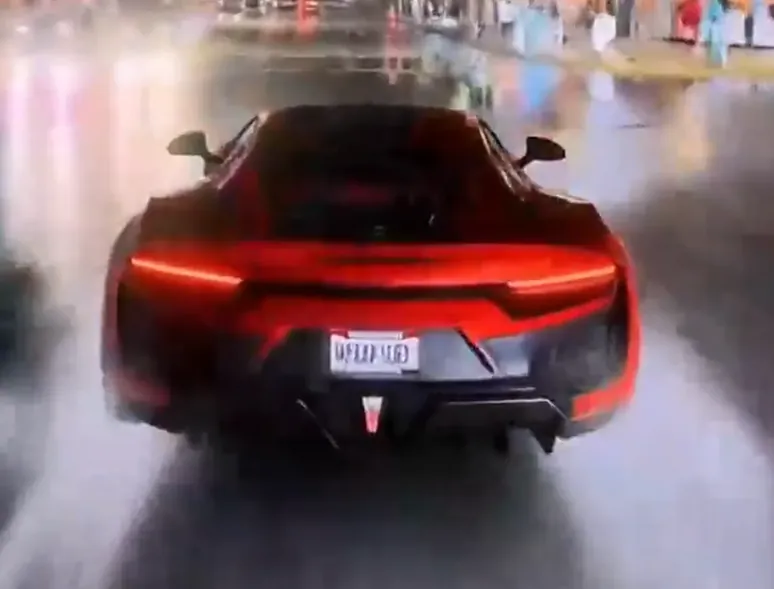
UltraSeele02-Ultra Look at the car details and road lighting in this Ultra example.
One example per tier from one prompt. This is not a benchmark and does not establish typical quality or a ranking.
How to get it
Ultra subscription access.
Explore Seele02-Ultra in the workspace with an Ultra subscription. Check the workspace and subscription page for current model access.
About this comparison
What am I looking at?
Three example clips from the same prompt, each 6.583333 seconds. Flash and Pro are 1152×658; Ultra is 1920×1080. Each video retains its native resolution without upsampling. Detail images are separately cropped and resized for display.
Is this a benchmark?
No. This page shows one example per tier from one prompt. It does not measure speed, cost, success rate or typical output quality.
Which tier should I use?
Use these examples to explore visual styles, then try your own project. Compare the models and subscription options available in the workspace; results depend on the prompt and project.
How do I use Ultra?
Seele02-Ultra requires an Ultra subscription. Check model availability in the workspace and plan details on the subscription page.